range Pi 用户手册 深圳市迅龙软件有限公司版权所有
www.orangepi.cn
39
www.xunlong.tv
root@OpenWrt:/# opkg update
2) Get the software list
root@OpenWrt:/# opkg list
3) Install the specified software package
root@OpenWrt:/# opkg install < Package name >
4) View installed software
root@OpenWrt:/# opkg list-installed
5) Uninstall software
root@OpenWrt:/# opkg remove < Package name >
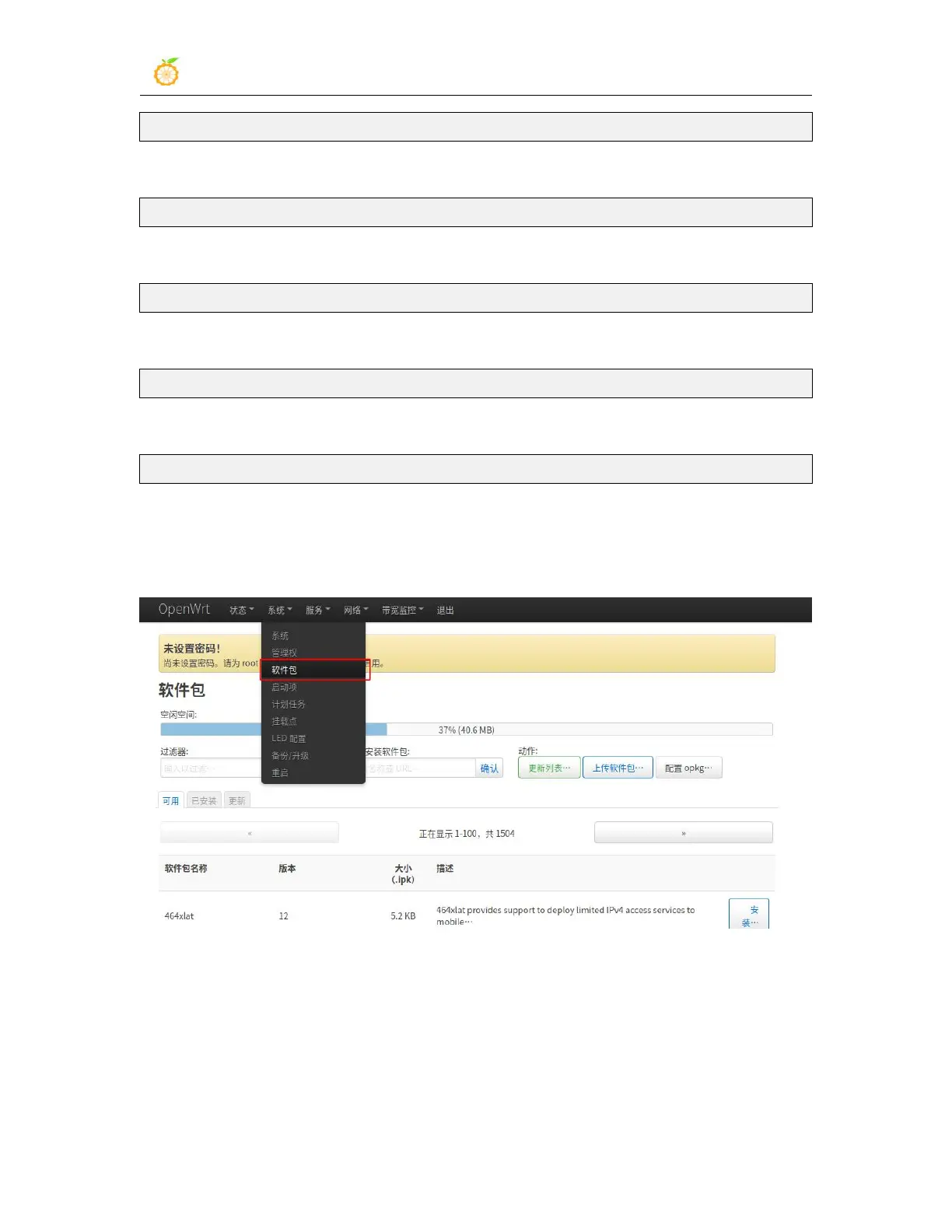
3.9.2. Install on the package management page
1) Click "System" -> "Package" to enter the software package management page
2) Click "Update List" to get a list of available packages, then click “available”, and then
the number of packages currently available is shown here.



 To Next Page