range Pi 用户手册 深圳市迅龙软件有限公司版权所有
www.orangepi.cn
38
www.xunlong.tv
red light is taken as an example below)
a. First enter the red light setting directory
root@OpenWrt:~# cd /sys/class/leds/orangepi-r1plus:red:sys
b. The command to set the red light off is as follows
root@OpenWrt:/sys/class/leds/orangepi-r1plus:red:sys# echo 0 > brightness
c. The command to set the red light is as follows
root@OpenWrt:/sys/class/leds/orangepi-r1plus:red:sys# echo 1 > brightness
d. The command to set the red light to flash is as follows
root@OpenWrt:/sys/class/leds/orangepi-r1plus:red:sys# echo heartbeat > trigger
e. The command to set the red light to stop flashing is as follows
root@OpenWrt:/sys/class/leds/orangepi-r1plus:red:sys# echo none > trigger
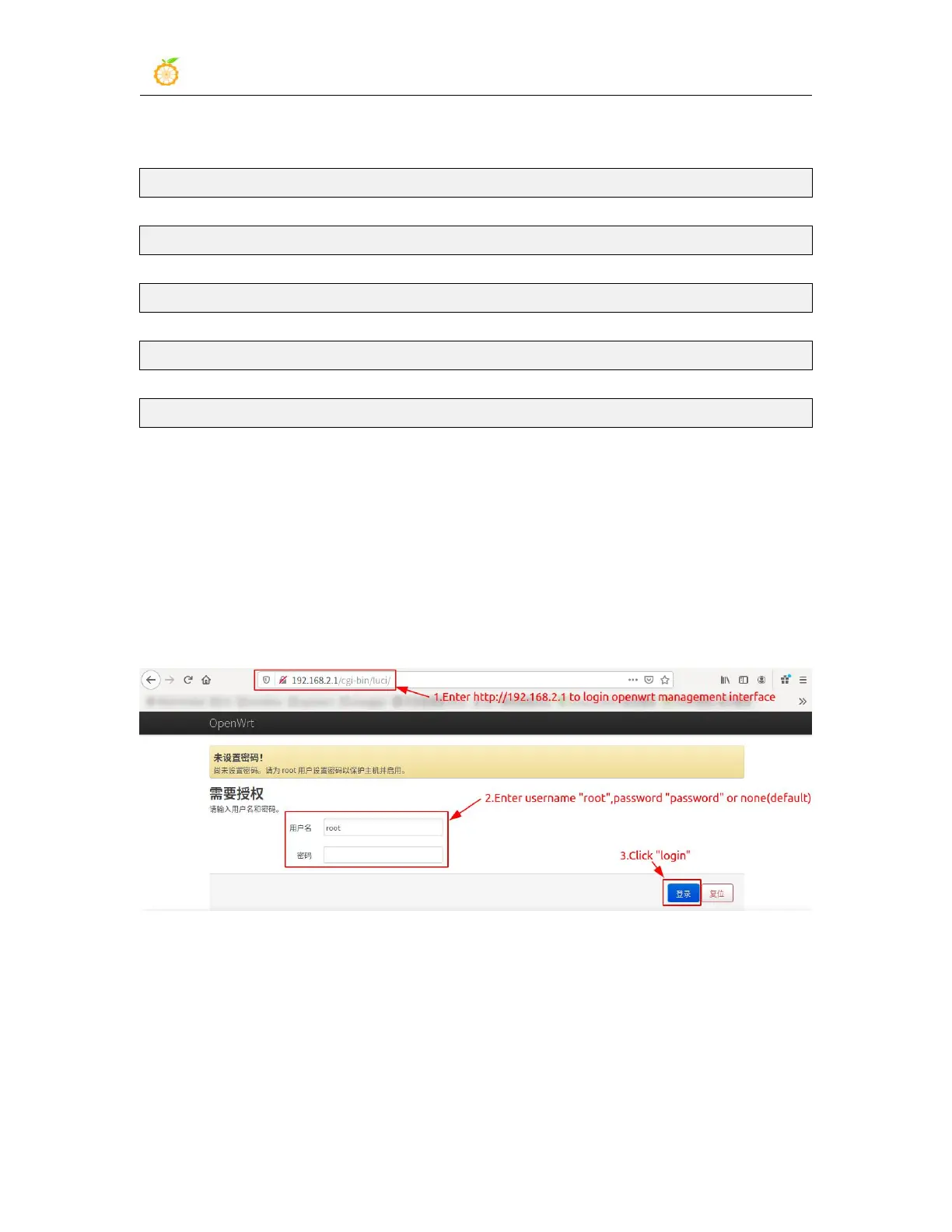
3.8. Log in to the OpenWRT management page
1) Connect the WAN port of OrangePi R1 Plus to your main router with a network cable
2) Connect the computer to the LAN port of OrangePi R1 Plus with a network cable,
enter http://192.168.2.1 to login OpenWRT management interface, and enter the
username “root”and password “password” or none(default), and then click “login”
3.9.
Install packages
There are two ways to install the software package on the OpenWRT system
3.9.1.
Install via opkg in the terminal
1) Update the list of available packages



 To Next Page