range Pi 用户手册 深圳市迅龙软件有限公司版权所有
www.orangepi.cn
46
www.xunlong.tv
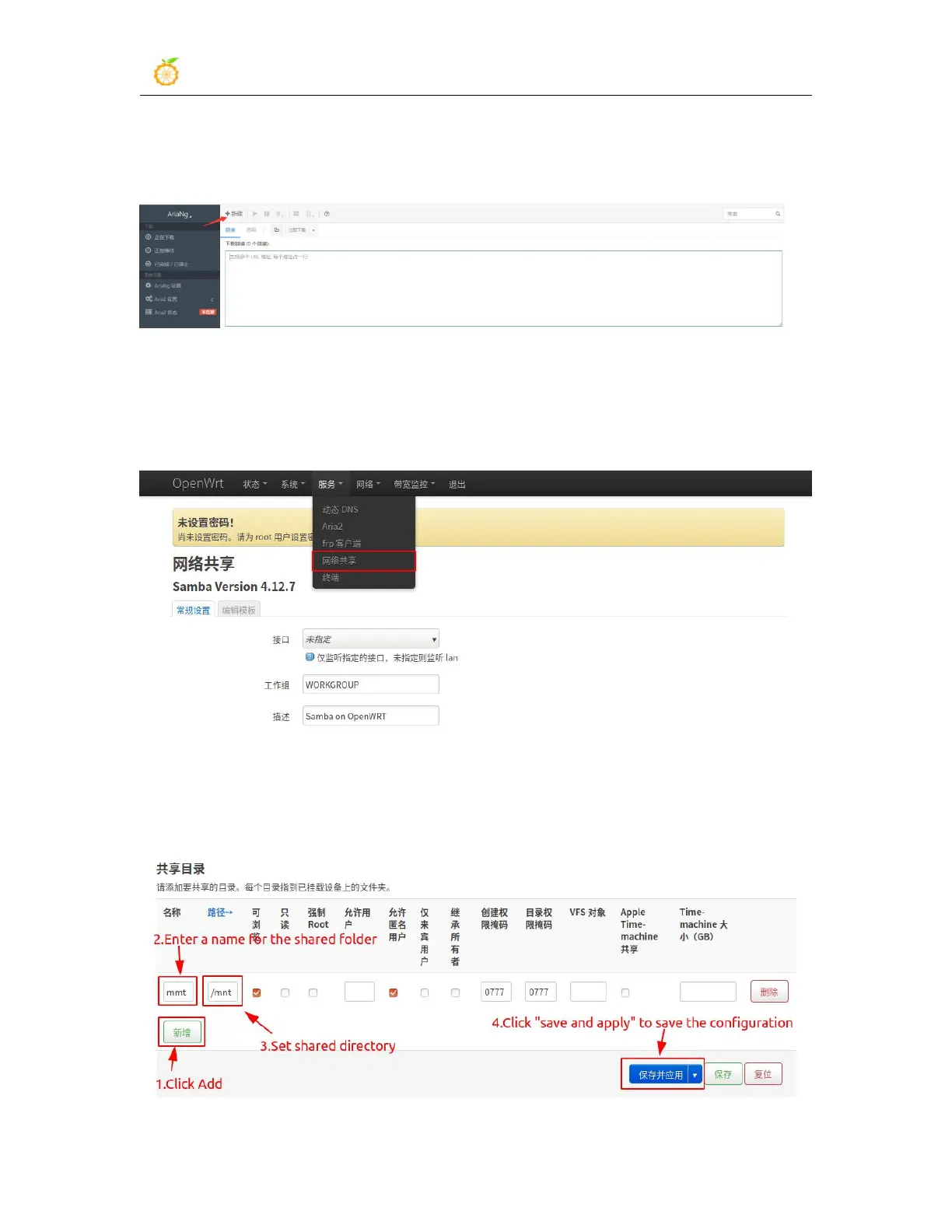
3) After saving, click "AriaNg" to enter the downloader, click the "New" button, and
enter the download link in the box to download
3.12. Use samba network share
1) Click "Service" -> "Network" to enter the samba network share management page
2) Click "Add" at the bottom of the directory that needs to be shared. Here, take the
setting of the shared/mnt directory as an example. After enter the name, path and
permissions of the shared directory, click "Save and Apply" to save the configuration.



 To Next Page