range Pi 用户手册 深圳市迅龙软件有限公司版权所有
www.orangepi.cn
33
www.xunlong.tv
3.4.2.
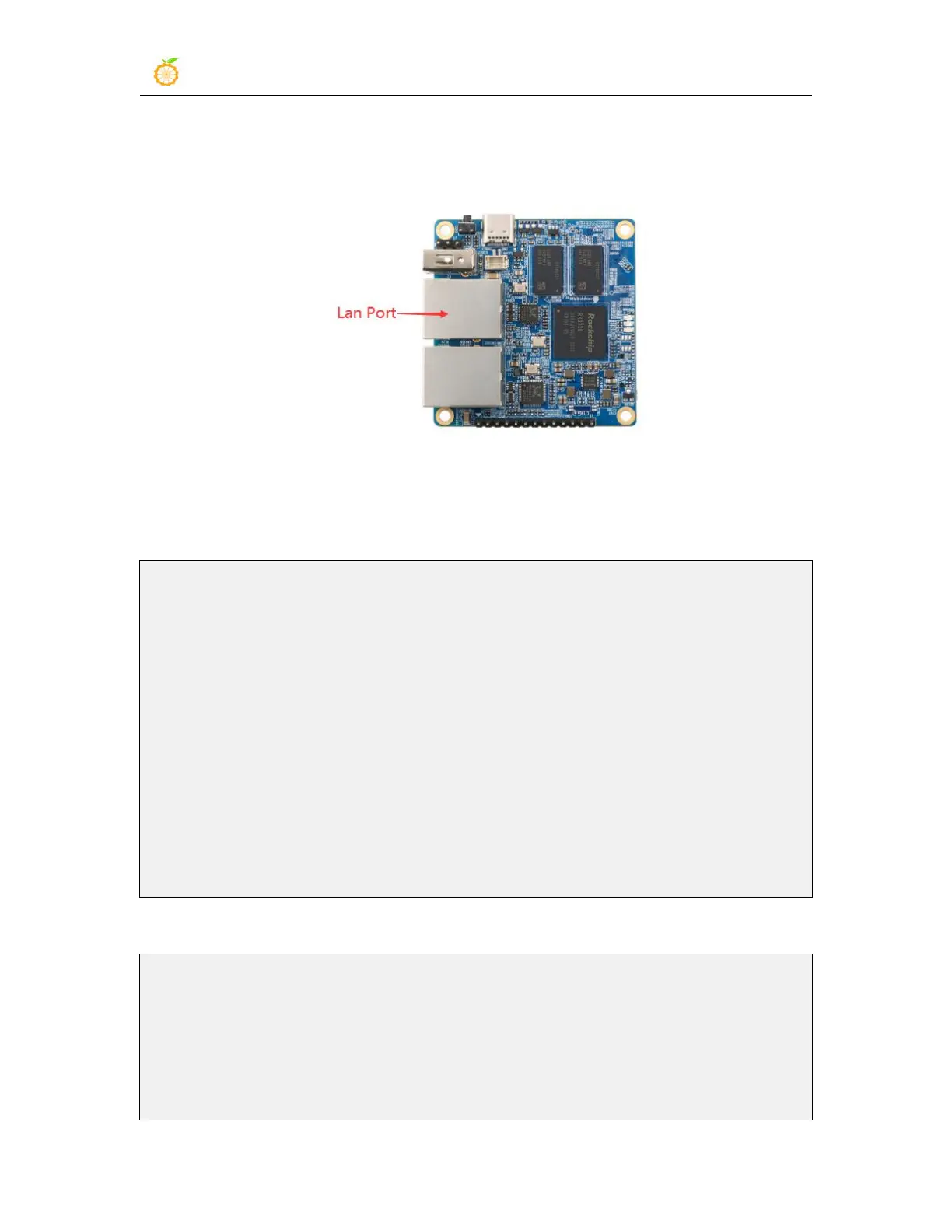
Lan port test
1) First connect the network cable to the Lan port of the development board and the
Ubuntu PC
2) After the system starts, it will automatically assign an IP address to the Ubuntu PC
Ethernet card through DHCP
3) The command to view the IP address on the Ubuntu PC is as follows
test@ubuntu:~# ifconfig enp5s0
eenp5s0: flags=4163<UP,BROADCAST,RUNNING,MULTICAST> mtu 1500
inet 192.168.2.174 netmask 255.255.255.0 broadcast 192.168.2.255
inet6 fd50:32f6:413:0:8050:834c:16d4:d493 prefixlen 64 scopeid 0x0<global>
inet6 fe80::686:bb73:c7ae:9e9a prefixlen 64 scopeid 0x20<link>
inet6 fd50:32f6:413::d00 prefixlen 128 scopeid 0x0<global>
inet6 fd50:32f6:413:0:6bbf:bc59:16e2:1f76 prefixlen 64 scopeid 0x0<global>
ether 40:b0:76:60:17:c3 txqueuelen 1000 (Ethernet)
RX packets 4331701 bytes 2941416494 (2.9 GB)
RX errors 0 dropped 0 overruns 0 frame 0
TX packets 13649801 bytes 5762726379 (5.7 GB)
TX errors 0 dropped 0 overruns 0 carrier 0 collisions 0
4) The command to test network connectivity is as follows
test@ubuntu:~# ping 192.168.2.1
PING 192.168.2.1 (192.168.2.1) 56(84) bytes of data.
64 bytes from 192.168.2.1: icmp_seq=1 ttl=64 time=0.439 ms
64 bytes from 192.168.2.1: icmp_seq=2 ttl=64 time=0.455 ms
64 bytes from 192.168.2.1: icmp_seq=3 ttl=64 time=0.390 ms
64 bytes from 192.168.2.1: icmp_seq=4 ttl=64 time=0.473 ms



 To Next Page