range Pi 用户手册 深圳市迅龙软件有限公司版权所有
www.orangepi.cn
76
www.xunlong.tv
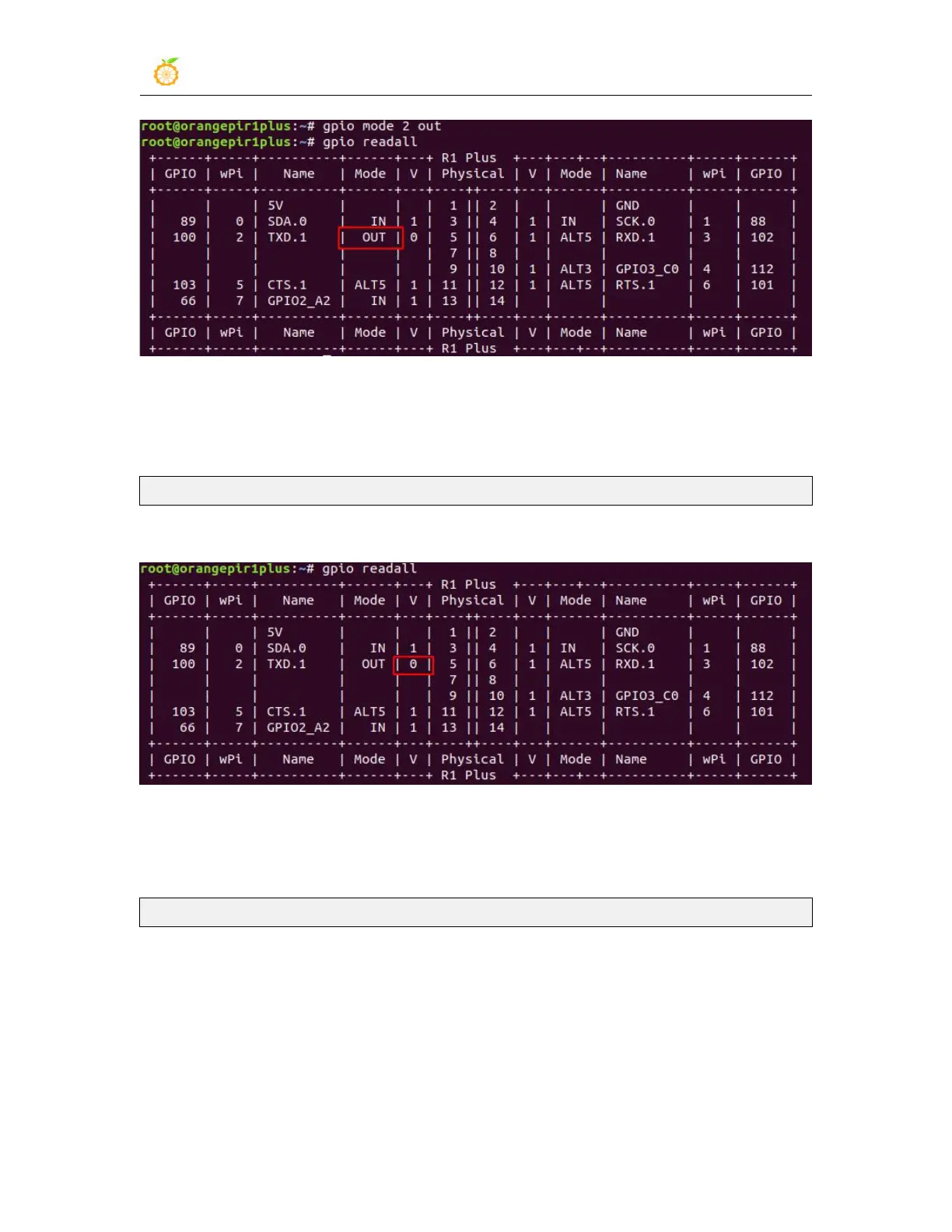
3) Then set the GPIO port to output low level. After setting, you can use a multimeter to
measure the value of the pin voltage. If it is 0v, it means that the low level is set
successfully
root@orangepir1plus:~/wiringOP# gpio write 2 0
Use gpio readall to see that the value (V) of pin 7 has become 0
4) Then set the GPIO port to output high level. After setting, you can use a multimeter to
measure the value of the pin voltage. If it is 3.3v, it means that the high level is set
successfully
root@orangepir1plus:~/wiringOP# gpio write 2 1
Use gpio readall to see that the value (V) of pin 7 has become 1



 To Next Page