range Pi 用户手册 深圳市迅龙软件有限公司版权所有
www.orangepi.cn
78
www.xunlong.tv
Applying kernel provided DT overlay rockchip-i2c0.dtbo
2698 bytes read in 8 ms (329.1 KiB/s)
Applying kernel provided DT fixup script (rockchip-fixup.scr)
d. After the system starts, if there are more i2c device nodes under /dev, the
configuration is correct
root@orangepir1plus:~# ls /dev/i2c*
/dev/i2c-0 /dev/i2c-1
e. The correspondence between different i2c device nodes is shown below, where
a) i2c0 in 13pin corresponds to /dev/i2c-0
2) Then start testing i2c, first install i2c-tools
root@orangepir1plus:~# apt update
root@orangepir1plus:~# apt install i2c-tools
3) Then connect an i2c device to the i2c0 pin of the 13pin connector
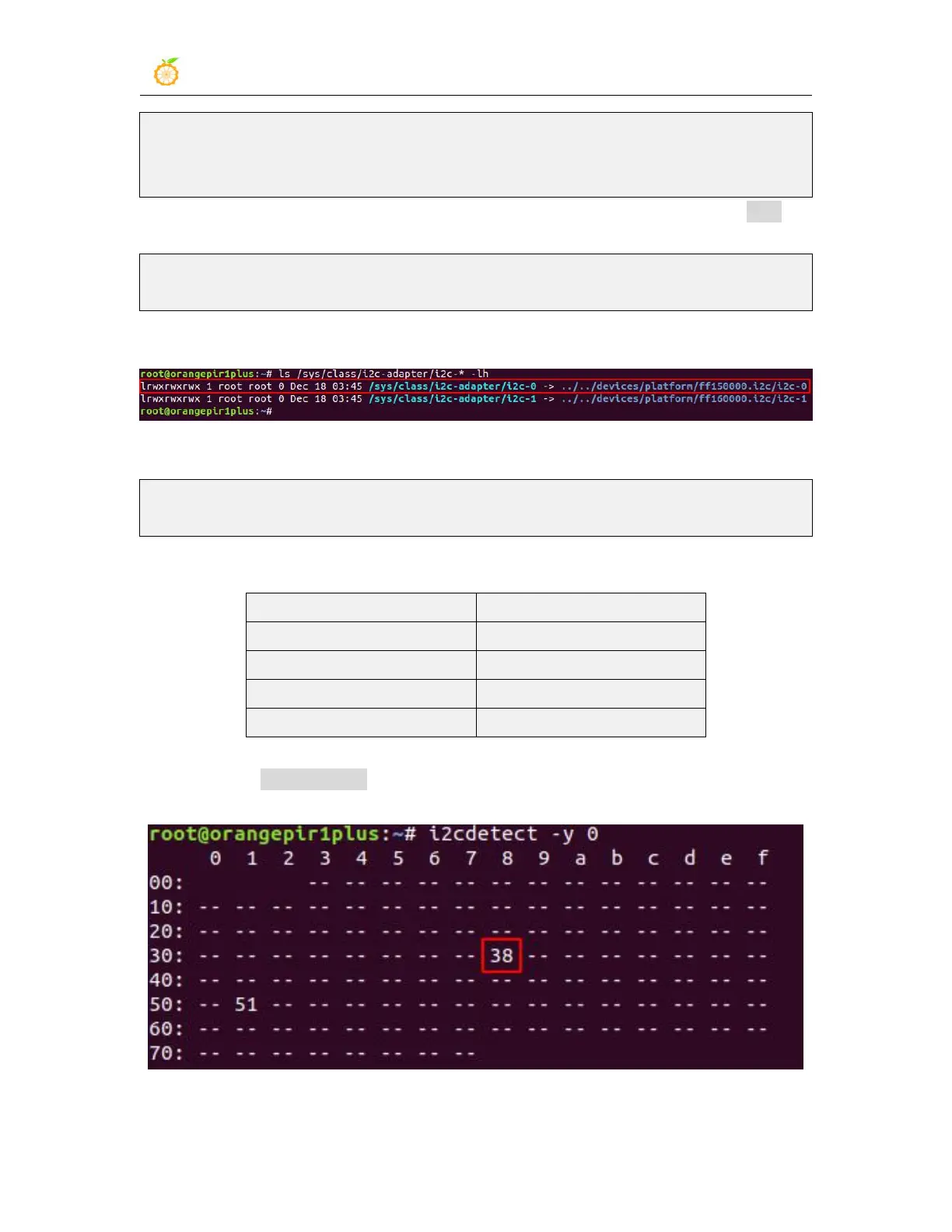
4) Then use the i2cdetect -y 0 command if the address of the connected i2c device can be
detected, it means that i2c can be used normally



 To Next Page