range Pi 用户手册 深圳市迅龙软件有限公司版权所有
www.orangepi.cn
87
www.xunlong.tv
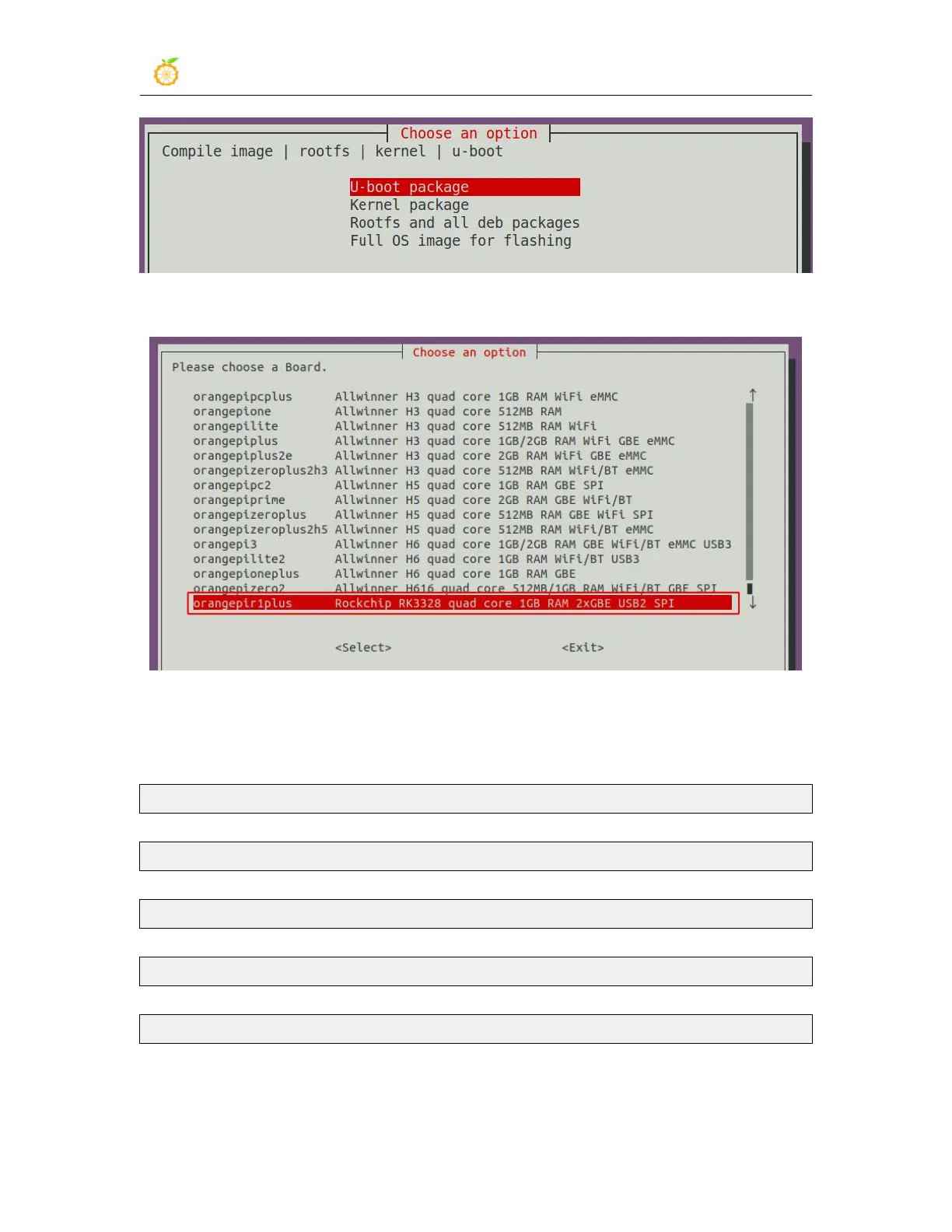
3) Then select the model of the development board
4) Then it will start to compile u-boot, some of the information prompted during
compilation are explained as follows
a. u-boot source version
[ o.k. ] Compiling u-boot [ v2020.07 ]
b. The version of the cross-compilation toolchain
[ o.k. ] Compiler version [ aarch64-none-linux-gnu-gcc 9.2.1 ]
c. The path of u-boot deb package generated by compiling
[ o.k. ] Target directory [ output/debs/u-boot ]
d. Package name of u-boot deb package generated by compiling
[ o.k. ] File name [ linux-u-boot-current-orangepir1plus_2.1.0_arm64.deb ]
e. Compilation time
[ o.k. ] Runtime [ 1 min ]
f. Repeat the command to compile u-boot, use the following command without
selecting through the graphical interface, you can start compiling u-boot directly



 To Next Page