IGS-3032GC User’s Manual
73
Command Line Interface Management
Configuration by Command Line Interface (CLI).
6.1 About CLI Management
Besides WEB-base management, IGS-3032GC also support CLI management. You can
use console or telnet to management switch by CLI.
CLI Management by RS-232 Serial Console (9600, 8, none, 1, none)
Before Configuring by RS-232 serial console, use an RJ45 to DB9-F cable to connect the
Switches’ RS-232 Console port to your PC’s COM port.
Follow the steps below to access the console via RS-232 serial cable.
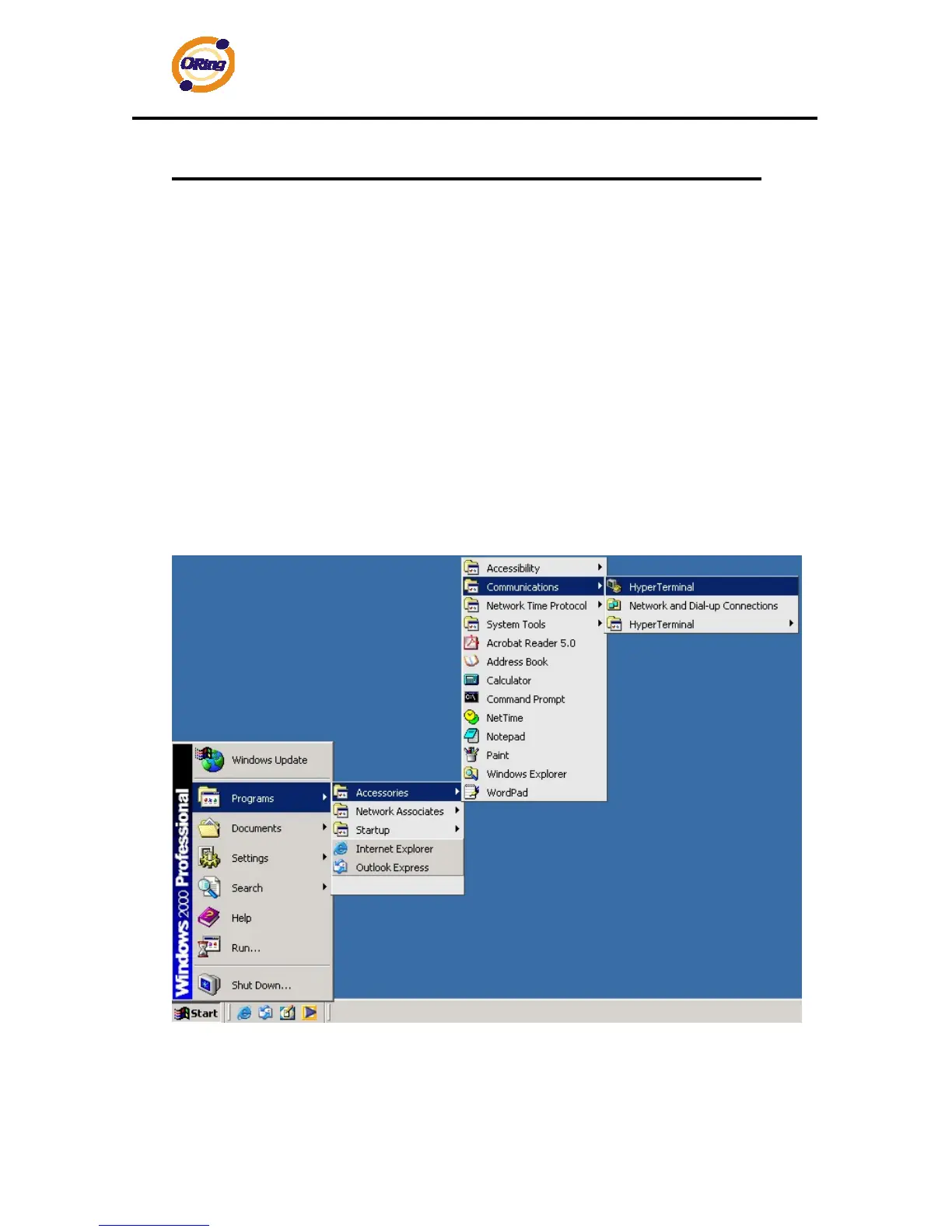
(1) From the Windows desktop, click on Start -> Programs -> Accessories -> Communications
-> Hyper Terminal


 To Next Page