ExpressBox 16 Basic| 21
2.5.3 Which slot to plug in the host card
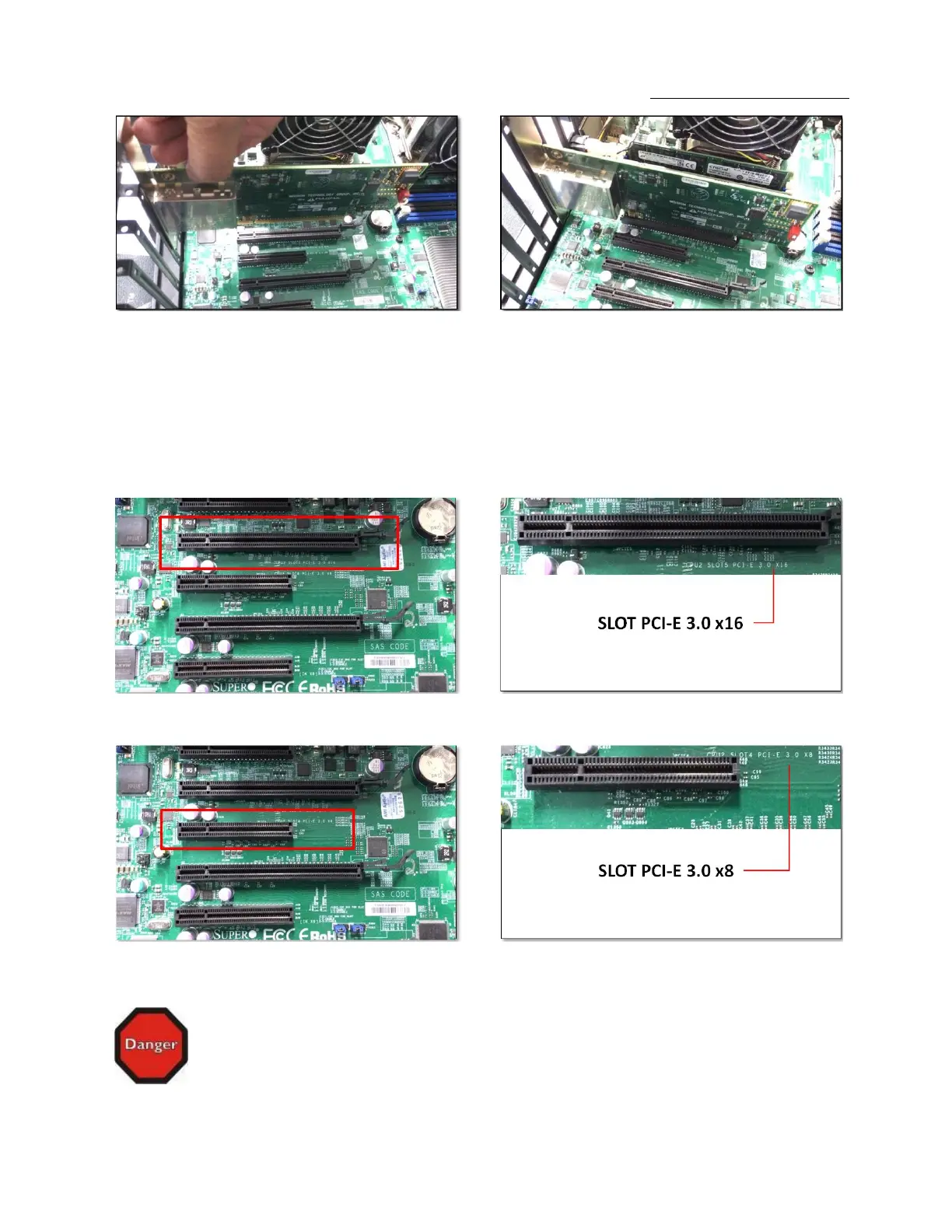
It is important to know how many lanes the host computer slot can support. The host card needs to be configured for the same number of
lanes as the host computer slot. For example, the computer slot is set to x8 lanes; therefore, you must configure the OSS host card to x8 lanes.
Refer to PAGE 21 for configuration purposes of the PCIe card. The number of lanes is typically noted on a motherboard computer next to the
PCI Express slot. See photos below.
STOP
YOU MUST ONLY INSTALL THE PCIe HOST CARD INTO A PCI EXPRESS SLOT.
Only use cards WITH brackets. This will ensure that your PCIe host card can only be inserted into a PCIe slot. Although PCI Express cards
without brackets may fit into conventional PCI slots, you run the risk of damaging the PCI Express host card if you insert it into a PCI slot. Please
ensure that your host computer has PCI Express slots and install the host card only into a PCI Express slot.


 To Next Page