ExpressBox 16 Basic| 28
3 Software - Verify Installation
3.1 Windows
No additional software or drivers are needed. The operating system should automatically recognize the OSS expansion chassis.
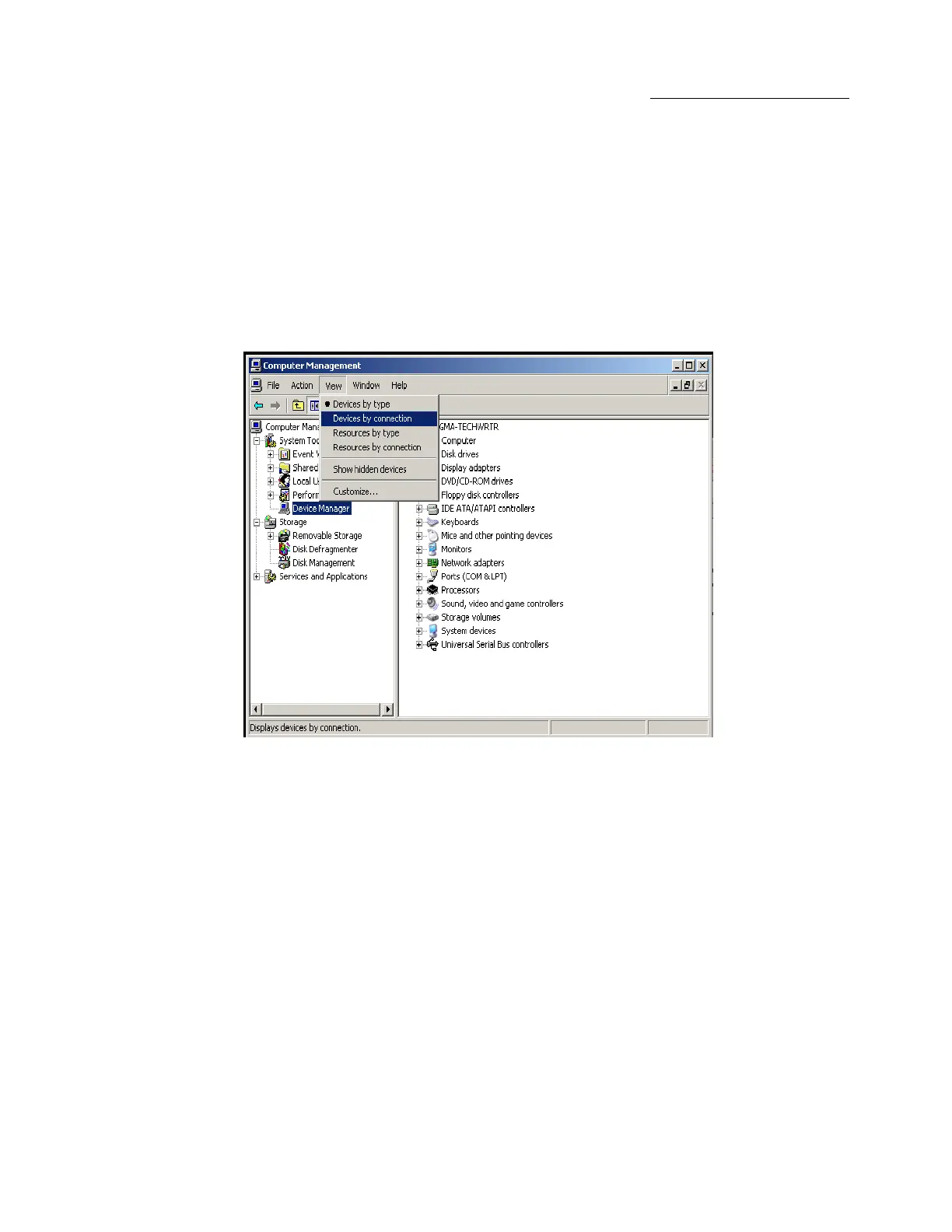
To verify a successful installation on Windows, find the ‘My Computer’ icon and “right-click” on it. Then select ‘Manage’ from the pop-up menu.
Next, click on ‘Device Manager’ in the leftmost Computer Management window. Finally, click on the View Menu and select View Devices by
Connection.
Open ACPI (BIOS) Open PCI BusClick the ‘+’ sign several times until your reach a PCI Express Root Port with a PCI Standard PCI-to-PCI
Bridge beneath it.


 To Next Page