ExpressBox 16 Basic| 29
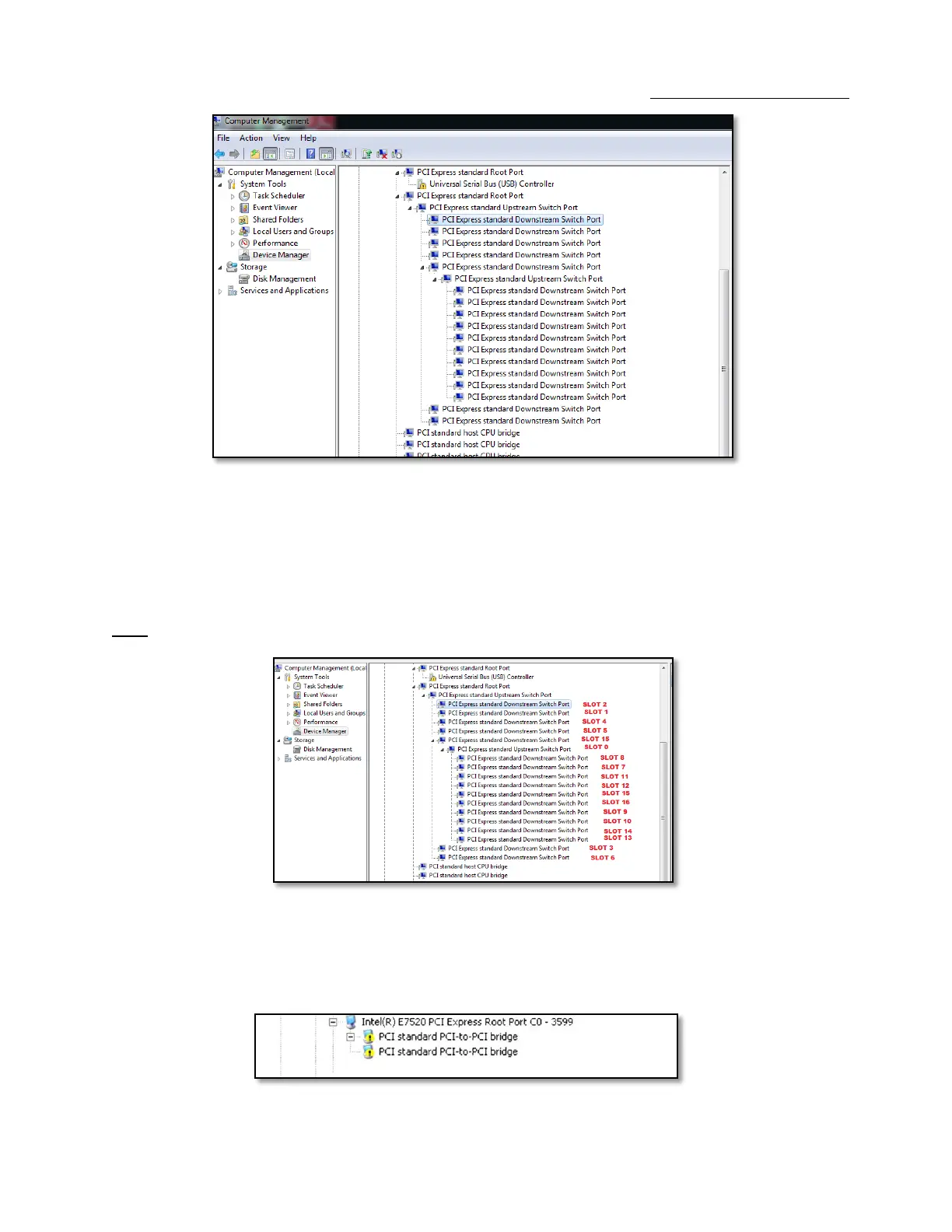
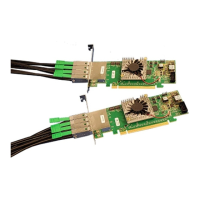
The Device Manager will display the available slots within the chassis. As reference, you can determine which slot you inserted your PCIe card in
by following the outline that is shown below.
The OSS chassis has 2 PCIe Switch devices that enable the slots to work:
The 1st PCIe Switch controls Slots 0,1,2,3,4,5,6
The 2nd PCIe Switch controls slots 7,8,9,10,11,12,13,14,15,16
Note: To view the slots pertaining to the 2nd PCIe Switch you must click to expand Slot 15.
If the verification is successful, you can install 3rd Party cards as well as auxiliary peripherals, such as hard drives into the chassis.
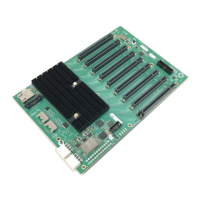
If, however, the installation was unsuccessful, you may not see the PCI to PCI Bridge, or it will have a small yellow symbol in front of it as shown
below, go to Troubleshooting


 To Next Page