ExpressBox 16 Basic| 51
5.3 Power Supply Replacement
In spite of regular performance of routine maintenance tasks, some computer systems can experience hardware failures. Fortunately, your
investment in a OSS Expansion chassis with a redundant power supply provides you with the ability to easily replace a power module in the
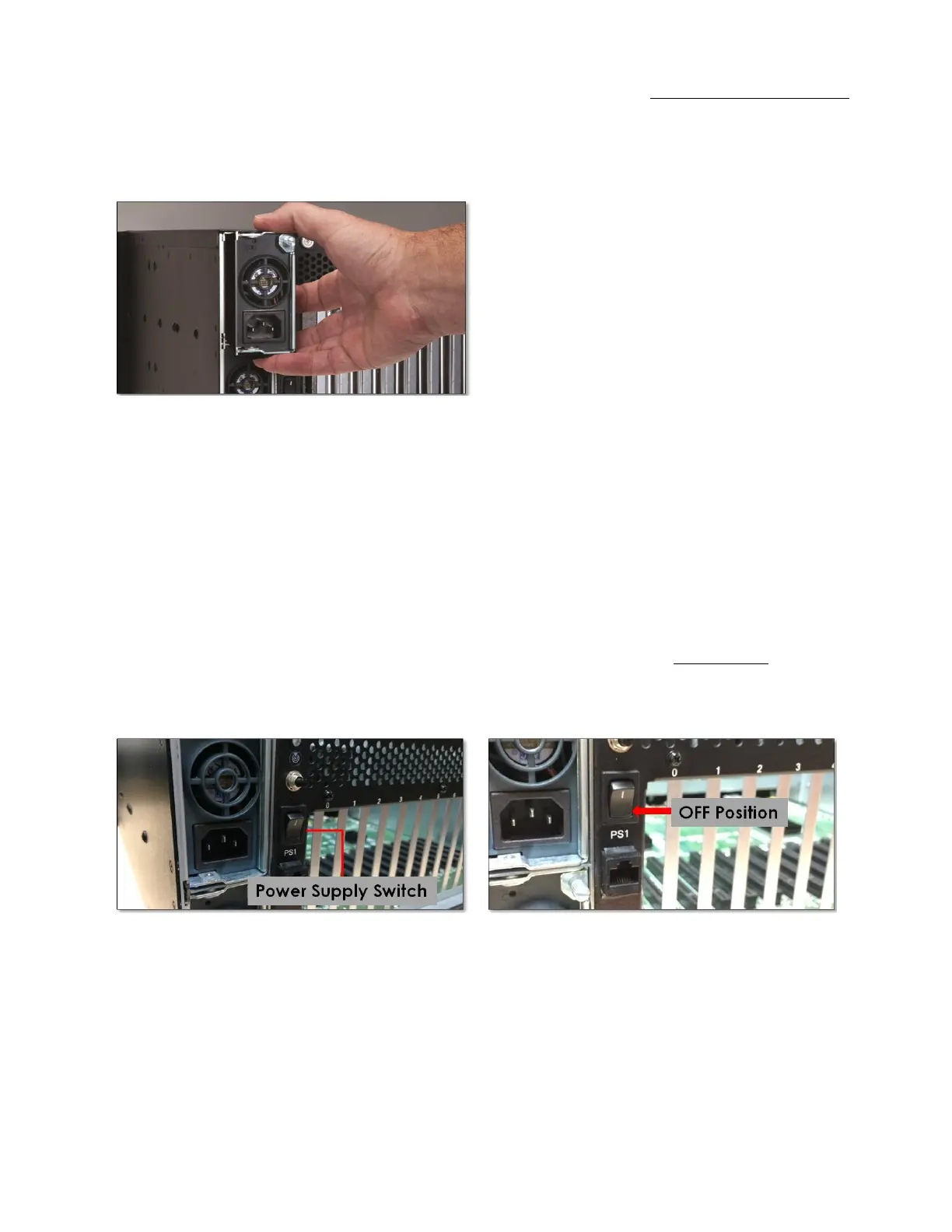
event of a failure. Simply, loosen the screw on the top right of the power supply and pull the latch outwards. Then pull out the power supply to
replace it with a functioning one.
The redundant power supply includes two replaceable modules that share the power load requirements during normal operations. Should one
module fail for any reason, the power load will be shifted to the other module.
An indicator for the failure would be the LEDs on the back panel of the power supply behind the chassis. For non-functioning equipment, these
indicators would not show.
If you have an EB16-SXS then the audible alarm would be initiated to alert you on this condition. If this is the case, press the black button on the
status panel on the front of the unit to stop the audible alert.
To replace a failed power supply, toggle the power button on the back of the expansion unit into OFF position (see pictures below), unplug the
AC power cord directly from the power supply module, and then unscrew the thumbscrew(s) located on the back, simply grab the handle, and
pull the power supply module out gently. Replace the failed module with a new one and turn on the power to the module using the power
switch at the bottom of the module. The power load will again be shared between these two modules.


 To Next Page