ExpressBox 16 Basic| 22
2.5.4 Host mode Dipswitch Setting
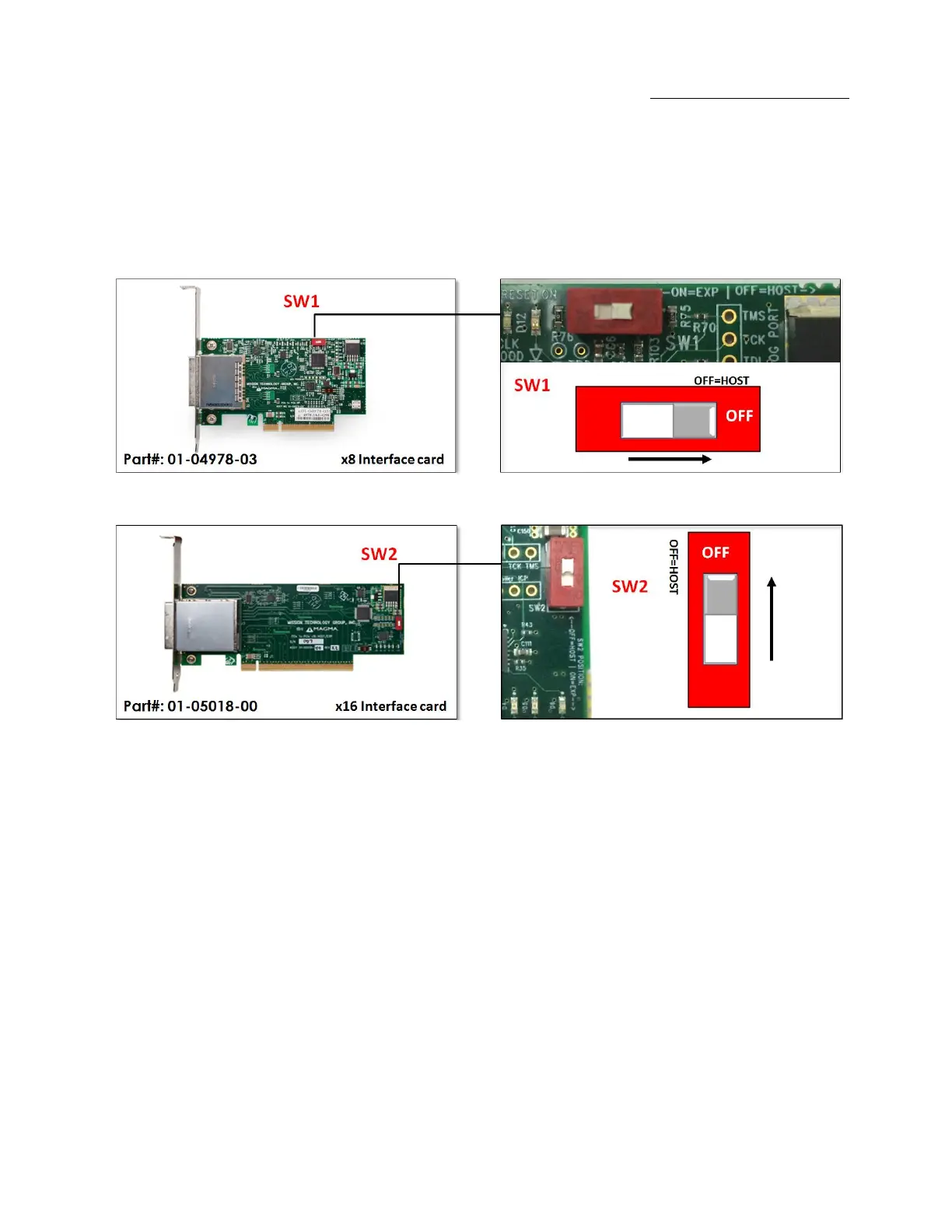
When the OSS interface card is used as “Host” interface i.e. installed in the host computer, the RED switch should remain OFF. Move the
dipswitch to the ON position only if the same card is used as an “Expansion Interface” in the OSS expansion backplane. The x8 and x16 PCIe
interface cards have the dipswitch to change between different modes (host and expansion).
Note:
The expansion chassis will NOT function if SW2 on the Interface card (01-04978-03) or SW1 (01-5018-00) is set to ON and the Interface card is
inserted into the host computer.


 To Next Page