20 | Ottobock B600
► Note that modified parameter settings in the configura
tion can lead to changes in driving characteristics. In
particular, changes to the speed, acceleration, braking
or joystick settings can lead to unexpected and there
fore uncontrollable driving characteristics and cause
an accident.
► After configuration/programming is complete, the user
must test the driving characteristics of the product
under the supervision of the qualified personnel.
If necessary, the qualified personnel can fit the already pre
programmed wheelchair control system and accessories to
the specific user requirements.
6 Usage
6.1 Side panels
INFORMATION
For additional information on side panels with lighting: see
Page66.
Removing the side panel
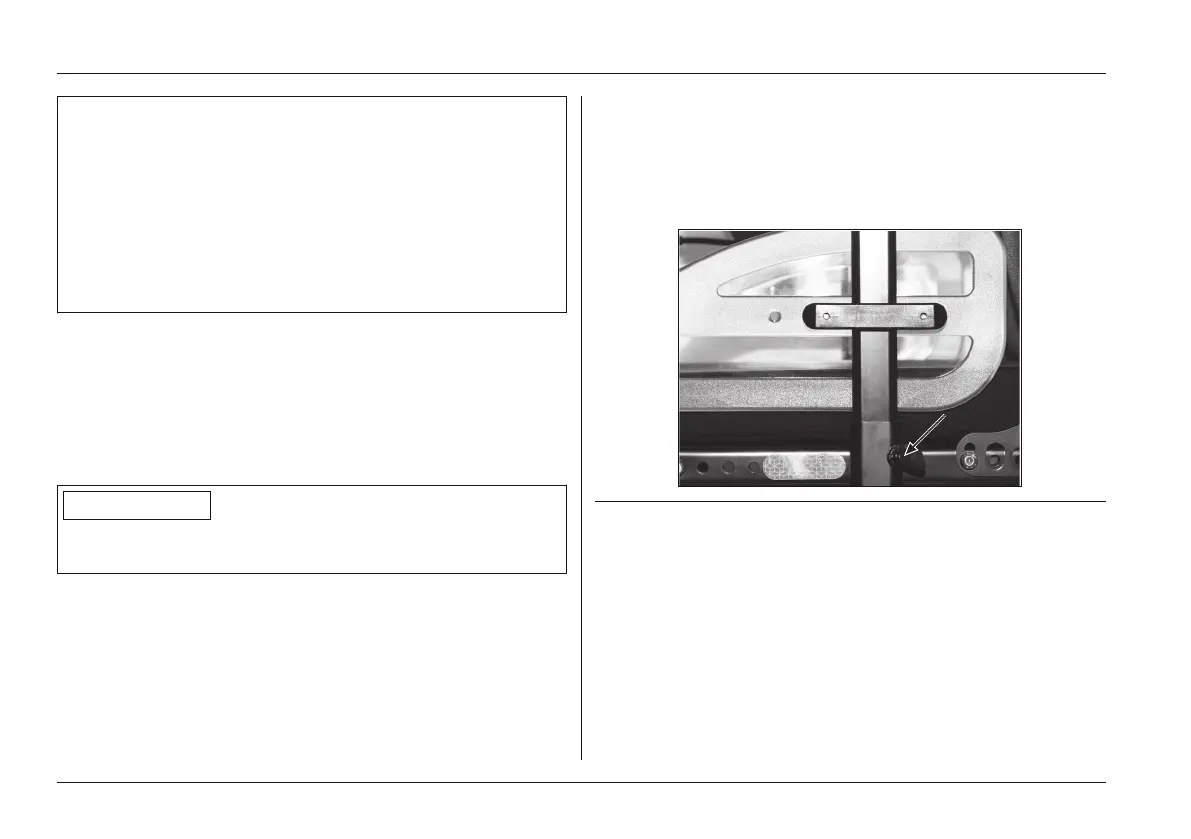
1) Loosen the wing screw on the side panel holder (see
Fig.10).
2) Pull the side panel out from the side panel holder and
set it aside.
3) Only for a side panel with a control panel: carefully let
the side panel with the control panel hang down.
INFORMATION: If necessary, the hook-and-loop
closures for routing the control panel cable can be
undone and the control panel can be removed.
Fig. 10 Side panel wing screw
Installing the side panel
1) If necessary, install the control panel and fasten the
hook-and-loop closures for routing the control panel
cable.
2) Insert the side panel into the side panel holder.
3) Re-tighten the wing screw on the side panel holder.
Usage















 To Next Page