24 | Ottobock B600
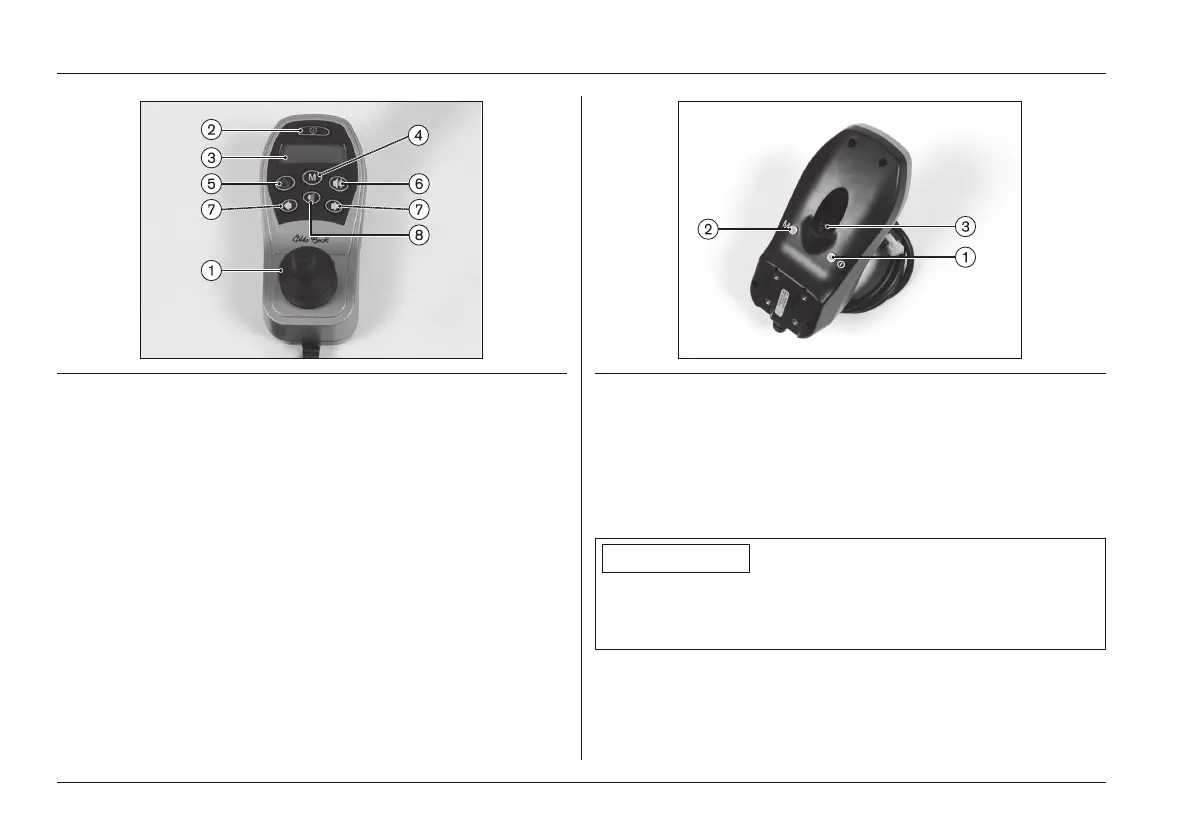
Fig. 14 enAble50 control panel (identical to: enAble40)
1 Joystick 5 [Warning Flasher On/Off]
button
2 [On/Off] button 6 [Horn] button
3 LCD display 7 [Direction Indicator
Left/Right] button
4 [Mode] button 8 [Lights On/Off] button
Fig. 15 Connections on the underside
1 External [On/Off] button connection (only on enAble50)
2 External [Mode] button connection (only on enAble50)
3 Charging/programming receptacle
6.4.2 Buttons and display functions
INFORMATION
If your power wheelchair is equipped with an LCD monitor,
please also read the chapter "Separate LCD Monitor" (see
Page54).
Usage















 To Next Page