66 | Ottobock B600
2) Swing the control panel holder away to the side.
INFORMATION: The pivot element locks in place
again when the holder is rotated back to the origin
al position.
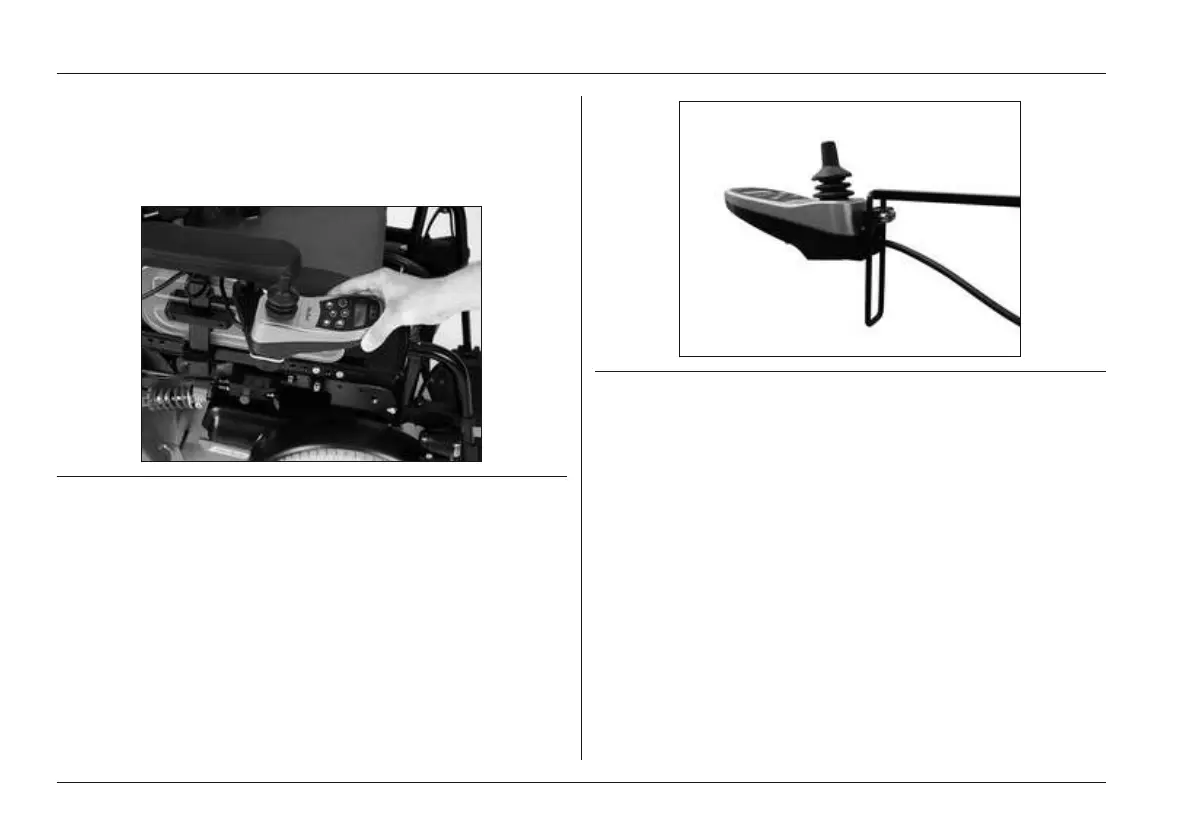
Fig. 39 Swing-away control panel holder with removable con
trol panel
Height-adjustable control panel holder
The power wheelchair can be equipped with a special con
trol panel holder which allows for height adjustment of the
control panel.
1) Loosen the mounting screws.
2) Adjust the height of the control panel holder.
3) Tighten the mounting screw.
Fig. 40 Height-adjustable control panel holder
6.12.2 Lights
The power wheelchair can be equipped with a light kit.
The warning flashers, the right and left direction indicators
and the light are operated via the control panel.
The light kit consists of two rear lights with integrated direc
tion indicators and two front lights, each consisting of a front
LED light and a direction indicator.
The front lights are fastened to the self-contacting side pan
els (see Fig.41, left). When the side panels are inserted
into the side panel holders the contacts touch each other
and current can flow (see Fig.41, right).
To replace broken lamps: Replacing a defective bulb.
Usage















 To Next Page