Ottobock | 37B600
Releasing/deactivating the brake
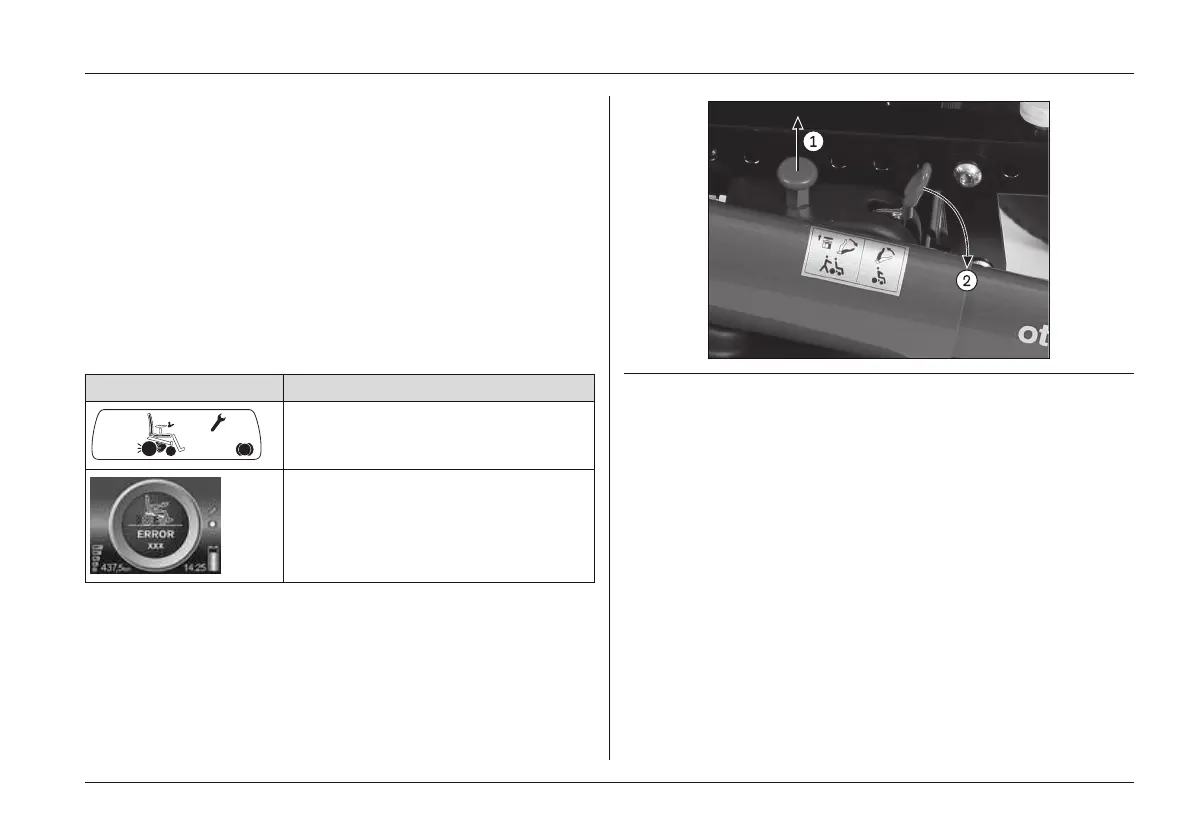
1) Pull the brake release bolt up (see Fig.17, item 1).
→ The brake release lever (see Fig.17, item 2) is
unlocked.
2) Push the brake release lever forward until it engages.
→ The brake is released; all braking systems are turned
off.
→ The control unit recognises that the brake has been
released and deactivates the driving function.
→ A warning will appear on the LCD display or separate
LCD monitor as soon as the joystick is deflected:
Display Information
Brake released
Brake released
Fig. 17 Disabling the brake
1 Brake release bolt 2 Brake release lever
Engaging/activating the brake
1) Push the brake release lever (see Fig.18, arrow) up
until the brake release bolt engages.
2) Turn the control unit off and on again.
→ The driving function is activated.
Usage















 To Next Page