OTTO 1 00 Fast Charger • OMM- 000037 • REV. H
37
© Clearpath Robotics Inc. 2020. All rights reserved. CLEARPATH and OTTO are trademarks of Clearpath Robotics Inc. All other product and company names listed are trademarks
or trade names of their respective companies. The information contained in these documents is the Confidential and/or Proprietary property of Clearpath Robotics Inc. and may not
be duplicated, reproduced or further disclosed without the express written approval of Clearpath Robotics Inc.
10.2.3 Charge Dock Installation
1. Remove the 17 mm bolt on the back of each Charger Tower.
2. With the Charger Tower covers removed, place the Charge Dock in the chosen location.
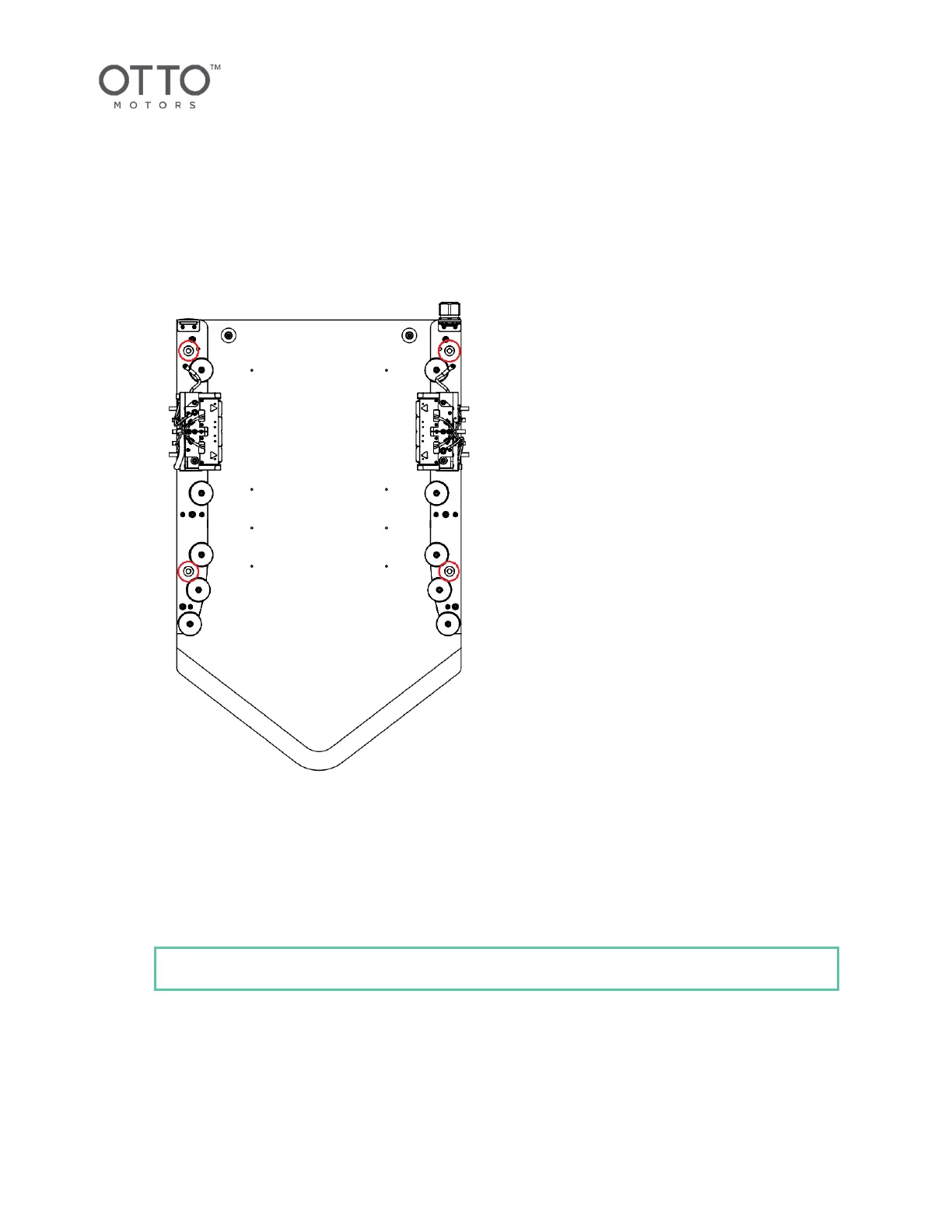
3. Use the holes in the Charge Dock base to mark the concrete where the concrete anchors will be
installed.
Figure 13 Hole Location for anchors
4. Remove the Charge Dock and use a hammer drill and a 3/8 in concrete bit to drill holes in the
concrete on the marked locations.
5. Remove all excess dust and debris.
6. Replace the Charge Dock and align its holes over the drilled holes.
7. Install threaded concrete anchors in each drilled hole, using a hammer to tap each into place.



 To Next Page