Main Menu
Outlaw Audio
24
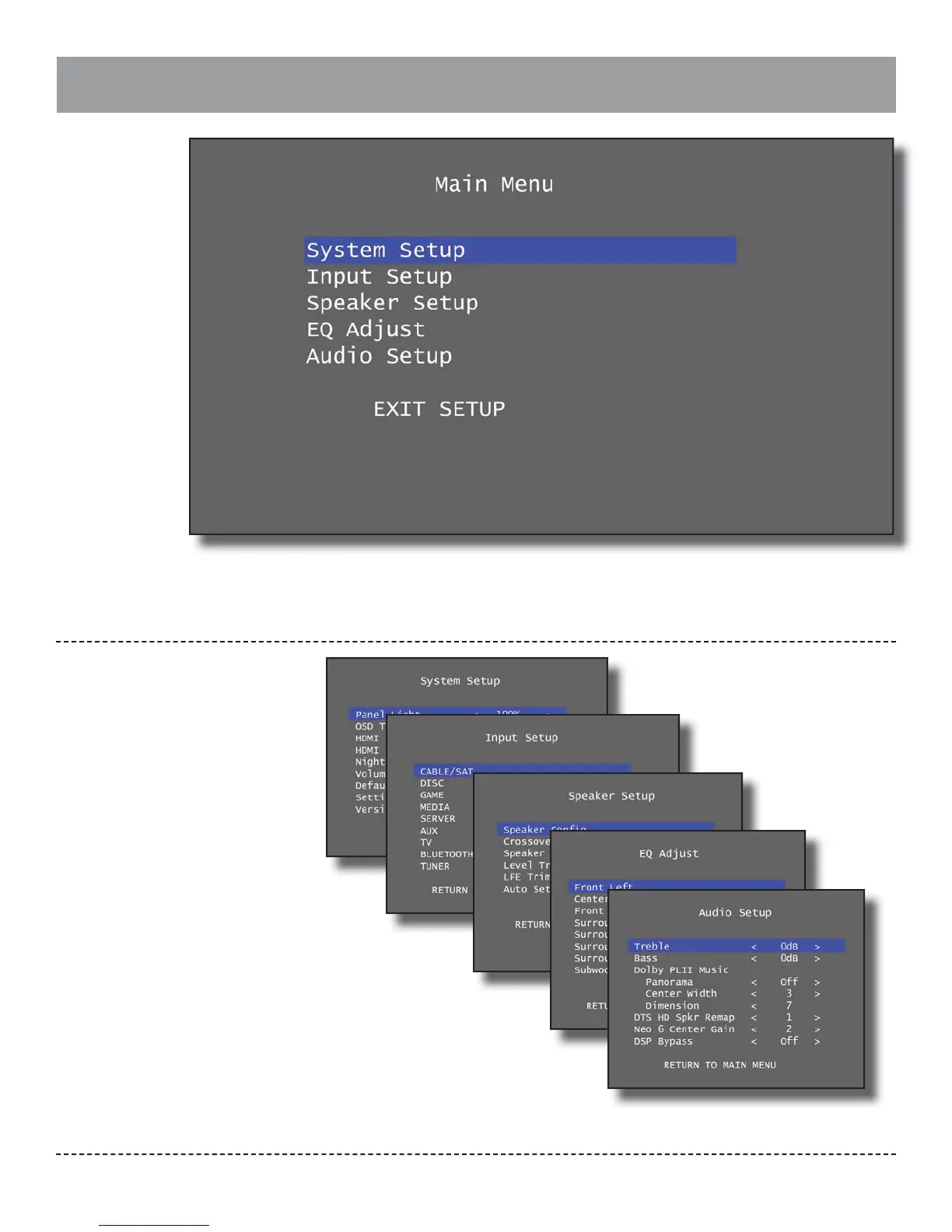
The Main Menu contains ve menu categories
and an option to exit the menu:
System Setup: Con gure general system op-
tions such as front panel brightness and default
start-up volume.
Input Setup: Con gure each of the Model 976’s
inputs.
Speaker Setup: Con gure the speakers that are
connected to your Model 976.
EQ Adjust: Adjust the equalizers that are pro-
vided for each speaker channel.
Audio Setup: Con gure treble and bass set-
tings, Pro Logic II Music settings, DTS Neo:6
Music settings, and similar audio options.
Exit Setup: Exit the Main Menu.
Note: While the menu is active, all audio output is
disabled and the incoming video is replaced with
the menu.


 To Next Page