
 Need help?
Do you have a question about the Outlaw 976 and is the answer not in the manual?
Specific cautions regarding electric shock, fire hazards, and general operating safety.
Guidelines for safe installation, handling, and connection of the audio processor.
Recommendations for saving and storing all original packing materials.
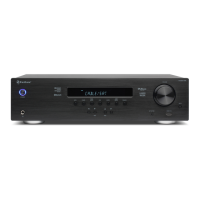
Identifies and briefly describes the main components visible on the front panel.
Details the items included in the box and lists core audio/video processing features.
Explains the purpose and operation of each button on the unit's front panel.
Details the various audio, video, and control ports located on the rear of the unit.
Explains the numeric keypad and dedicated source selection buttons on the remote.
Details how to use the remote's cursor keys, volume controls, and other direct access buttons.
Details the alphanumeric readout, HDMI indicator, and channel icon displays.
Explains Dolby Digital, Dolby Digital Plus, and Dolby TrueHD audio technologies.
Covers DTS, DTS-HD, and explains listening modes like Pro Logic and Neo:6.
Offers advice on positioning front, center, surround, and subwoofer speakers for best performance.
Discusses optimal subwoofer placement to achieve smooth bass response across a room.
Explains how to connect digital optical, coaxial, and analog audio inputs.
Guides on connecting digital, stereo analog, and multichannel analog audio devices.
Explains the use of HDMI inputs for 4K, HDR, and standard video sources.
Guides on connecting Bluetooth adapters, accessory power via USB, and FM/AM antennas.
Details balanced/unbalanced outputs for amplifiers and IR/Trigger control connections.
Step-by-step guide for connecting the AC power cord and important safety notes.
Explains how to use the remote control and OSD to access and navigate setup menus.
Describes the purpose of System Setup, Input Setup, Speaker Setup, EQ Adjust, and Audio Setup menus.
Explains settings like panel brightness, OSD timeout, HDMI control, and default volume.
Details how to configure HDMI, analog, and digital inputs for sources like Cable/Sat, Game, TV.
Instructions for setting speaker size (Large/Small) and configuration for each channel.
Explains how to set crossover points and measure speaker distances for accurate sound.
Guides on adjusting channel levels using test tones or playback and subwoofer bass response.
Step-by-step process for automatic speaker distance, level, and phase calibration.
Details how to adjust frequency, gain, and Q factor for equalizer bands and shelves.
Explains how to adjust treble, bass, Panorama, Center Width, and other audio processing parameters.
Guides on activating the unit from standby and cycling through available input sources.
Instructions for adjusting the main volume and using the mute feature.
Explains how to cycle through surround modes or deactivate them for stereo playback.
Details how to adjust bass/treble, correct audio-video sync, and enable dynamic range compression.
Instructions for using internal test tones and an SPL meter to calibrate speaker output levels.
Explains how to enable EQ, connect headphones, and set the automatic sleep timer.
Guides on selecting the tuner band and manually tuning or scanning for radio stations.
Instructions for storing favorite stations and recalling them using presets or direct entry.
Explains how to select FM mono mode to reduce interference and improve clarity.
Guidelines for cleaning the unit safely and recommendations for when the system is not in use.
Step-by-step instructions to reset the processor to its original factory settings.
Provides solutions for common symptoms like no power, no sound, and HDMI handshake issues.
Lists specifications for analog, digital, tuner, and general system parameters.
Provides a template to record component connections, input assignments, and setup parameters.
Outlines the product warranty period, coverage, limitations, and return authorization process.

 To Next Page

 General