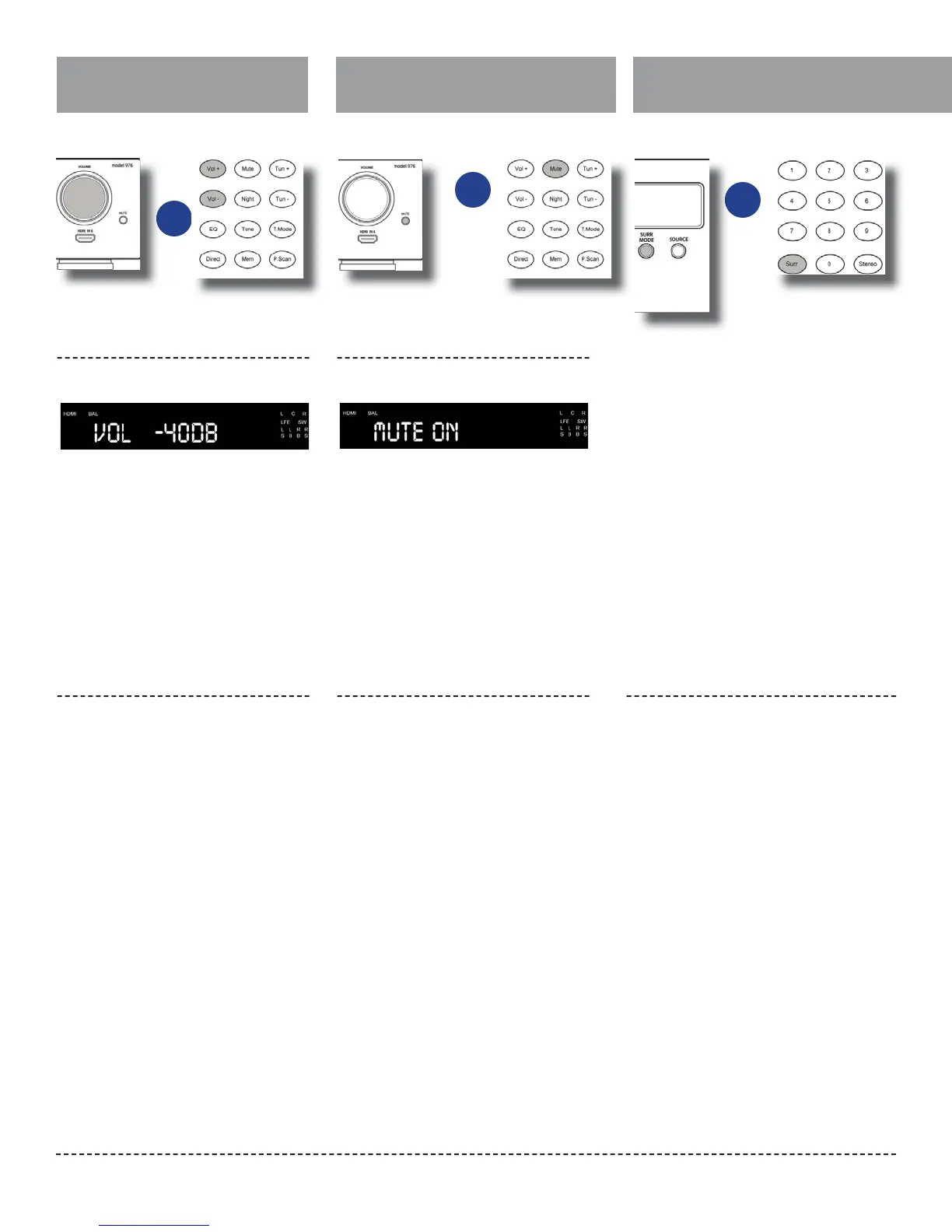
Volume Control
Muting
Outlaw Audio
34
To adjust the volume level:
Press the VOL + or – button on the remote,
or turn the VOLUME knob on the front
panel. The volume level in decibels (dB)
will be shown on the front panel display as
seen below.
Minimum volume setting is -90 dB. The
maximum volume setting may vary
depending on how you have set the levels
of the individual channels. Setting trims to
higher than 0 dB may reduce the maximum
volume setting.
Use this control to turn the sound o
momentarily.
1.
2.
Press the MUTE button on the remote
control or the front panel.
The sound will be muted and the front
panel display will read MUTE ON, as seen
below:
Press either MUTE button again to re-
store the volume to its previous level.
The SURR MODE control activates the Model 976’s
matrix surround sound modes, and changes the
surround mode from the one currently selected.
The modes available will depend on whether the
incoming signal is stereo or 5.1/6.1/7.1, and what
speaker con guration you are using. If you are
unsure about which mode you want to use, refer to
the Audio Formats and Listening Modes section of
this manual (pages 13 and 15).
If the Model 976 is receiving a stereo (2-channel)
signal and you are using a 5.1 or 7.1 speaker setup,
you will be able to choose among these modes:
Dolby Pro Logic II Movie → Dolby Pro Logic II Music
→ Dolby Pro Logic II Game → DTS NEO:6 Cinema →
DTS NEO:6 Music → All Channel Stereo.
If you are using a 7.1 speaker setup, Pro Logic IIx will
be employed instead of Pro Logic II.
Use this control to adjust the volume level of all
currently connected speakers.
Changing the Surround Mode
Increasing or decreasing the
volume level
Front Panel Display
Turning Mute on and o
Front Panel Display
To activate available surround modes
or
or
or


 To Next Page