Model 976 7.1 Channel Preamp/Processor
41
Sometimes FM reception is clearer in mono than
in stereo. If you’re hearing a lot of interference or
static in your FM signal, try listening in mono to
see if it clears up. The same signal will play from
the left and right speakers, but it will probably be
clearer.
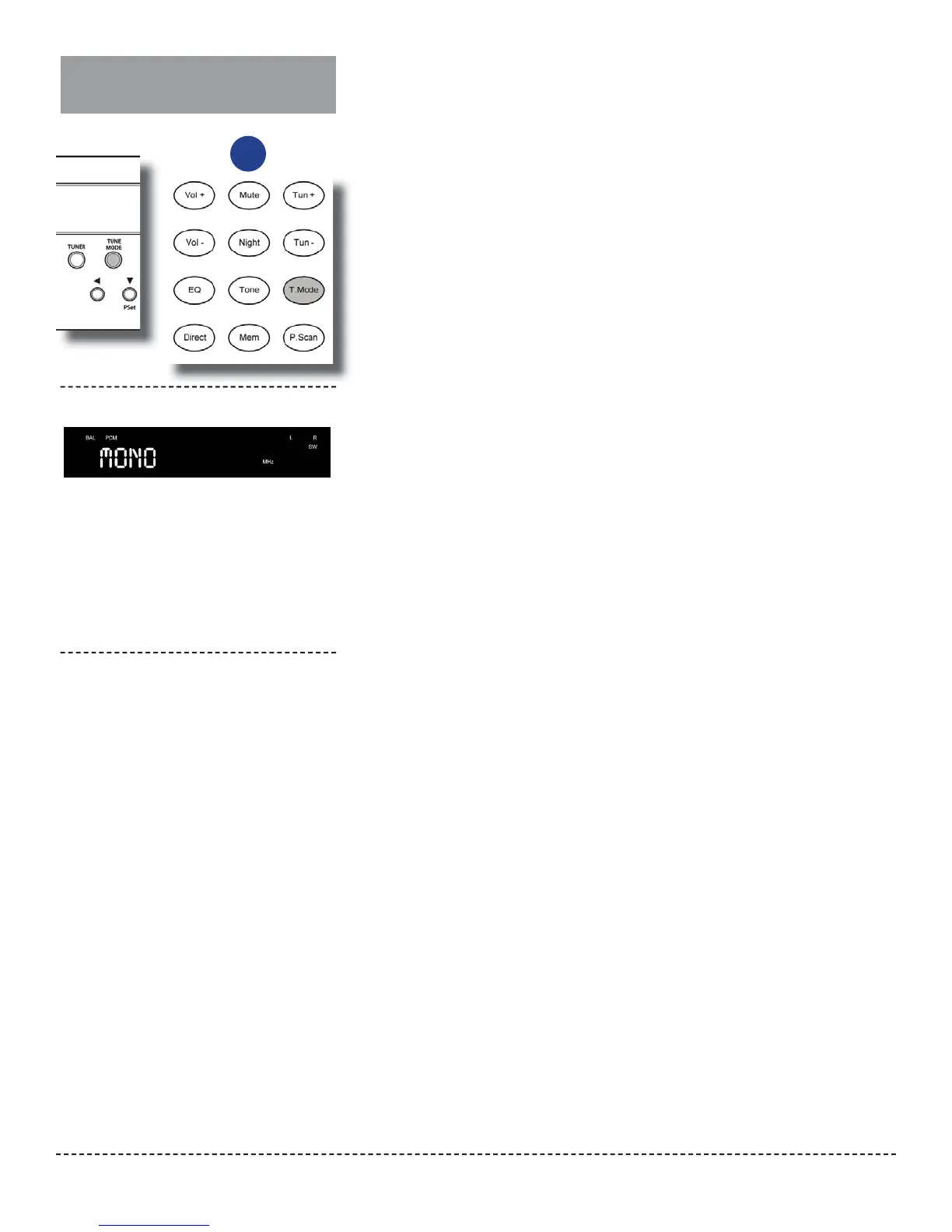
Select FM Mono
To select FM mono:
1.
2.
When you are listening to an FM station,
press the T.MODE button on the remote con-
trol or TUNE MODE on the front panel.
The sound will change from stereo to mono, and
the front panel display will show the mode as
shown above.
So switch back to stereo, press the T.MODE
button on the remote or TUNE MODE on the
front panel again.
The front panel display will indicate that you are
back in FM stereo mode.
Switching to FM mono
or
Front Panel Display


 To Next Page