Model 976 7.1 Channel Preamp/Processor
39
Chapter 5 Overview
Select Tuner and Band
The AM/FM tuner built into the Model
976 can be tuned to any of 20 AM and FM
stations that you set into memory. It can
also be tuned manually. Radio reception
requires that appropriate AM and FM an-
tennas be connected to the Model 976’s
rear panel (see page 9).
Tuner Operation
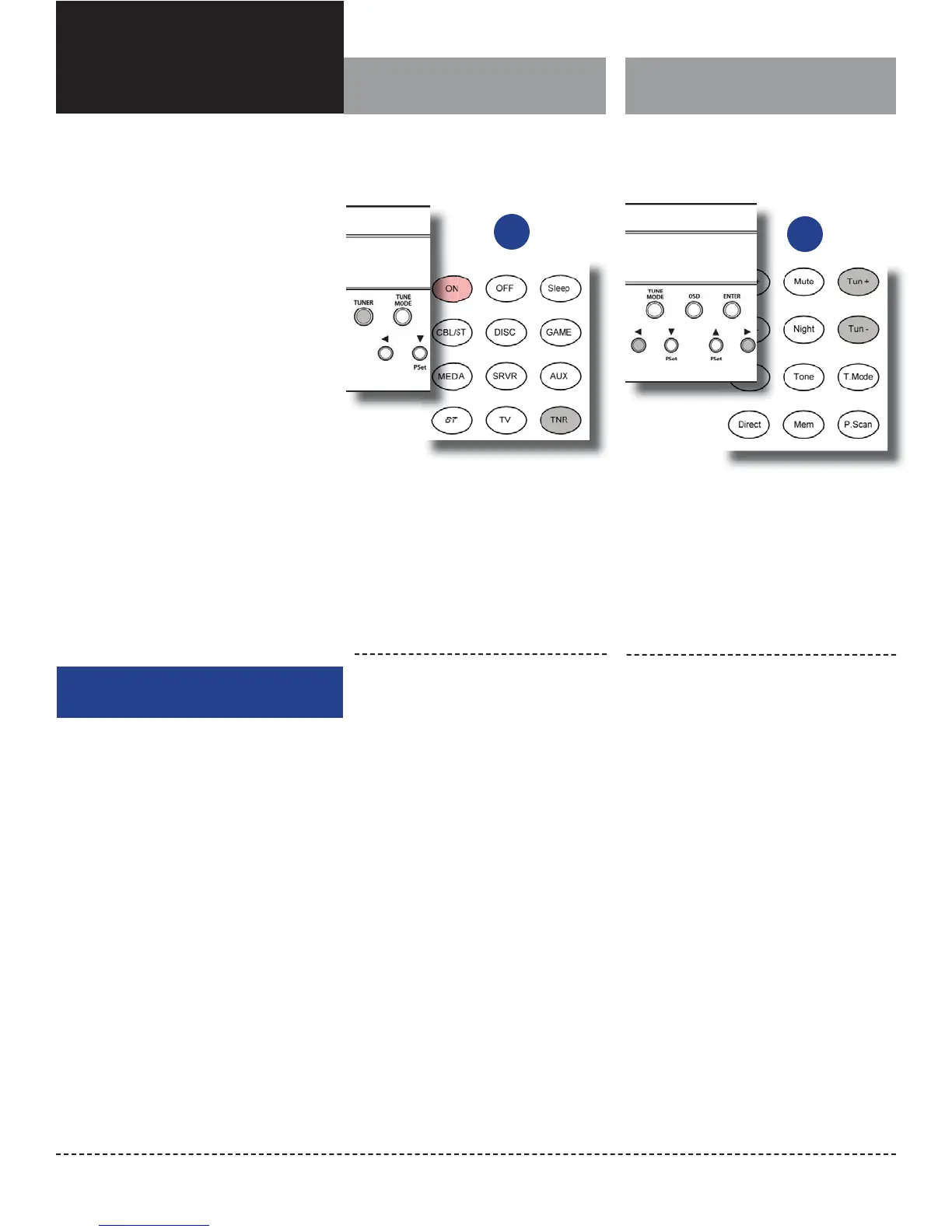
To select tuner and band from the
remote control:
Chapter 5 Contents
39 Select Tuner and Band
39 Tune a Station Manually
40 Create Memory Presets
40 Select a Preset Station
40 Tune Stations Directly
41 Select FM Mono
1.
2.
Press the TNR button on the remote
control.
You will hear the radio station and band
that were last playing, and the front panel
display will show you the band and fre-
quency as shown above.
Press the TNR button on the remote con-
trol again to switch to the other band.
Tune a Station Manually
To select tuner and band from the
front panel of the Model 976:
1.
2.
Press the SOURCE button on the front
panel until the display shows TUNER.
Alternatively, you can press TUNER on the
front panel to jump directly to the tuner
input.
Press the TUNER button on the front
panel to switch to the other band.
To tune a radio station manually using the
remote control:
1.
2.
Press the “tune +” button to go to a higher
frequency or the “tune – “ button to go to
a lower frequency.
Each push will change the frequency by 0.1
MHz in FM or 10 KHz in AM.
To automatically scan to the next station,
hold either the “Tune +” or “Tune –” but-
ton down for about 1 second and release
it.
The scan will stop when the Model 976’s
tuner nds the next active frequency. Press-
ing the Tune +/Tune – buttons again will also
stop the scan.
To tune a radio station manually using the
front panel:
1.
2.
Press the left or right buttons (◄ or ►) to
tune to a lower or higher frequency.
Each push will change the frequency by 0.1
MHz in FM or 10 KHz in AM.
To automatically scan to the next station,
hold the left or right buttons (◄ or ►) for
about 1 second and release it.
The scan will stop when the Model 976’s
tuner nds the next active frequency. .
or
Activating the Tuner and
selecting a band
Tuning to a radio station
or


 To Next Page