Model 976 7.1 Channel Preamp/Processor
43
System Reset
In rare cases the Model 976’s internal processor
may freeze or lock-up causing abnormal operation.
This is common to all microprocessor-controlled
devices when the unit is subject to excessive static
discharge, AC line noise or power spikes.
In most cases it is easy to solve this problem by sim-
ply unplugging the Model 976 from its AC power
source for about 5 minutes. After waiting, recon-
nect the power cord and turn the unit on. If the unit
functions normally, no further action is needed.
In the event that the unit still does not operate
properly, it may be necessary to manually reset the
processor. Note, however, that when the processor
is reset you will lose all settings including speaker
setup, input setup and tuner presets. For this
reason, we strongly recommend that you record
these settings on the chart provided on page 46 of
this manual so that it is easy to restore them after
resetting the processor.
To reset the unit:
1.
2.
3.
4.
5.
Turn o any connected ampli ers.
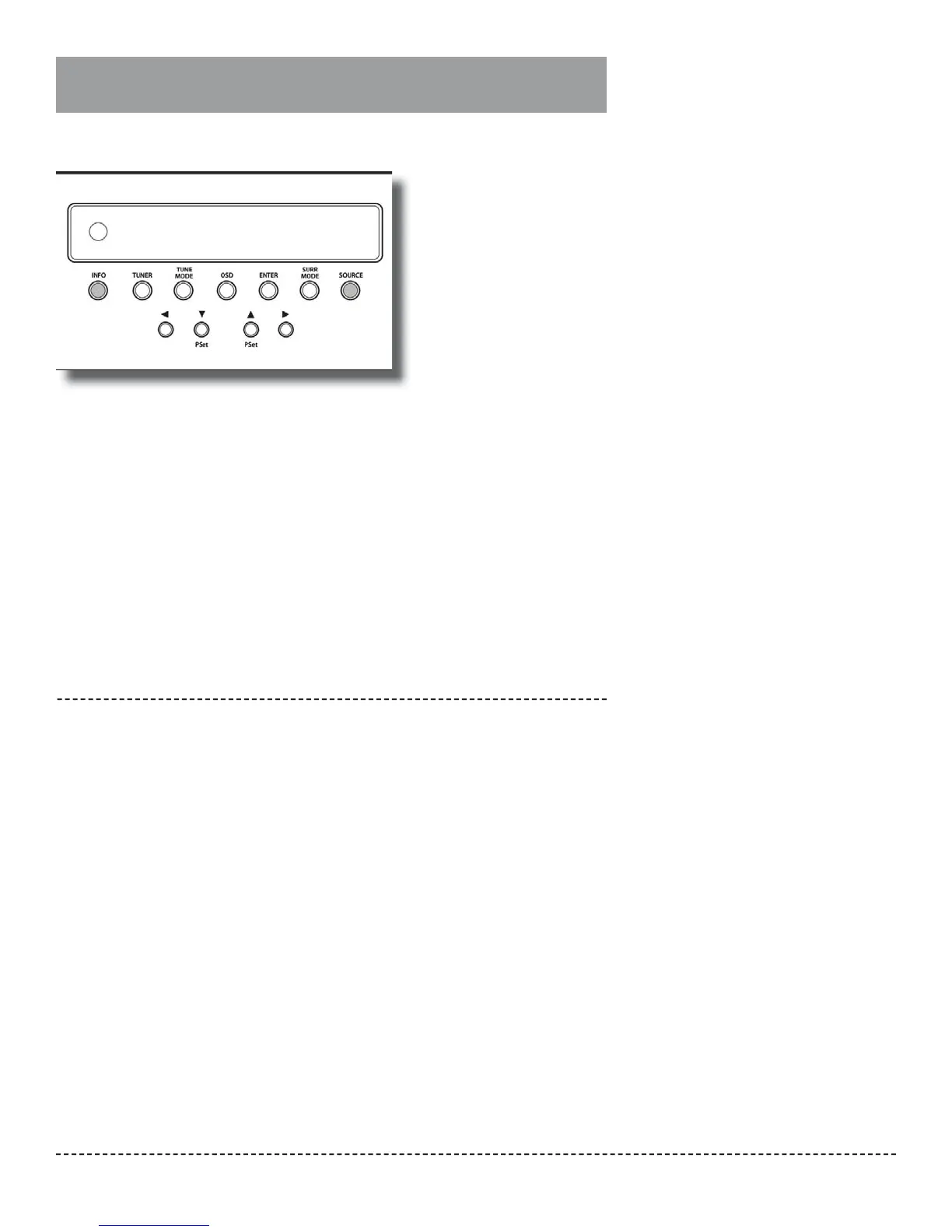
Simultaneously press the INFO and SOURCE
buttons on the front panel until the front
panel displays RESET.
This will take about ve seconds.
Release the buttons and wait a few more
seconds while the Model 976 resets itself.
It will then power o automatically.
Turn the unit back on again.
The Model 976 will return to its factory set-
tings.
Go back through the steps outlined in the
System Setup section (see page 23) to re-
store your Model 976’s proper con guration
and calibration.
Note: If the manual reset does not solve the prob-
lem, contact Outlaw Audio for further advice.
Resetting the Model 976 to
factory defaults


 To Next Page