Model 976 7.1 Channel Preamp/Processor
27
Speaker Setup
Lip Sync:
Adjust the amount of audio delay applied to the
input to synchronize audio and video. This can be
necessary with sources that employ signi cant video
processing, resulting in the audio playing back before
the video. Lip sync can be adjusted in 10ms incre-
ments from 0ms (default) to 500ms (half a second).
Trigger Output 1:
Select “On” (default) to energize Trigger Output 1
when the input is selected or “O ” to turn o Trigger
Output 1 when the input is selected.
Trigger Output 2:
Select “On” to energize Trigger Output 2 when the
input is selected or “O ” (default) to turn o Trigger
Output 2 when input is selected.
Return to Setup Menu:
Select this menu option to return to the Input Setup
menu and choose a di erent input to con gure.
Return to Main Menu:
Select this menu option to return to the Main Menu.
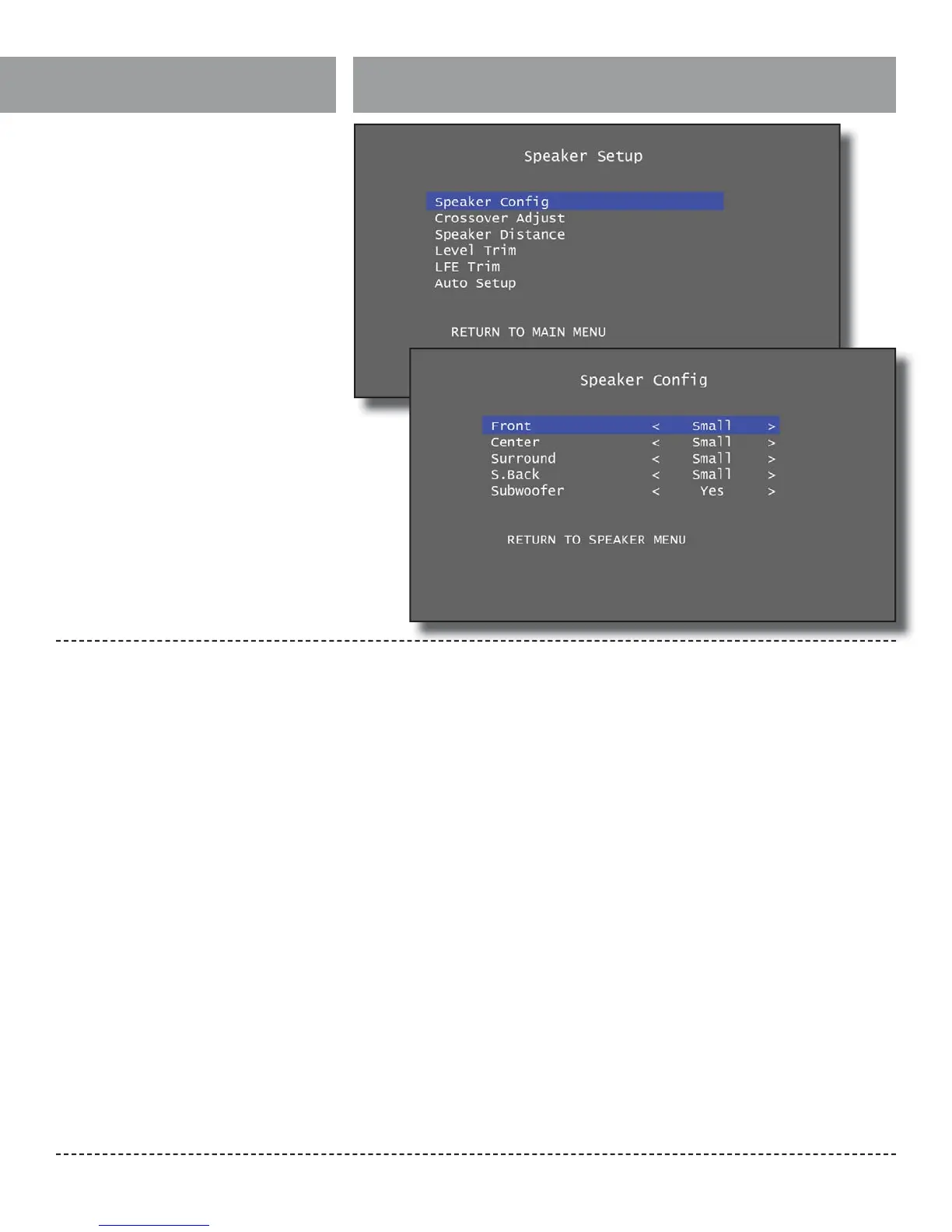
The Speaker Setup menu allows you to specify
what speakers are connected to the Model 976, set
trim and distance values for each speaker, con gure
bass management settings, and run the Auto Setup
routine.
Speaker Con g Sub-Menu:
There are ve speaker options in the Speaker Con-
guration menu: Front, Center, Surround, Surround
Back (S.Back), and Subwoofer. The Front speakers
can be set to Large or Small. The Center and Sur-
round speakers can be set to Large, Small, or None.
The Surround Back speakers can be set to Large,
Small, or None, but can only be set to Large if the
Surround speakers were also set to Large. Lastly,
the Subwoofer can be set to Yes or None.
“Large” refers to a speaker that can accurately
reproduce low frequency audio approaching
20Hz. “Small” refers to a speaker that is unable
to reproduce audio at such low frequencies. We
recommend you follow the speaker manufacturer’s
suggestions for the speaker size (Large or Small)
and Speaker Crossover settings. However, we
understand that manufacturers often fail to provide
such recommendations.
In general, select Large only if your speakers are
capable of handling deep bass down to at least 30
Hz (see the frequency response speci cations for
your speaker and look at the lower number in the
response range) or if you are not using a subwoofer.
Otherwise, select Small and set the Speaker Cross-
over frequency to suit the speaker.


 To Next Page