Model 976 7.1 Channel Preamp/Processor
31
EQ Adjust
The Model 976 o ers an adjustable equalizer for
each speaker. Users may choose to manually adjust
the equalizer channels for each speaker, or they may
utilize an external program such as Room EQ Wizard
(REW) to analyze their room and make adjustments to
remove artifacts created by room acoustics.
Note: Because the Model 976’s analog inputs stay analog
through and through, the EQ does not a ect your analog
sources. This also means you will want to use an HDMI
output from your computer to an HDMI input on the
Model 976 should you chose to utilize REW.
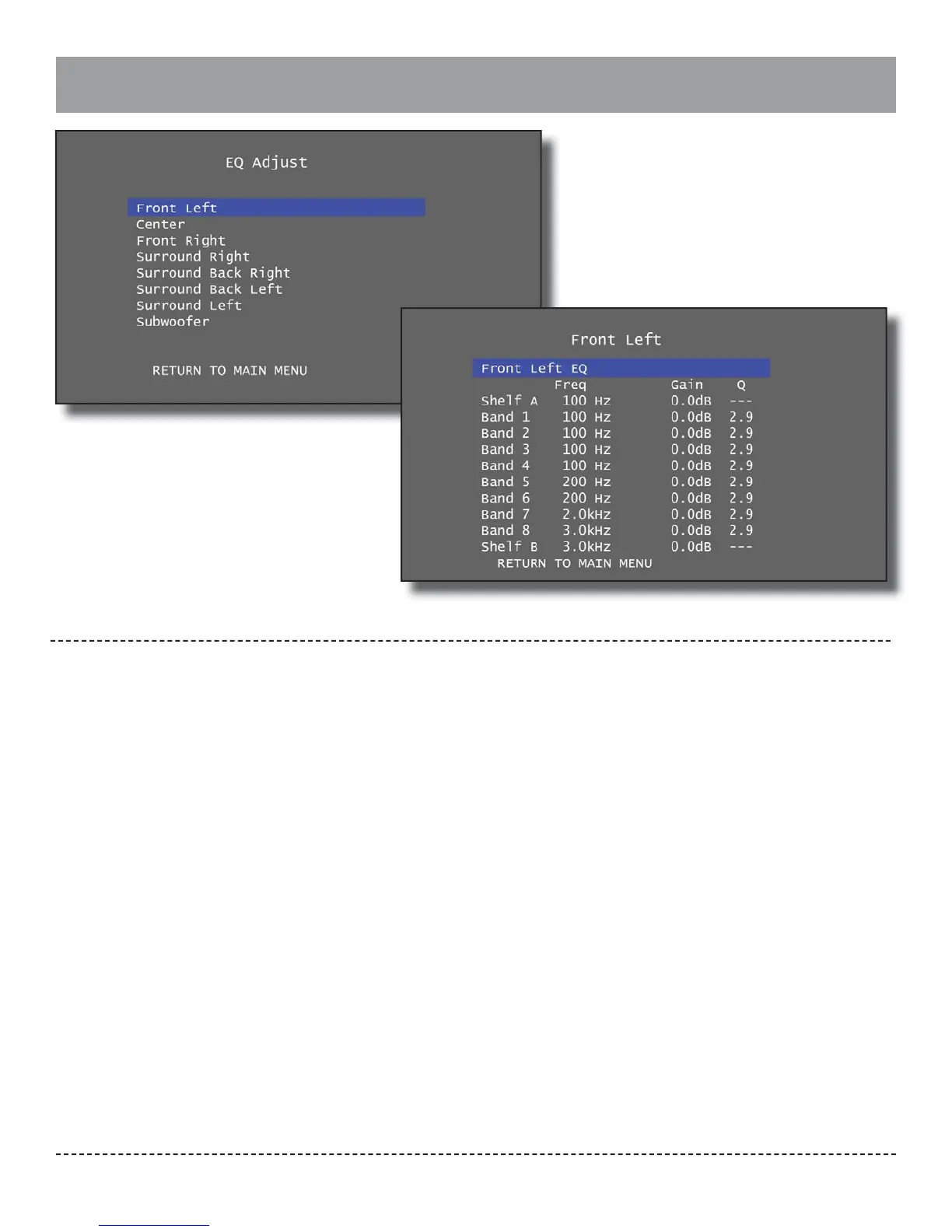
Each speaker has two shelves and eight bands.
Shelves are applied to frequencies below or above the
speci ed frequency. Shelf A is applied to the speci ed
frequency and everything below that frequency. Shelf
B is applied to the speci ed frequency and everything
above that frequency. Bands are applied to the speci-
ed frequency. For each shelf, the frequency and gain
can be adjusted. For each band, the frequency, gain,
and Q can be adjusted. To adjust the settings, high-
light a shelf or band with the up and down navigation
buttons, select it with the Enter button, and use the
left and right navigation buttons to place a cursor
behind the “Freq”, “Gain”, or “Q” setting. Once a setting
is selected, use the up and down navigation buttons
to adjust the setting’s value. When nished, press
Enter again and use the up and down navigation but-
tons to highlight additional shelves or bands.
Frequency: The frequency associated with the equal-
izer band or shelf, either the center frequency for a
band or the boundary frequency for a shelf.
Each shelf and band frequency may be set between
10Hz and 200Hz in 1Hz increments, from 210Hz to
2kHz in 10Hz increments, and from 2.1kHz to 20.0kHz
in 0.1kHz increments.
Gain: The amount of increase or decrease in signal
applied at the frequency.
Each shelf and band gain may be set between -20.0dB
and +3.0dB in 0.5dB increments.
Q: The ratio of frequency to bandwidth. This controls
how wide or narrow a range of frequencies are af-
fected by the equalizer band. A higher Q value a ects
a narrow range of frequencies, which can allow for
boosting or reducing a speci c frequency. A lower Q
value a ects a wider range of frequencies. This setting
does not apply to shelves.
Each band Q may be set to 0.5, 1.0, 1.4, 2.0, 2.4, 2.9,
3.6, 4.8, 7.2, or 14. The default Q is 2.9.


 To Next Page