L-737-3-E
36
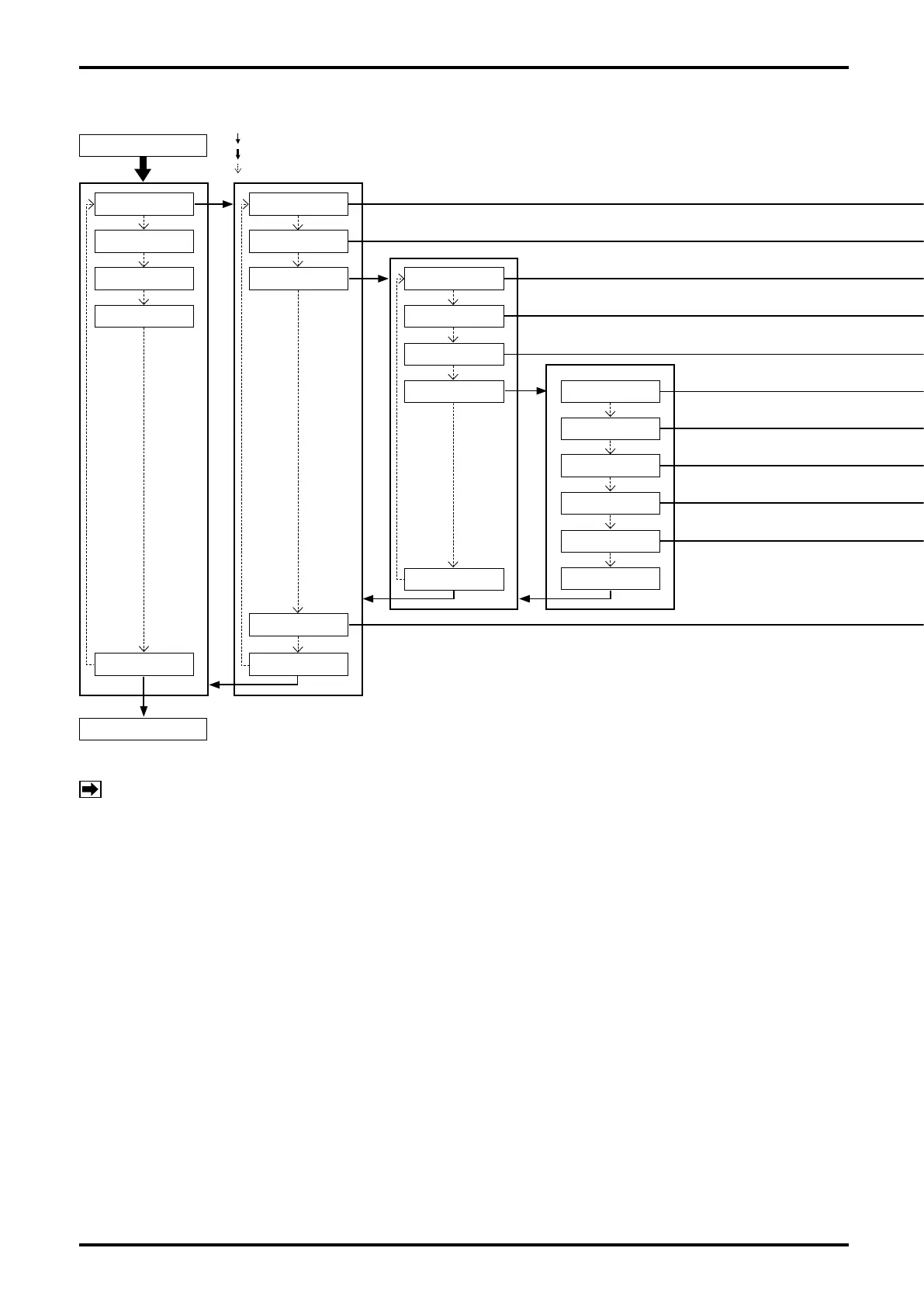
9.2.2 Transition chart of view (1)
MODE SELECT
Process screen
1.Password & Disp
2.Setup
1.Password Set
2.Password
3.Process Var. 1.Var. Priority
2.Refresh LCD
3.Font
4.Decimal Place 1.Mass Flow
2.Vol Flow
: "SEL1" operation
: "SEL3" operation (For operating procedure, see 9.1.2 Switching operation.)
: "ENT" operation
Exit
Exit Exit
3.Diag/Service
4.Maintenance
4.Back Light
3.Density
4.Totalizer1
5.Totalizer2
Exit
※1
NOTE:
※1:For this function, the setting change is disabled in Write Protect mode (refer to section 9.2).








 To Next Page