99
Instruments and controls
The main beam lights in the headlight do not go on.
With the main beam activated and the switch off, only main beam
headlights are switched on. With this switch on, only skylights/auxilary
lights roof are switched on when the mean beam is activated.
N.(2). Roof hatch switch
Use this switch to open and close the roof hatch electrically.
See section 'Roof hatch' in the chapter 'Cabin'.
N.(3). Roof hatch insect screen/blind switch
Use this switch to open and close the roof hatch insect screen or blind
electrically.
See section 'Roof hatch' in the chapter 'Cabin'.
N.(3). Rotating beacon light switch
Use this switch to switch the rotating beacon light on and off at all times.
A green indicator light in the switch indicates that the rotating beacon
light is switched on.
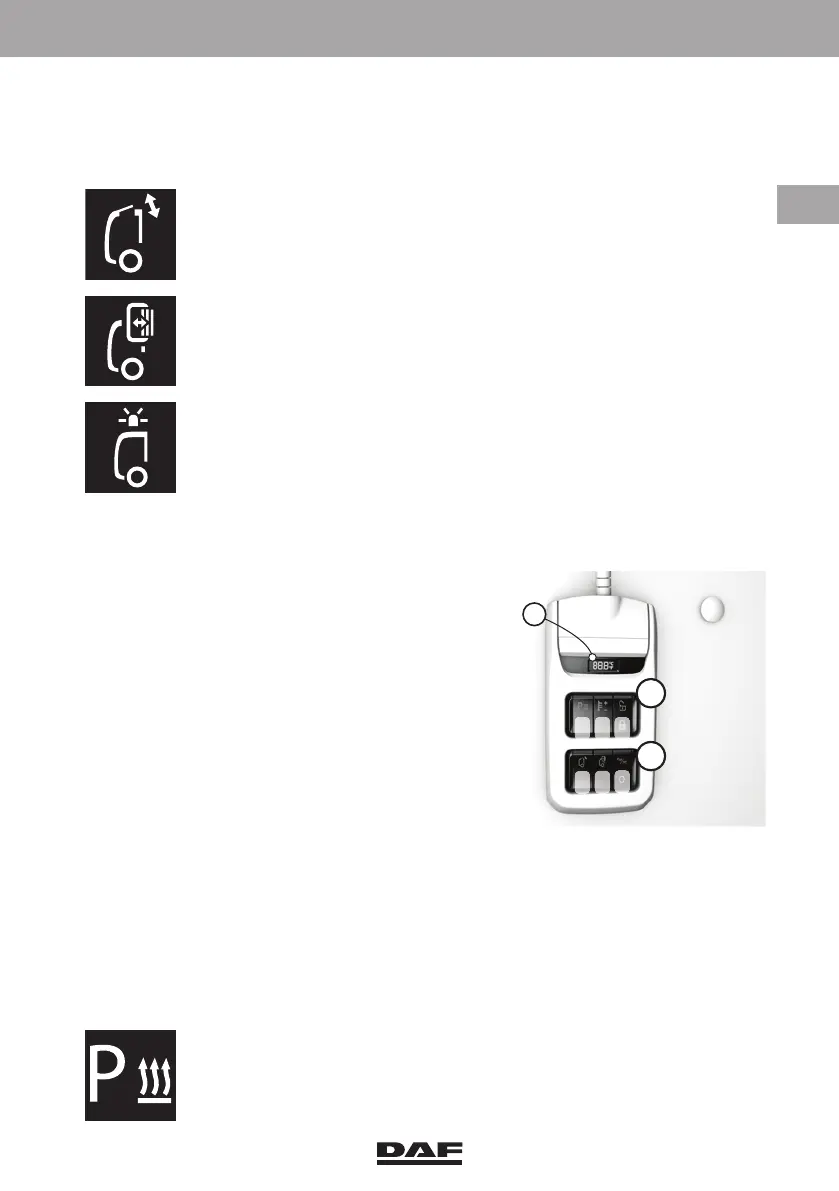
3.3.6 Bunk console
1 Bunk console display
X and YMUX switch locations. See
'MUX switch introduction'.
X.(1). Auxiliary heater switch.
X.(2). Auxiliary heater temperature
control switch.
X.(3). Central door lock and co-driver's
door unlock switch.
Y.(1). Roof hatch switch.
Y.(2). Roof hatch insect screen/blind
switch.
Y.(2). Central door lock and co-driver's
door unlock switch.
Y.(3). Interior lighting switch.
1. Bunk console display
This bunk or rear wall control panel shows the cabin temperature setting
(same as on CCP).
Bunk console location X
X.(1). Auxiliary heater switch
Use this switch to switch the auxiliary heater on and off. Status lights of
switches in the bunk console may disturb the driver. The auxiliary heater
switch is therefore not equipped with a status light.
1
X
Y
1
2
3
1
2
3
DW63246305.book Page 99 Friday, March 22, 2019 4:54 PM






 To Next Page