5. Copier
41
bottom of the document, turn the document around,
and then make a copy.
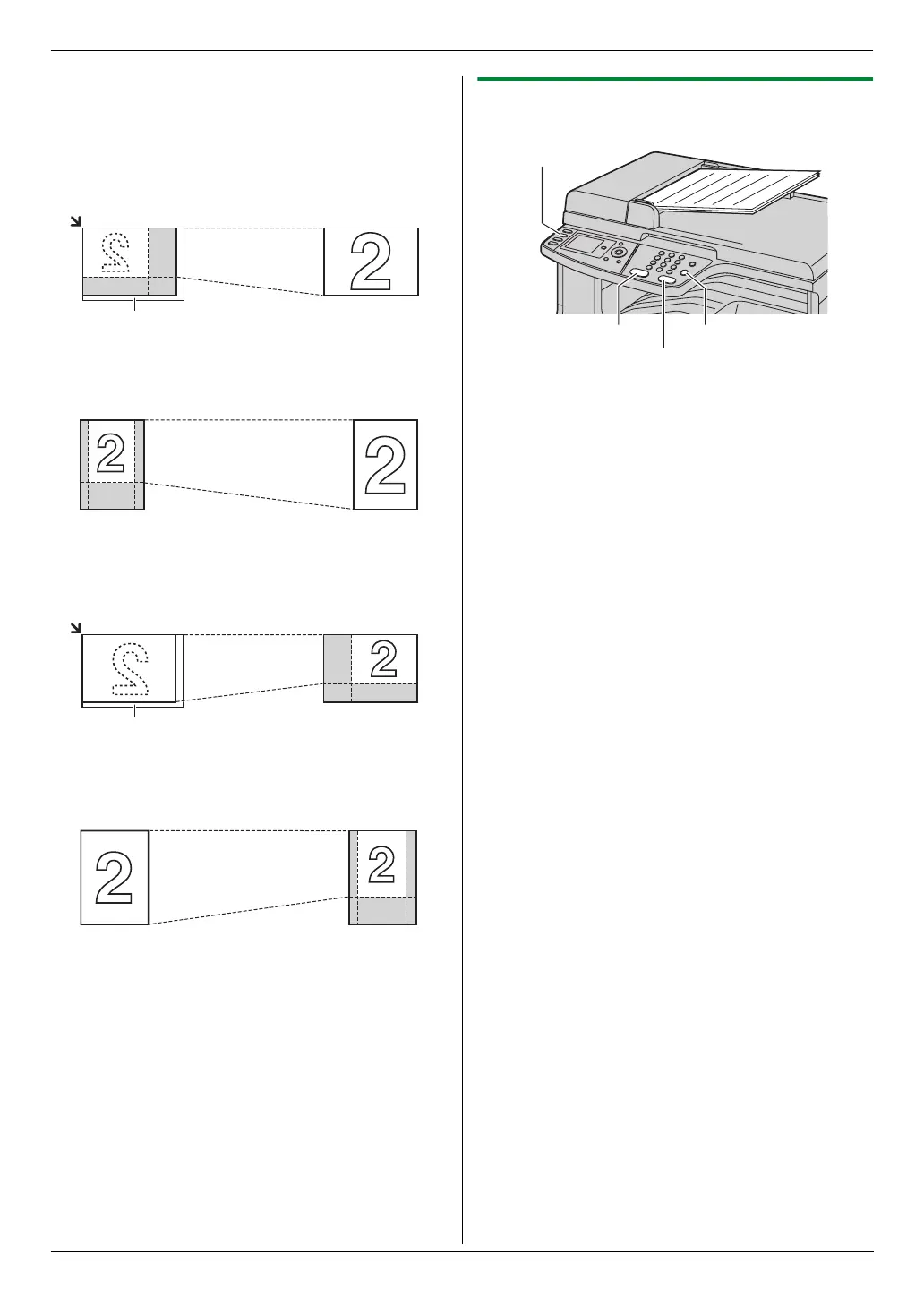
Example: 150 % enlarged copy
Using the scanner glass (1):
Using the automatic document feeder:
Example: 70 % reduced copy
Using the scanner glass (1):
Using the automatic document feeder:
5.1.2 Using the automatic document feeder
1
If the {Copy} light is OFF, turn it ON by pressing
{Copy}.
2 Set the original (page 21).
3 If necessary, change the copy settings according to
the type of document.
L To change the number of copies, see page 40.
L To select the contrast, see page 40.
L To select the resolution, see page 40.
L To select the zoom rate, see page 40.
4 {Black}/{Color}
L The unit will start copying.
5 After you finish copying, press {Stop} to reset the
settings you set in step 3.
Note:
L To stop copying, see page 79.
Original document Enlarged copy
Original document Enlarged copy
Original document Reduced copy
Original document Reduced copy
1
1
{Color}
{Copy}
{Black}
{Stop}












 To Next Page