6.5.9 1:N Communication (General-purpose Serial Communication)
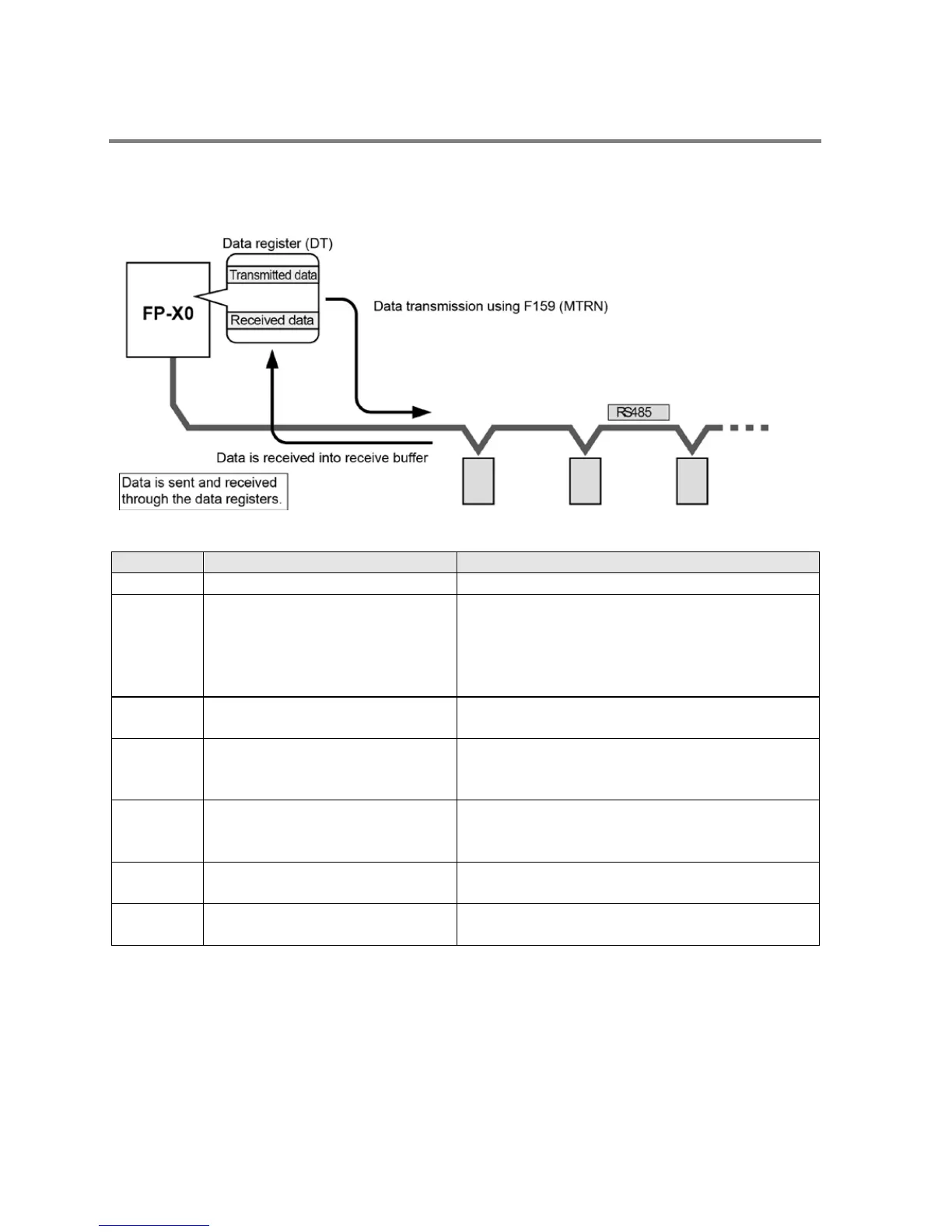
- The FP-X0 and the external units are connected using an RS485 cable. Using the protocol that
matches the external units, the F159 (MTRN) instruction is used to send and receive data.
- As for the FP-X0 L40MR and L60MR, connect to the COM port terminals (RS485).
System register settings
Selection of communication mode
General-purpose serial communication
No. 413 Communication format Char. bit: ……
Parity: …..
Stop bit: …………
Terminator: ……..
Header: …………
7 bits/8 bits
None/Odd/Even
1 bit/2 bits
CR/CR+LF/None/ETX
STX not exist / STX exist
No. 415 Baud rate
When using tool port: 2400 bps to 115200 bps
When using COM port: 19200 bps, 115200 bps
No. 416 COM port
Starting address for receive buffer
For L40MR and L60MR types
DT0 to DT8191 (Default: DT0)
No. 417 COM port
Receive buffer capacity
Note)
For L40MR and L60MR types
0 to 2048 words (Default: 2048 words)
No. 420 Tool port
Starting address for receive buffer
L14R/L30R: DT0 to DT2499 (Default: DT0)
L40R/L60R: DDT0 to DT8191 (Default: DT4096)
No. 421 Tool port
L14R/L30R: 0 to 128 words (Default: 128 words)
L40R/L60R: 0 to 2048 words (Default: 2048 words)
Note) Both the baud rate switches on the side of the unit and the systerm register No. 415 should be set
for the COM port.
Phone: 800.894.0412 - Fax: 888.723.4773 - Web: www.clrwtr.com - Email: info@clrwtr.com



 To Next Page
 Loading...




