Initial Programming
30
For fax advantage assistance, call 1-800-435-7329.
To select characters with the dial keypad
Pressing the dial keys will select a character as shown below.
To select characters using {
{{
{+
++
+}
}}
} or {
{{
{-
--
-}
}}
}
Instead of pressing the dial keys, you can select
characters using {
{{
{+
++
+}
}}
} or {
{{
{-
--
-}
}}
}.
1. Press {
{{
{+
++
+}
}}
} or {
{{
{-
--
-}
}}
} until the desired character
is displayed.
2. Press {
{{
{>
>>
>}
}}
} to move the cursor to the next
space.
L The character displayed in step 1 is
inserted.
3. Return to step 1 to enter the next character.
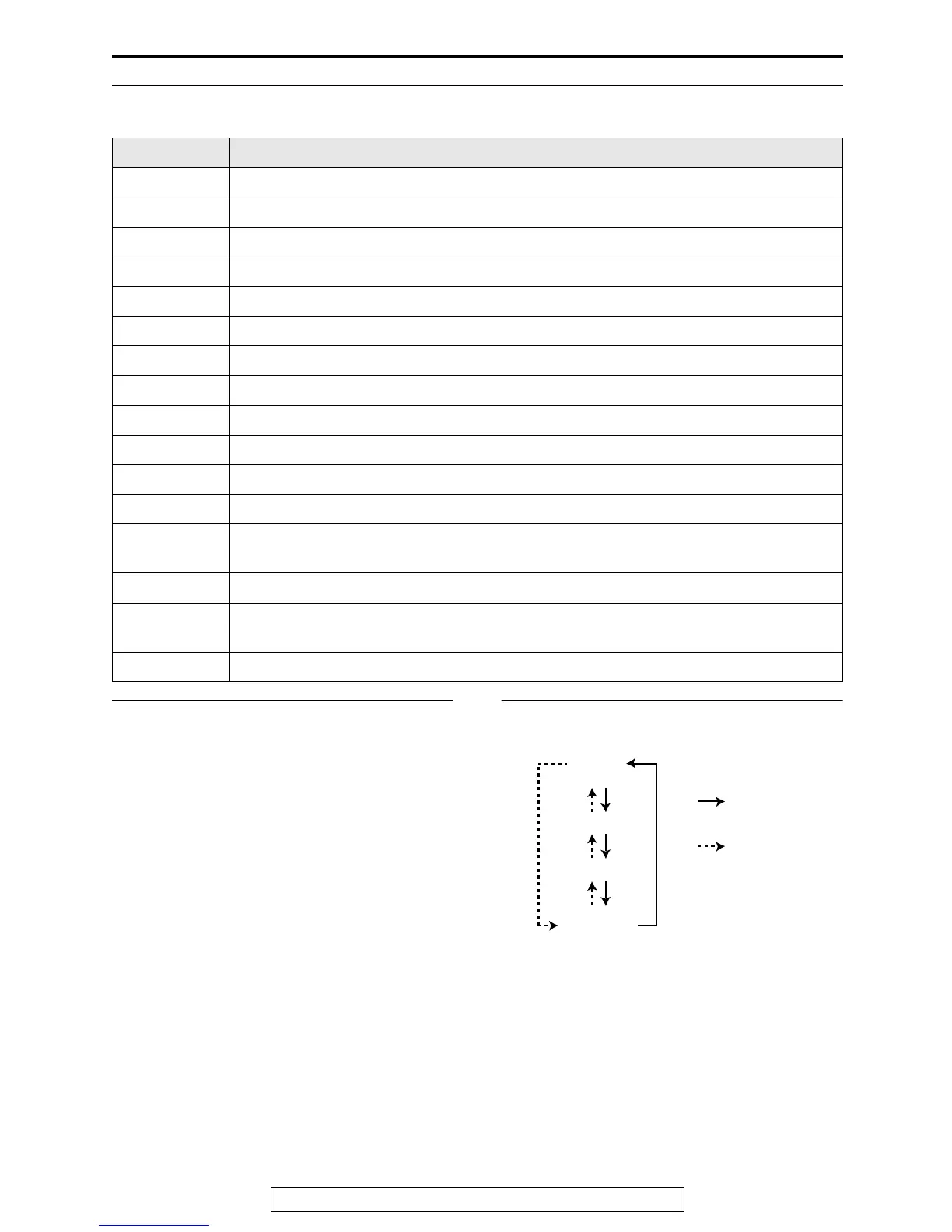
Display order of characters
Keys Characters
{
{{
{
1
}
}}
} 1[ ] { } +– /=,._`:;?|
{
{{
{
2
}
}}
} ABCab c 2
{
{{
{
3
}
}}
} DEFd e f 3
{
{{
{
4
}
}}
} GHI g h i 4
{
{{
{
5
}
}}
} JKLj kl 5
{
{{
{
6
}
}}
} MNOmn o 6
{
{{
{
7
}
}}
} PQRSpq r s 7
{
{{
{
8
}
}}
} TUVt uv8
{
{{
{
9
}
}}
} WXYZwxyz9
{
{{
{
0
}
}}
} 0( ) <>! " #$%&¥ @ @^ ’ →
{
{{
{#
##
#}
}}
} To change capital or lower-case letter.
{
{{
{
FLASH
}
}}
}
Hyphen button (To insert a hyphen.)
{
{{
{
HANDSET
MUTE
}
}}
}
Insert button (To insert one character or one space.)
{
{{
{
STOP
}
}}
}
Delete button (To delete a character.)
{
{{
{>
>>
>}
}}
} The cursor is moved to the right. To enter another character using the same number
key, move the cursor to the next space.
{
{{
{<
<<
<}
}}
} The cursor is moved to the left.
Capital
alphabet
Lower-case
alphabet
Number
Symbol
: Pressing {+}
: Pressing {-}











 To Next Page