Setting the Clock
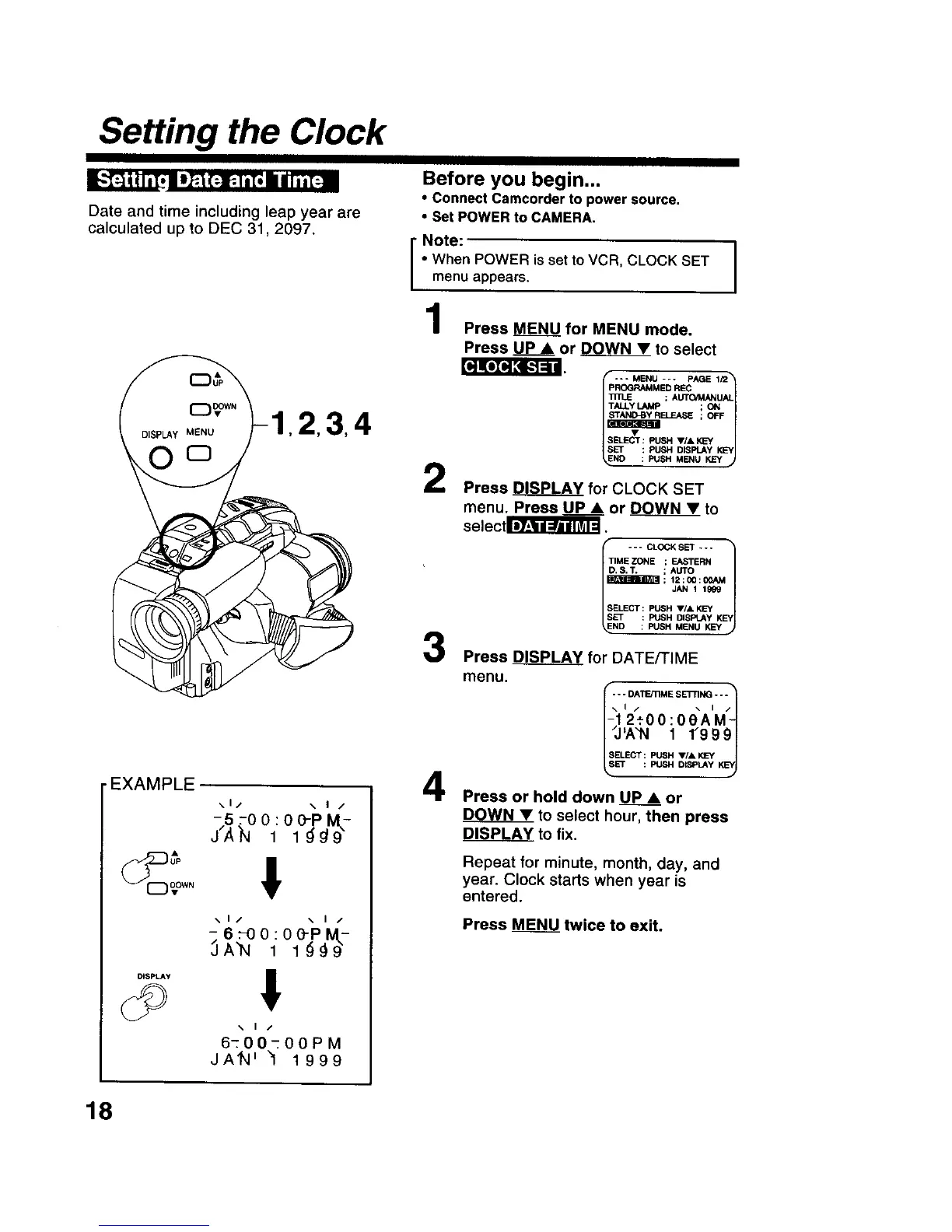
Date and time including leap year are
calculated up to DEC 31,2097.
•EXAMPLE
\1/ \ I /
\1/ \ I /
DISPLAY !
.. t /
6-00-00PM
JAn' "1 1999
Before you begin...
• Connect Camcorder to power source.
• Set POWER to CAMERA.
I" Note:
| When POWER is set to VCR, CLOCK SET
| menu appears.
Press MENU for MENU mode.
Press UP • or DOWN • to select
2
3
4
--* MENU --- PAGE 1P2"1
PROGRAMMED REC
1
; AUTO/MANUAL
TALLY LAMP ; ON
_ ;OFF
_ELEUT : PUSH ,/, KEY yJ
SET : PUSH DISPLAYKEY
NO : PUSH MENU KEY
Press _ for CLOCK SET
menu. Press UP • or DOWN • to
selectS.
--- CLOCKSET ---
TIME ZONE ; EASTERN
D,S, T. ; AUTO
SET : PUSH DISPLAYK_
ND : FU_IHMENU KEY j
Press DISPLAY for DATE/TIME
menu.
_- *DATE/tiME SE'i-rlNG- - "t
12._00:0eAM
I_J_A"N 1 1"9991
Press or hold down UP • or
DOWN• to select hour, then press
DISPLAY to fix.
Repeat for minute, month, day, and
year. Clock starts when year is
entered.
Press MENU twice to exit.
18











 To Next Page