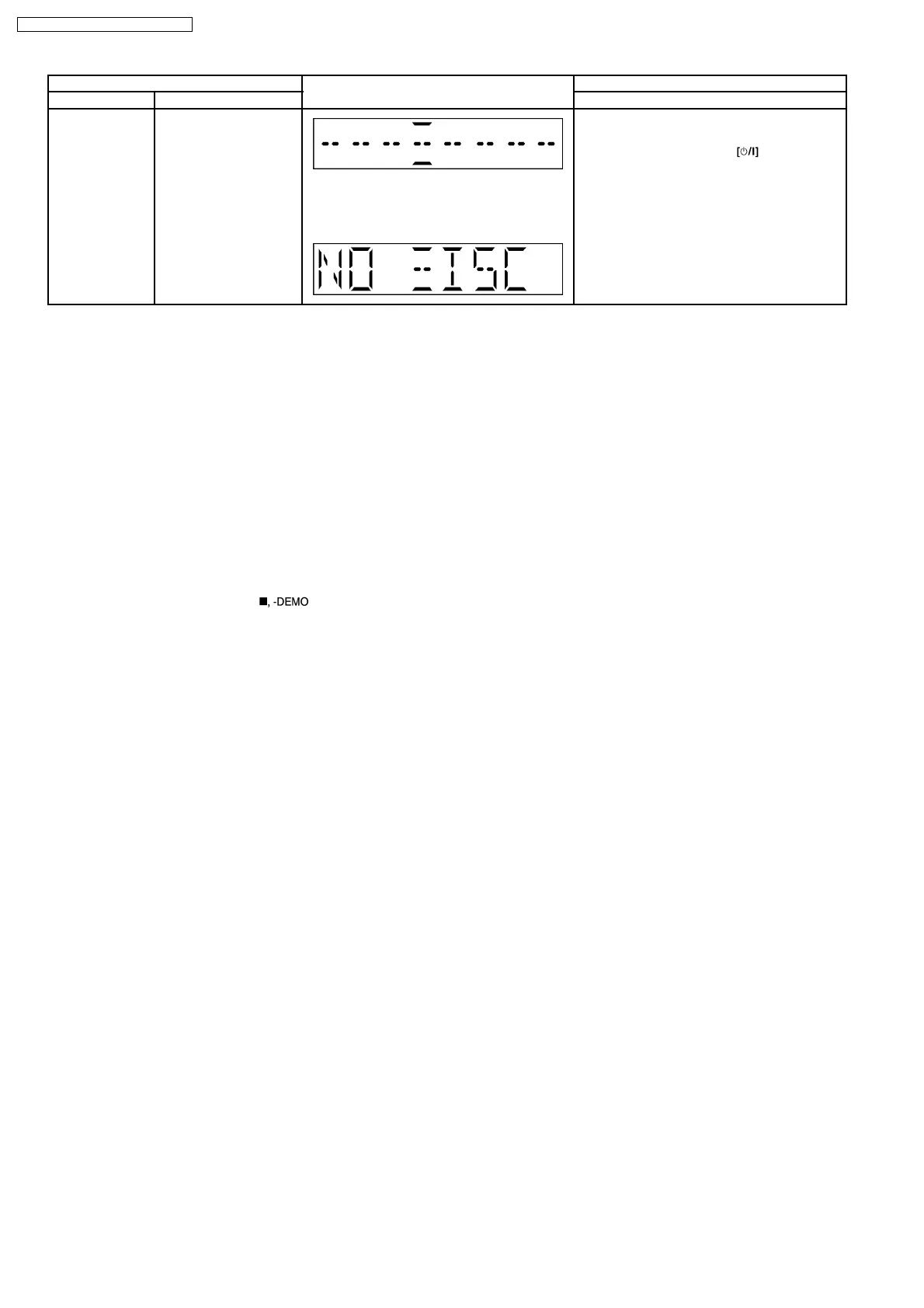
Item FL Display Key Operation
Mode Name Description Front Key
Cold Start To activate cold start
ipon next AC power up.
Note: This test do not work when selector is in
Tuner.
The [NO DISC] display will appear after 3 sec.
In doctor mode:
1. Press [SLEEP] button on remote control.
To exit Doctor Mode, press
button on
main unit or remote control.
8.2.3. CD to Tape Recording Inspection
Purpose : To check the recording function from CD to Tape.
Below is the procedures for this mode:-
Step 1: Enter into Doctor mode (For more information refer to section 8.2 on key operation to enter into this mode).
Step 2: Insert Test disc (CDT-018). Note: Ensure TOC is completed before next step.
Step 3: Press [4] button on remote control. (It enter into CD to Tape Test mode. The volume is set to [50dB], Bass & Treble is set
to 0dB & EQ is switch off).
Note : When in this mode, the following processes is perform :
a) Deck will rewind to the start point (point at the start of recording) & stop.
b) Recording begins (at constant analogue recording speed) for 3 seconds & stop.
·
However, “Error” would be display if there is no tracks to access to, no tape inserted, no test CD inserted or when the tape
erasure prevention tab for FWD side is not suitable for recording.
·
To exit from this mode, press [
] button on main uint.
8.2.4. Tape Recording and Playing
Purpose : To check the tape operating function. (Playability & record function)
Note:
Below is the procedures for this mode:-
Step 1: Enter into Doctor mode (For more information refer to section 8.2 on key operation to enter into this mode).
Step 2: Press [5] button on remote control. (During this mode, tape function is set to automatically, volume is set to [50dB], Bass
& Treble is set to 0dB & EQ is switch off).
Step 3: The tape played for 3 seconds after which it stop & eject. (Cassette door opens automatically)
Note : When in CD to Tape Recording Test mode, the following process is perform :
a) If the erasure prevention tab for FWD side the tape is broken, it is judged as an error and the recording operation does not start.
b) If tape stops by detecting a tape end while recording, it becomes an error.
c) If STOP key is pressed while recording or playing, the operation shall be terminated by stopping TAPE. In this case, the doctor
mode is not released.
d) DMT is output with the same timing as usual.
16
SA-PM45E / SA-PM45EG / SA-PM45EE








 To Next Page