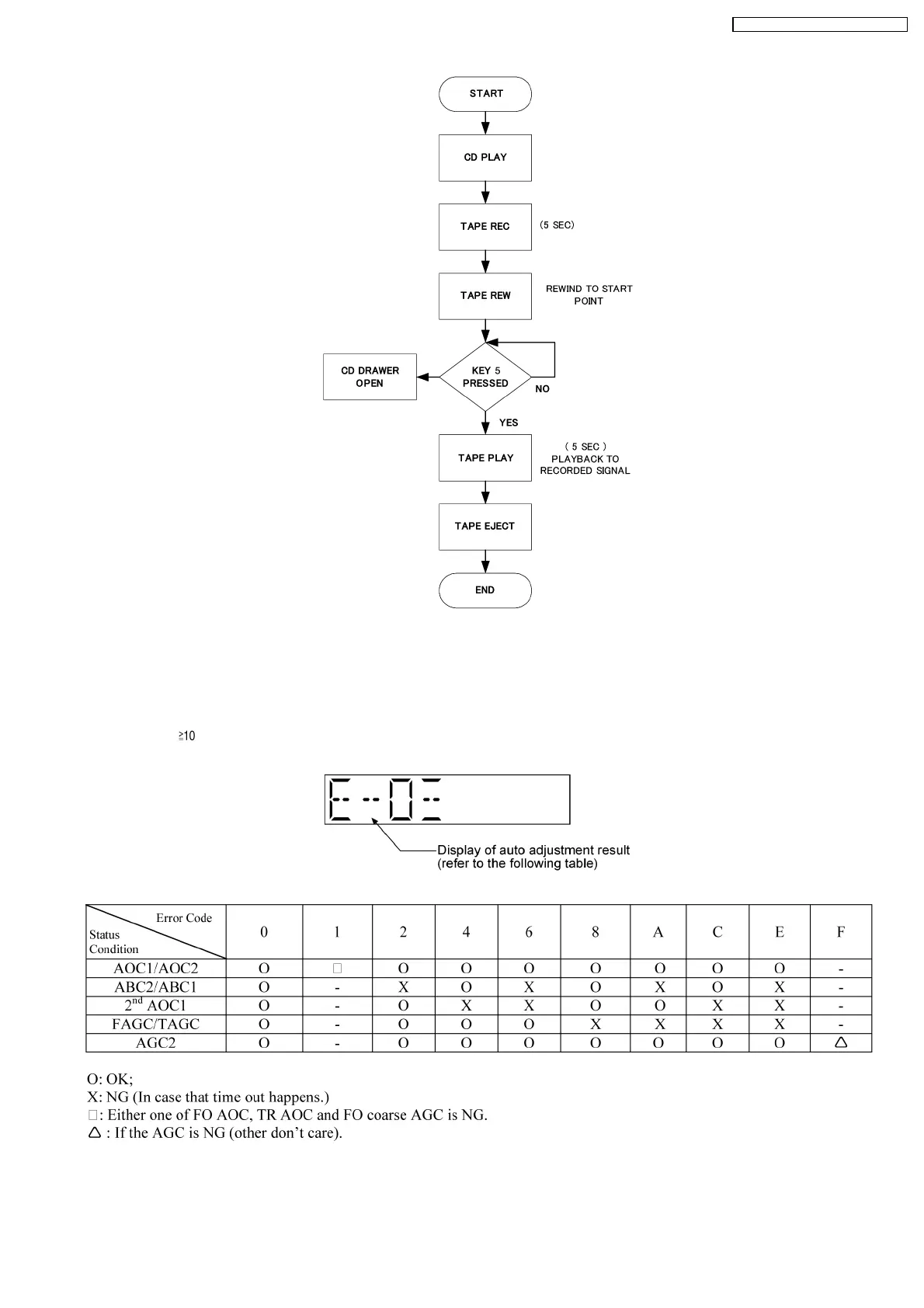
8.2.5. CD Self-Adjustment (AJST) Result Display
Purpose : To display the result of self-adjustment for CD.
Below is the procedures for this mode:-
Step 1: Enter into Doctor mode (For more information refer to section 8.2 on key operation to enter into this mode).
Step 2 : When [
], [1] & [4] key are pressed at the doctor mode, the following shall be displayed for 3 secs. The result shall
correspond to the condition met as shown in the table below :
8.2.6. TPS Inspection
Purpose : Tape for TPS is put into Deck. TPS inspection starts with one key operation. This mode shall run a test program to check
17
SA-PM45E / SA-PM45EG / SA-PM45EE








 To Next Page