EasyManua.ls Logo

Panasonic SC-CH7 - Audio Playback Features; Spectrum Display Modes

Panasonic SC-CH7
61 pages
Print Icon
To Next Page IconTo Next Page
To Previous Page IconTo Previous Page
Loading...
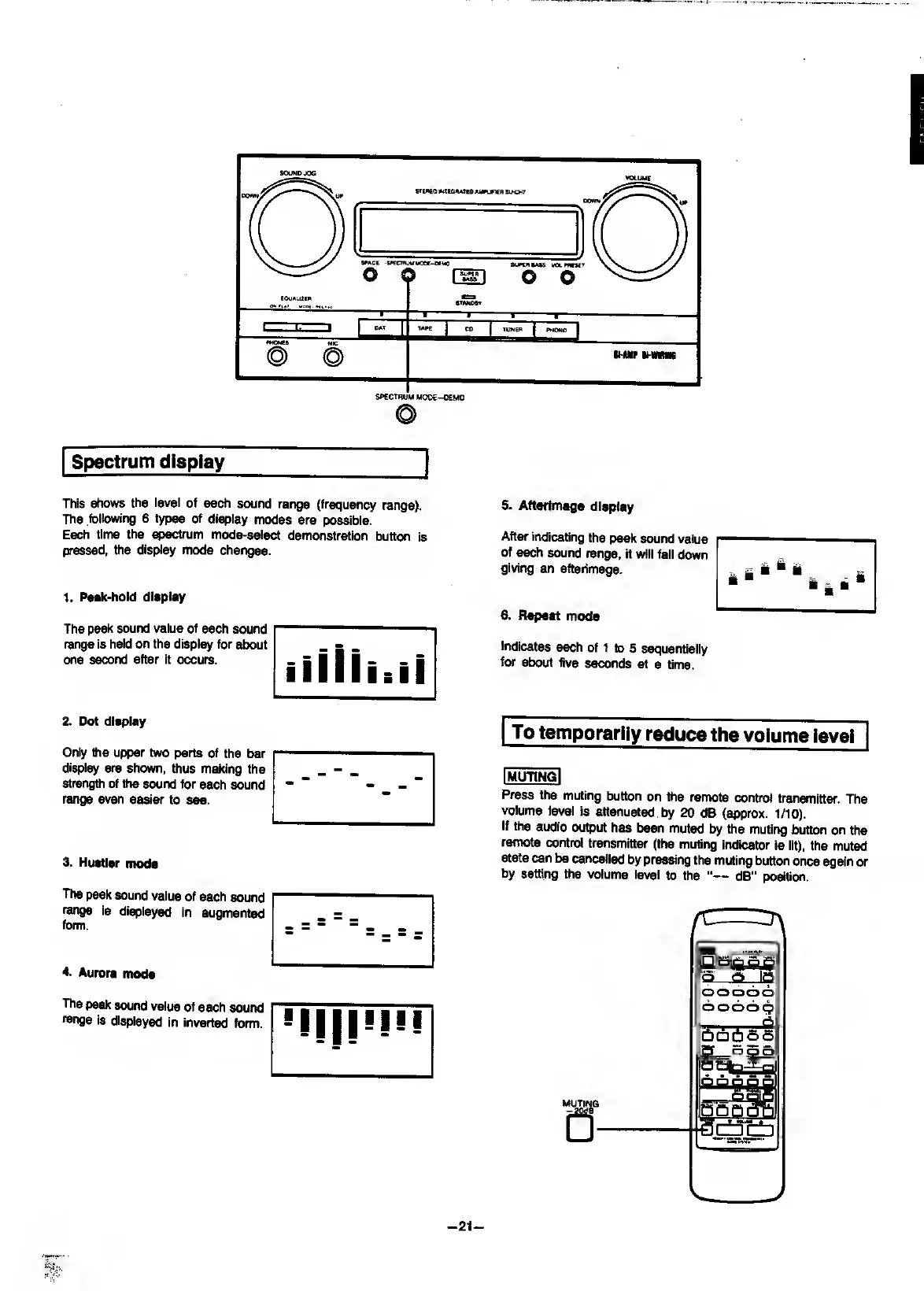
Spectrum
display
This
shows
the
level
of
each
sound
range
(frequency
range).
The
following
6
types
of
display
modes
are
possible.
Each
time
the
spectrum
mode-select
demonstration
button
is
pressed,
the
display
mode
changes.
1.
Peak-hold
display
The
peak
sound
value
of
each
sound
range
is
held
on
the
display
for
about
one
second
after
it
occurs.
2.
Dot
display
Only
the
upper
two
parts
of
the
bar
display
are
shown,
thus
maidng
the
strength
of
the
sound
for
each
sound
range
even
easier
to
see.
3.
Hustler
mods
The
peak
sound
value
of
each
sound
range
is
displayed
in
augmented
form.
4.
Aurora
mode
The
peak
sound
value
of
each
sound
range
is
displayed
in
Inverted
form.
5.
Afterimage
display
After
indicating
the
peak
sound
value
of
each
sound
range,
it
will
fall
down
giving
an
afterimage.
6.
Repeat
mode
Indicates
each
of
1
to
5
sequentially
for
about
five
seconds
at
a
time.
To
temporarily
reduce
the
volume
level
I
MUTING
I
Press
Wie
muting
button
on
the
remote
control
transmitter.
The
volume
level
is
attenuated
by
20
dB
(approx.
1/10).
if
the
audio
output
has
been
muted
by
the
muting
button
on
the
remote
control
transmitter
(the
muting
indicator
is
lit),
the
muted
state
can
be
cancelled
by
pressing
the
muting
button
once
again
or
by
setting
the
volume
level
to
the
"—
dB”
position.
-
21
-

Related product manuals