EasyManua.ls Logo

Panasonic SC-CH7 - Changing the Tone Quality

Panasonic SC-CH7
61 pages
Print Icon
To Next Page IconTo Next Page
To Previous Page IconTo Previous Page
Loading...
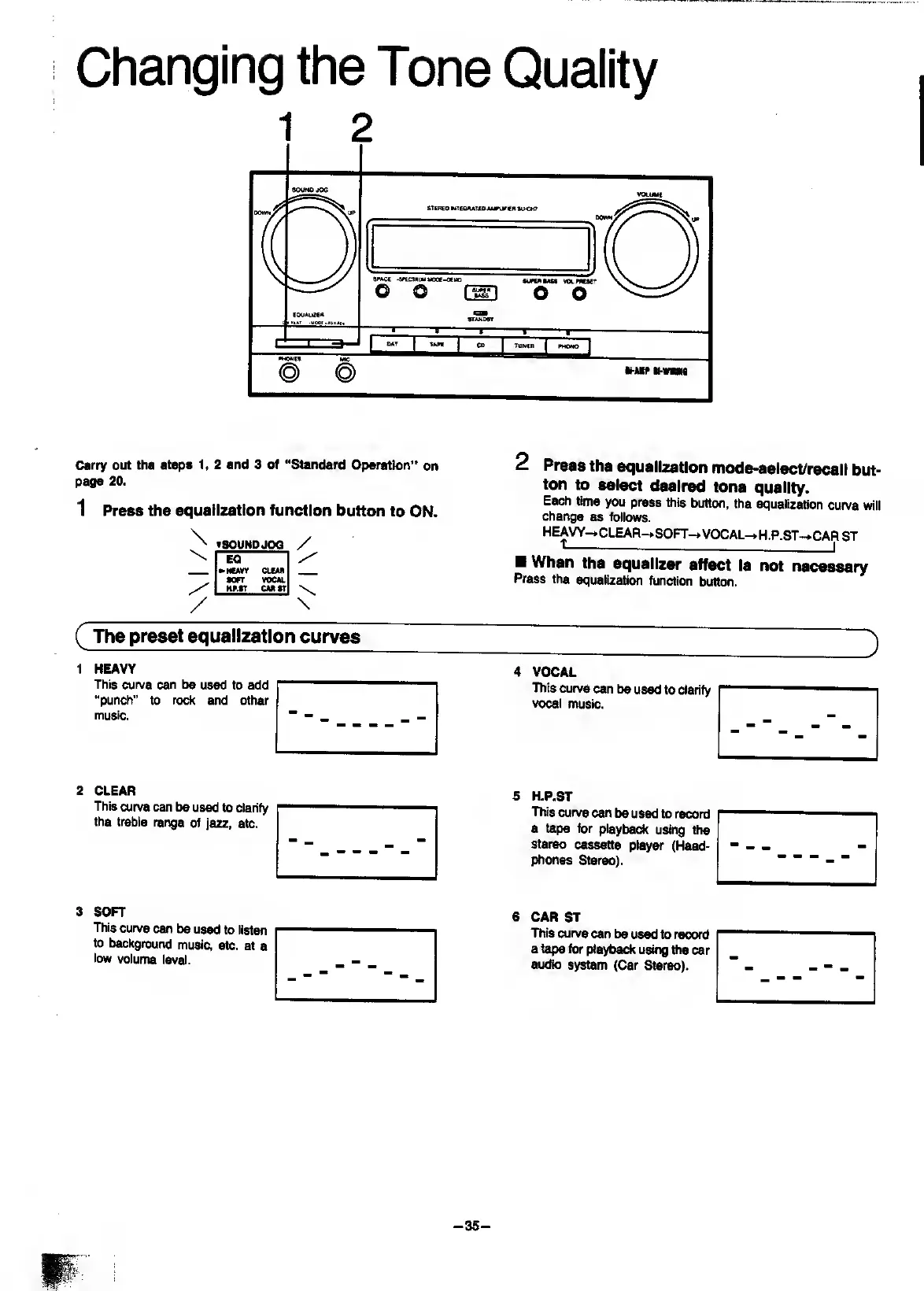
Changing
the
Tone
Quality
Carry
out
the
steps
1,
2
and
3
of
“Standard
Operation'*
on
page
20.
1
Press
the
equalization
function
button
to
ON.
tSOUNDJOG
EQ
^HCAVY
CLEAR
•OFT
VOCAL
HF.*T
CAR
ST
/
\
2
Press
the
equalization
mode-select/recall
but¬
ton
to
select
desired
tone
quality.
Each
time
you
press
ttiis
button,
the
equalization
curve
will
change
as
follows.
HE
AVY-*CLEAR-»SOFT-*
VOCAL->.H.P.ST~*CAR
ST
When
the
equalizer
effect
is
not
necessary
Press
the
equalization
function
button.
(
The
preset
equalization
curv^
)
1
HEAVY
This
curve
can
be
used
to
add
“punch”
to
rock
and
other
music.
2
CLEAR
This
curve
can
be
used
to
clarify
the
treble
range
of
jazz,
etc.
3
SOFT
This
curve
can
be
used
to
listen
to
background
music,
etc.
at
a
low
volume
level.
4
VOCAL
_
This
curve
can
be
used
to
clarify
vocal
music.
-
"
"
_
-
"
-
5
H.P.ST
"
_--
_
This
curve
can
be
used
to
record
a
tape
for
playbad^
using
the
stereo
cassette
player
(Head¬
phones
Stereo).
-
6
CAR
ST
-
"
~
-
This
curve
can
be
used
to
record
a
tape
for
playback
usirtg
the
car
audio
system
(Car
Stereo).
-
35
-

Related product manuals