EasyManua.ls Logo

Panasonic SC-CH7 - Customizing Tone Quality

Panasonic SC-CH7
61 pages
Print Icon
To Next Page IconTo Next Page
To Previous Page IconTo Previous Page
Loading...
Changing
the
Tone
Quality
ii«
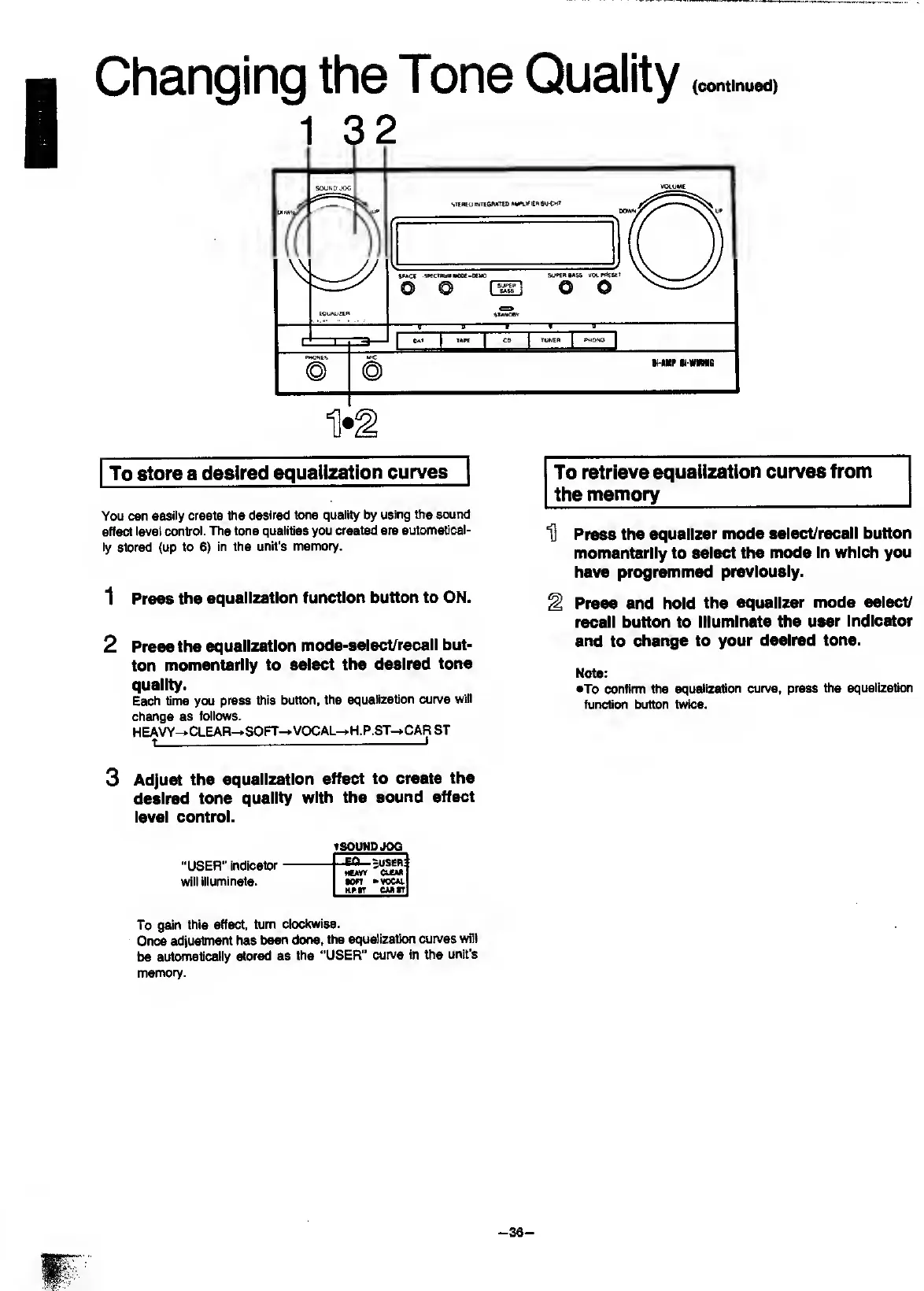
To
store
a
desired
equalization
curves
You
can
easily
create
the
desired
tone
quality
by
using
ttie
sound
effect
level
control.
The
tone
qualities
you
created
are
automatical¬
ly
stored
(up
to
6)
in
the
unit's
memory.
To
retrieve
equalization
curves
from
the
memory
_
D
Press
the
equalizer
mode
select/recall
button
momentarily
to
select
the
mode
In
which
you
have
programmed
previously.
1
Press
the
equalization
function
button
to
ON.
2
Press
the
equalization
mode-select/recall
but¬
ton
momentarily
to
select
the
desired
tone
quality.
Each
time
you
press
this
button,
the
equalization
curve
will
change
as
follows.
HEAVY-^
CLEAR-»SOFr-»
VOCAL—H.P.ST-»CAR
ST
t
-1
Press
and
hold
the
equalizer
mode
select/
recall
button
to
Illuminate
the
user
indicator
and
to
change
to
your
desired
tone.
Note:
eTo
confirm
the
equalization
curve,
press
the
equalization
function
button
twice.
3
A
djust
the
equalization
effect
to
create
the
desired
tone
quality
with
the
sound
effect
level
control.
TSOUNDJOQ
"USER”
indicator
will
illuminate.
To
gain
this
effect,
turn
clodcwise.
Once
adjustment
has
been
done,
the
equalization
curves
wilt
be
automatically
stored
as
the
“USER”
curve
in
Vie
unit's
memory.
-EQ-
.7U8ER
HCWV
CUM
•on
»vocu.
Hpr
CM«T

Related product manuals