EasyManua.ls Logo

Panasonic SC-CH7 - Listening to Radio Broadcasts

Panasonic SC-CH7
61 pages
Print Icon
To Next Page IconTo Next Page
To Previous Page IconTo Previous Page
Loading...
Have
you
completed
the
steps
of
“Automatic
memory
presetting”
on
page
31
or
“Manual
memory
presetting"
on
page
32?
Carry
out
the
steps
1
and
2
of
“Standard
Operations"
on
page
20
.
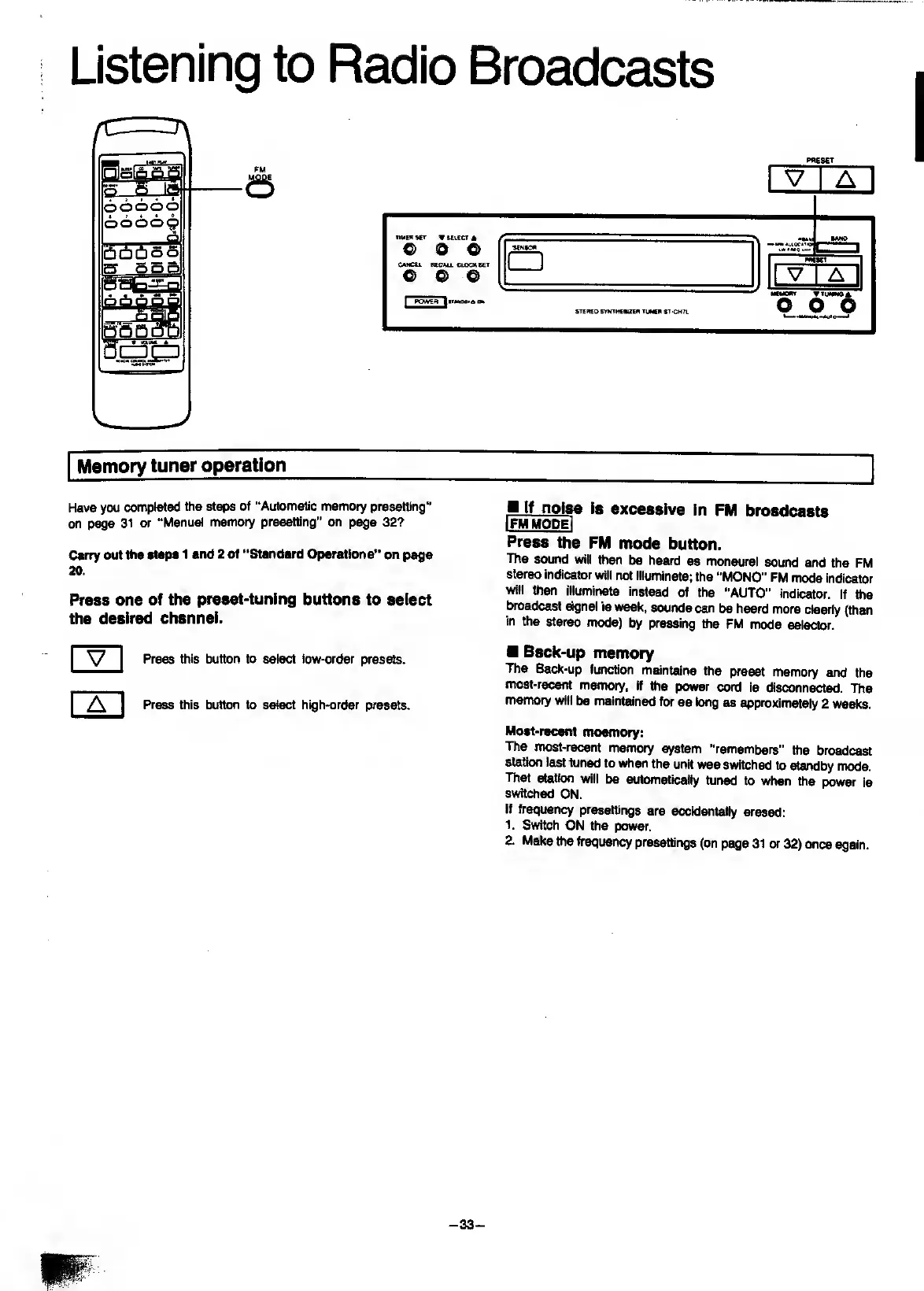
Press
one
of
the
preset-tuning
buttons
to
select
the
desired
channel.
JLooiM
is
excessive
In
FM
broadcasts
Press
the
FM
mode
button.
The
sound
wilt
then
be
heard
as
monaural
sound
and
the
FM
stereo
indicator
will
not
illuminate;
the
"MONO"
FM
mode
indicator
will
then
illuminate
instead
of
the
"AUTO"
indicator.
If
the
broadcast
signal
is
weak,
sounds
can
be
heard
more
clearly
(than
in
the
stereo
mode)
by
pressing
the
FM
mode
selector.
Press
this
button
to
select
low-order
presets.
Press
this
button
to
select
high-order
presets.
Back-up
memory
The
Back-up
function
maintains
the
(veset
memory
and
the
most-recent
memory,
If
the
power
cord
is
disconnected.
The
memory
will
be
maintained
for
as
long
as
approximately
2
weeks.
Most-recent
moemory:
The
most-recent
memory
system
“remembers”
ttie
broadcast
station
last
tuned
to
when
the
unit
was
switched
to
standby
mode.
That
station
will
be
automaticaily
tuned
to
when
the
power
is
switched
ON.
If
frequency
presettings
are
accidentally
erased:
1.
Switch
ON
the
power.
2.
Make
the
frequency
presettings
(on
page
31
or
32)
once
again.
-
33
-

Related product manuals