EasyManua.ls Logo

Panasonic SC-CH7 - External Source and Sound Customization; Listening to Other Sources

Panasonic SC-CH7
61 pages
Print Icon
To Next Page IconTo Next Page
To Previous Page IconTo Previous Page
Loading...
Listening
to
Other
Sources
iDATl
Carry
out
the
step
1
of
“Standard
Operations”
on
page
20.
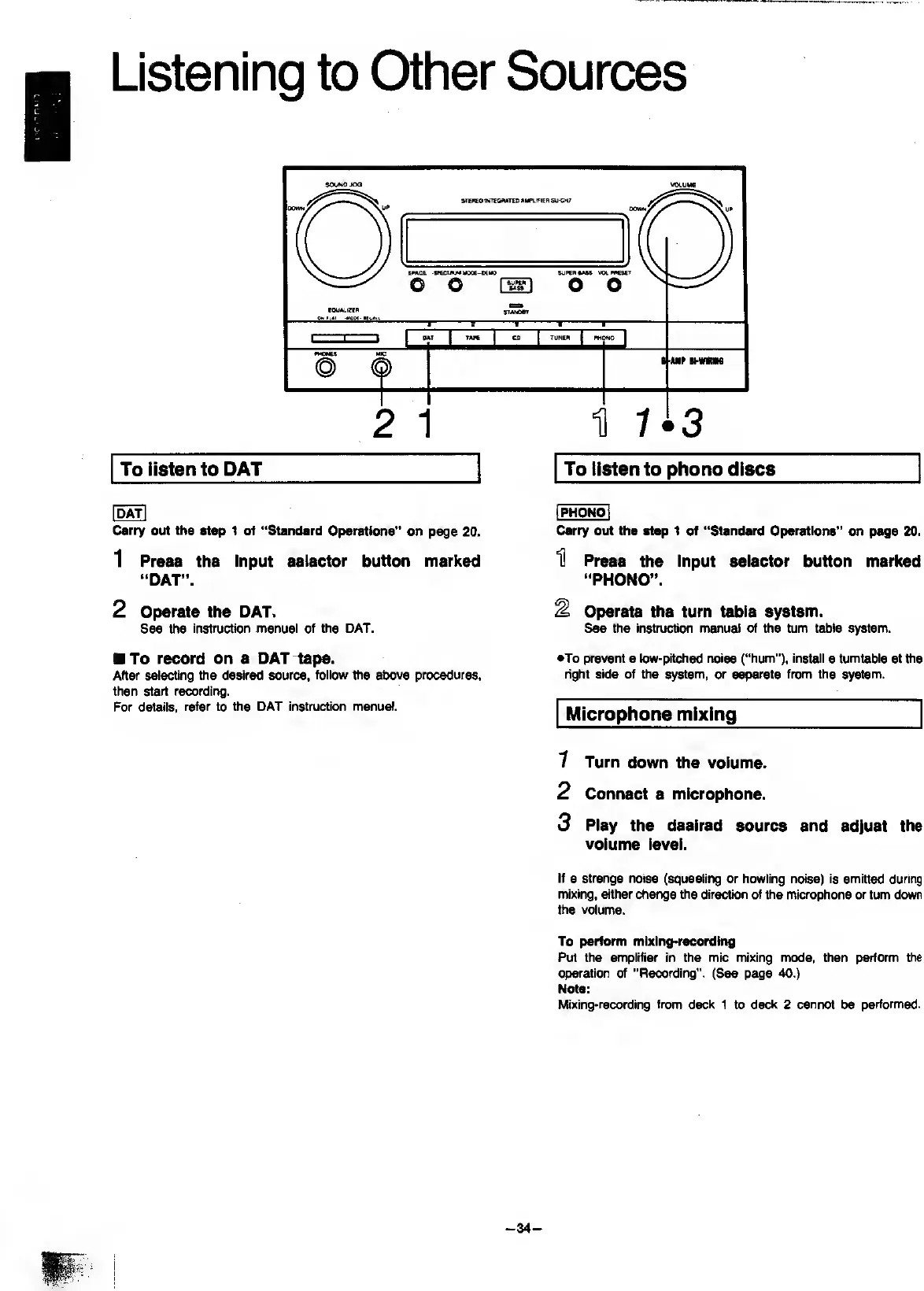
1
Press
the
Input
selector
button
marked
“DAT”.
2
Operate
the
DAT.
See
the
instruction
manual
of
the
DAT.
I
PHONOI
Carry
out
the
step
1
of
“Standard
Operations"
on
page
20.
U
Press
the
Input
selector
button
marked
“PHONO”.
^
Operate
the
turn
table
system.
See
the
instruction
m^uai
of
the
turn
table
system.
To
record
on
a
DAT
tape.
After
selecting
the
desired
source,
follow
the
^owe
procedures,
then
start
recording.
For
details,
refer
to
the
DAT
instruction
manual.
•To
prevent
a
low-pitched
noise
(“hum”),
install
a
turntable
at
the
right
side
of
the
system,
or
separate
from
the
system.
Microphone
mixing
7
Turn
down
the
volume.
2
Connect
a
microphone.
3
Play
the
desired
source
and
adjust
the
volume
level.
If
a
strange
noise
(squealing
or
howling
noise)
is
emitted
during
mixing,
either
change
the
direction
of
the
microphone
or
turn
down
the
volume.
To
perform
mlxing*recording
Put
the
amplifier
in
the
mic
mixing
mode,
then
perform
the
operation
of
“Recording”.
(See
page
40.)
Note:
Mixing-recording
from
deck
1
to
deck
2
cannot
be
performed.
-
34
-

Related product manuals