EasyManua.ls Logo

Panasonic SC-CH7 - Timer and Sleep Functions; Using the Timer

Panasonic SC-CH7
61 pages
Print Icon
To Next Page IconTo Next Page
To Previous Page IconTo Previous Page
Loading...
Using
the
Timer
I
Types
of
timer
operations
One-time
timer
function
(ONCE)
This
timer
function
can
be
used
to
switch
the
power
ON
and
to
the
stand-by
condition
at
a
desired
day
and
time
(one
day
only).
This
is
convenient
for
recording
broadcasts
while
you
are
away.
(Programmed
settings
are
canceled
when
this
timer
function
is
used.)
Weekiy
timer
function
(WEEKLY)
•Every
week
on
the
same
day,
(one
day
from
Sunday
to
Saturday)
•Every
day
(from
Sunday
to
Saturday)
•Every
day
except
Sunday
(from
Monday
to
Saturday)
•Every
day
except
Saturday
and
Sunday
(from
Monday
to
Friday)
The
power
will
be
switched
ON
and
to
the
stand-by
condition
at
the
desired
times
(among
those
choices
described
£^ve).
TNs
feature
is
convenient
for
listening
to
and/or
recording
the
same
program
at
regular
intervals.
(The
programming
remains
in
effect
until
canceled.)
Sleep
timer
function
(SLEEP)
This
timer
function
can
be
used
to
switch
the
power
to
the
stand-by
condition
at
the
desired
time
(within
a
range
of
120
to
1
minutes
from
ttie
present
time).
Use
this
timer
to
switch
the
power
to
the
stand-by
condition
automatically
even
if
you
fall
asleep
while
listening.
(Programmed
settings
are
canceled
when
this
timer
function
is
used.)
After
approximately
one
minute
after
the
sleep
timer
is
activated,
the
tuner
display
will
return
to
showing
the
present
time,
if
the
button
is
pressed
In
this
condition,
the
time
remaining
on
the
sleep
timer
will
be
displayed
for
approximately
10
seconds,
and
if
the
button
is
pressed
once
more
while
the
time
remaining
on
the
sleep
timer
is
being
displayed,
the
sleep
timer
will
be
cancelled.
Timer
sequence
of
priority
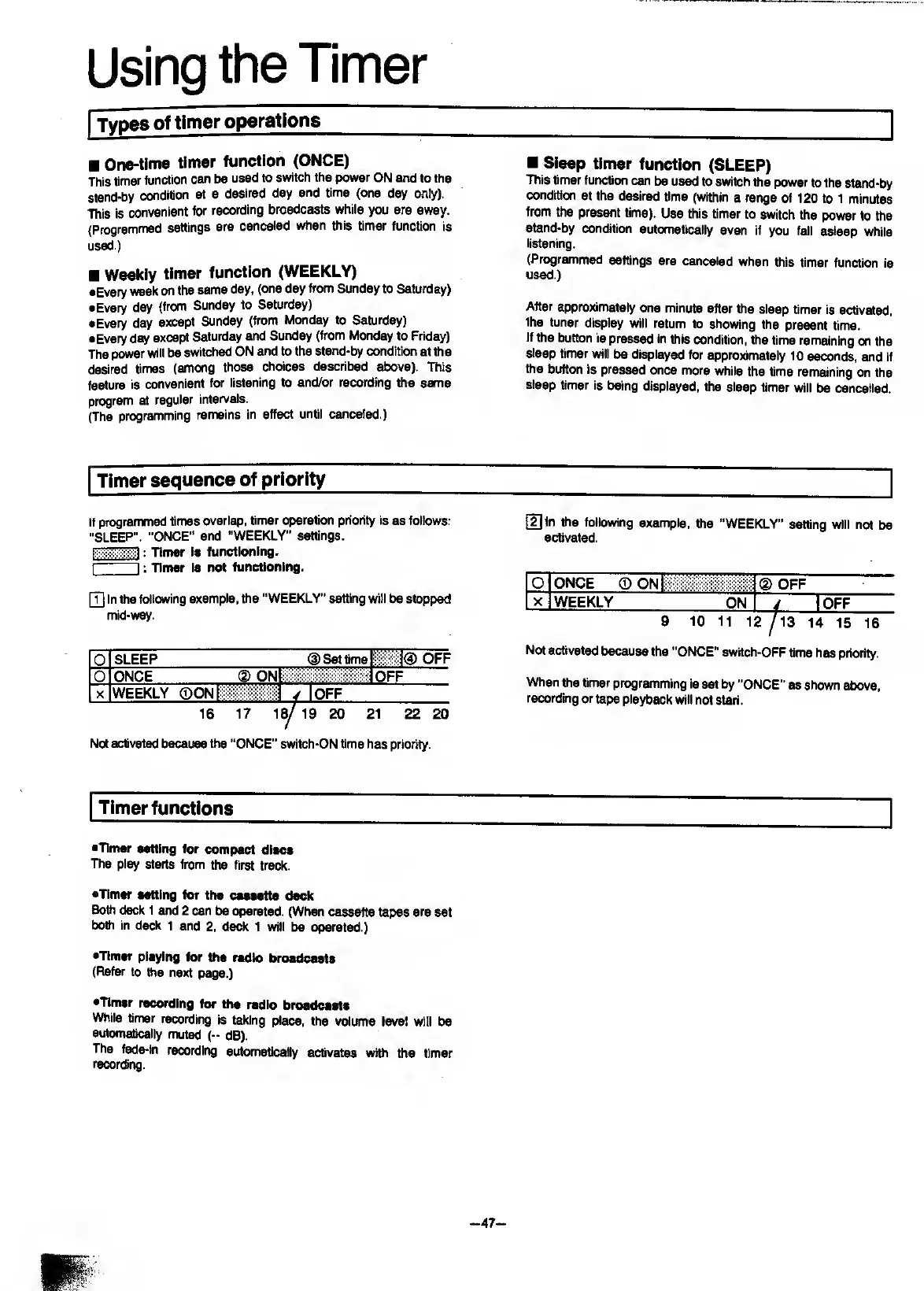
If
programmed
times
overlap,
timer
operation
priority
is
as
follows:
"SLEEP".
“ONCE"
and
“WEEKLY"
settings.
:
Timer
ie
functioning.
I
I
:
Tinier
is
not
functioning.
[T]
In
the
following
example,
the
“WEEKLY”
setting
will
be
stopped
mid-way.
0
SLEEP
(D
Set
time
OFF
0
lONCE
(5)
ONI
OFF
X
WEEKLY
(DONlii;
/
lOPF_
16
17
18/
19
20
21
22
20
Not
activated
because
the
“ONCE"
switch-ON
time
has
priority.
[2]
In
the
following
example,
the
“WEEKLY”
setting
will
not
be
activated.
a
ONCE
®
ON
(D
OFF
xj
WEEKLY
ON
-i
_lOFF
9
10
11
12
14
15
16
Not
activated
because
the
"ONCE”
swHch-OFF
time
has
priority.
When
the
timer
programming
is
set
by
“ONCE"
as
shown
above,
recording
or
tape
playback
will
not
start.
Timer
functions
•Timer
setting
for
compact
discs
The
play
starts
from
the
first
track.
•Timer
setting
for
the
cassette
deck
BoUi
deck
1
and
2
can
be
operated.
(When
cassette
tapes
are
set
both
in
deck
1
and
2,
deck
1
will
be
(grated.)
•Timer
playing
for
the
radio
broadcasts
(Refer
to
the
next
page.)
•Timer
recording
for
the
radio
broadcasts
While
timer
recording
is
taking
place,
the
volume
level
will
be
automatically
muted
(-
dB).
The
fade-in
recording
automatically
activates
with
the
timer
recording.
-47-

Related product manuals