EasyManua.ls Logo

Panasonic SC-CH7 - Setting the Time

Panasonic SC-CH7
61 pages
Print Icon
To Next Page IconTo Next Page
To Previous Page IconTo Previous Page
Loading...
Setting
the
Time
2
,
^
h
6
,
3
,
5
,
7
TIMER
SET
T
SELECT
4
©
®
@
-
SENSOR
o
V-
PRESET
V
1
A
1
CANCEL
RECALL
CLOCK
SET
©
©
©-
POWER
lsr«ND»ieON
STEREO
SVNn«SIZER
TUNER
ST-CH71
MEMORY
V
TUNING
4
-•«i*NUAL-AUTO«
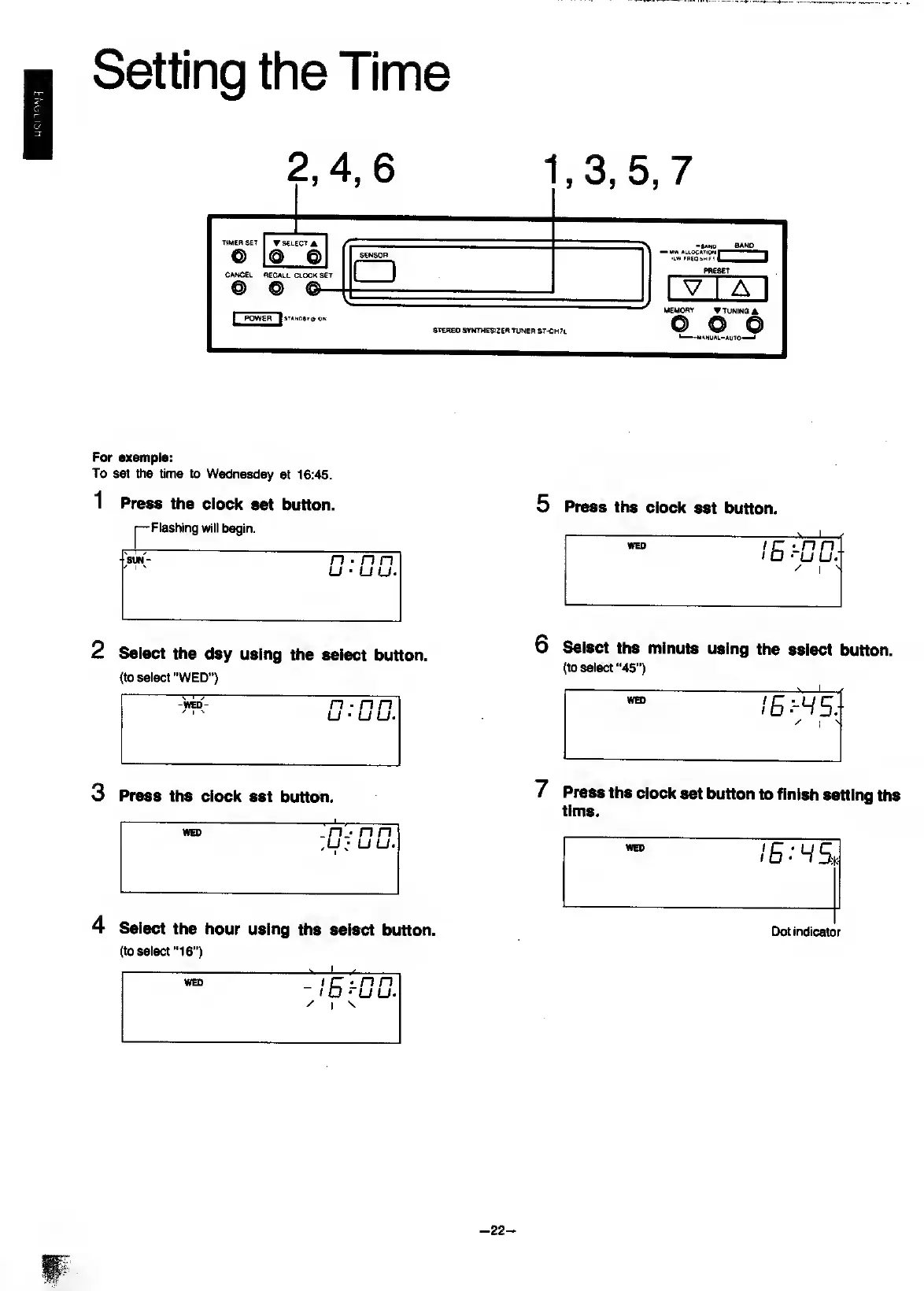
For
oxamplo:
To
set
the
time
to
Wednesday
at
16:45.
1
Press
the
clock
set
button.
Flashing
will
begin.
'sw-
n
nn
u
uu.
2
Select
the
day
using
the
select
button.
(to
select
"WED")
4
Select
the
hour
using
the
select
button.
(to
select
“16”)
5
Press
the
clock
set
button.
WED
lErOD.-
/
I
6
Select
the
minute
using
the
select
button.
(to
select
“45")
7
Press
the
clock
set
button
to
finish
setting
the
time.
Dot
indicator
-
22
-

Related product manuals