EasyManua.ls Logo

Panasonic SC-CH7 - Standard Operations; Basic System Operation; Headphone and Microphone Use

Panasonic SC-CH7
61 pages
Print Icon
To Next Page IconTo Next Page
To Previous Page IconTo Previous Page
Loading...
standard
Operations
For
Australia:
Has
the
power
switch
on
the
rear
panel
been
switched
ON?
(See
page
7.)
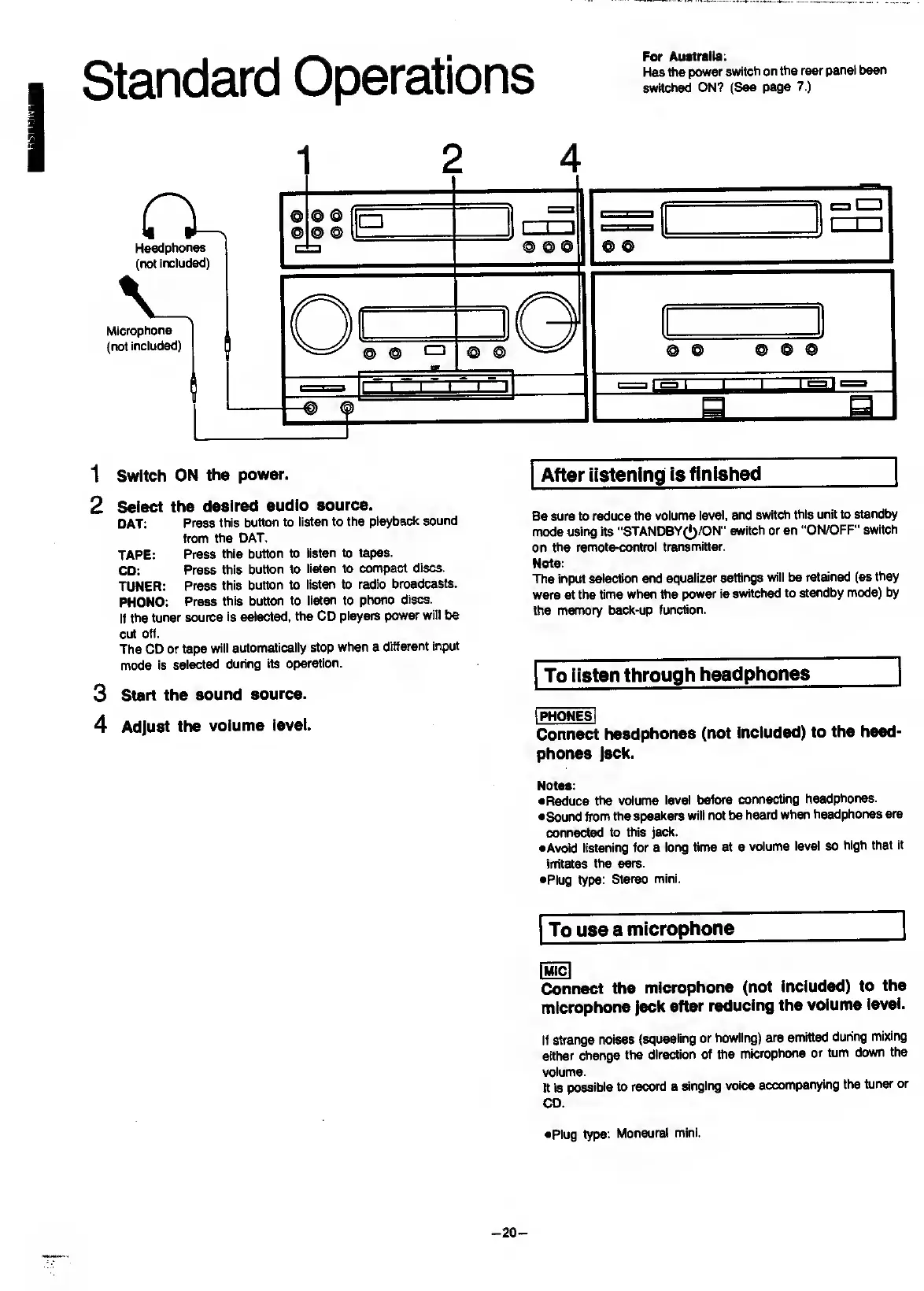
1
Switch
ON
the
power.
2
Select
the
desired
audio
source.
DAT:
Press
this
button
to
listen
to
the
playback
sound
from
the
DAT.
TAPE:
Press
this
button
to
listen
to
tapes.
CD:
Press
this
button
to
listen
to
compact
discs.
TUNER:
Press
this
button
to
listen
to
radio
broadcasts.
PHONO:
Press
this
button
to
listen
to
phono
discs.
It
the
tuner
source
is
selected,
the
CD
players
power
will
be
cut
off.
The
CD
or
tape
will
automatically
stop
when
a
different
input
mode
is
selected
during
its
operation.
3
start
the
sound
source.
4
Adjust
the
volume
level.
After
listening
is
finished
_|
Be
sure
to
reduce
the
volume
level,
and
switch
this
unit
to
standby
mode
using
its
"STANDBY(J)/ON”
switch
or
an
“ON/OFF”
switch
on
the
remote-control
transmitter.
Note:
The
input
selection
and
equalizer
settings
will
be
retained
(as
they
were
at
the
time
when
the
power
is
switched
to
standby
mode)
by
the
memory
back-up
function.
To
listen
through
headphones
_]
I
PHONES
I
Connect
headphones
(not
included)
to
the
head¬
phones
Jack.
Notea:
•Reduce
the
volume
level
before
connecting
headphones.
•Sound
from
the
speakers
will
not
be
heard
when
headphones
are
connected
to
this
jack.
•Avoid
listening
for
a
long
time
at
a
volume
level
so
high
that
it
irritates
the
ears.
•Plug
type:
Stereo
mini.
To
use
a
microphone
_I
Connect
the
microphone
(not
included)
to
the
microphone
Jack
after
reducing
the
volume
level.
If
strange
noises
(squealing
or
howling)
are
emitted
during
mixing
either
change
the
direction
of
the
microphone
or
turn
down
the
volume.
It
is
possible
to
record
a
singing
voice
accompanying
the
tuner
or
CD.
•Plug
type:
Monaural
mini.
-
20
-

Related product manuals