EasyManua.ls Logo

Panasonic SC-CH7 - Page 32

Panasonic SC-CH7
61 pages
Print Icon
To Next Page IconTo Next Page
To Previous Page IconTo Previous Page
Loading...
Memory
Presettings
(continued)
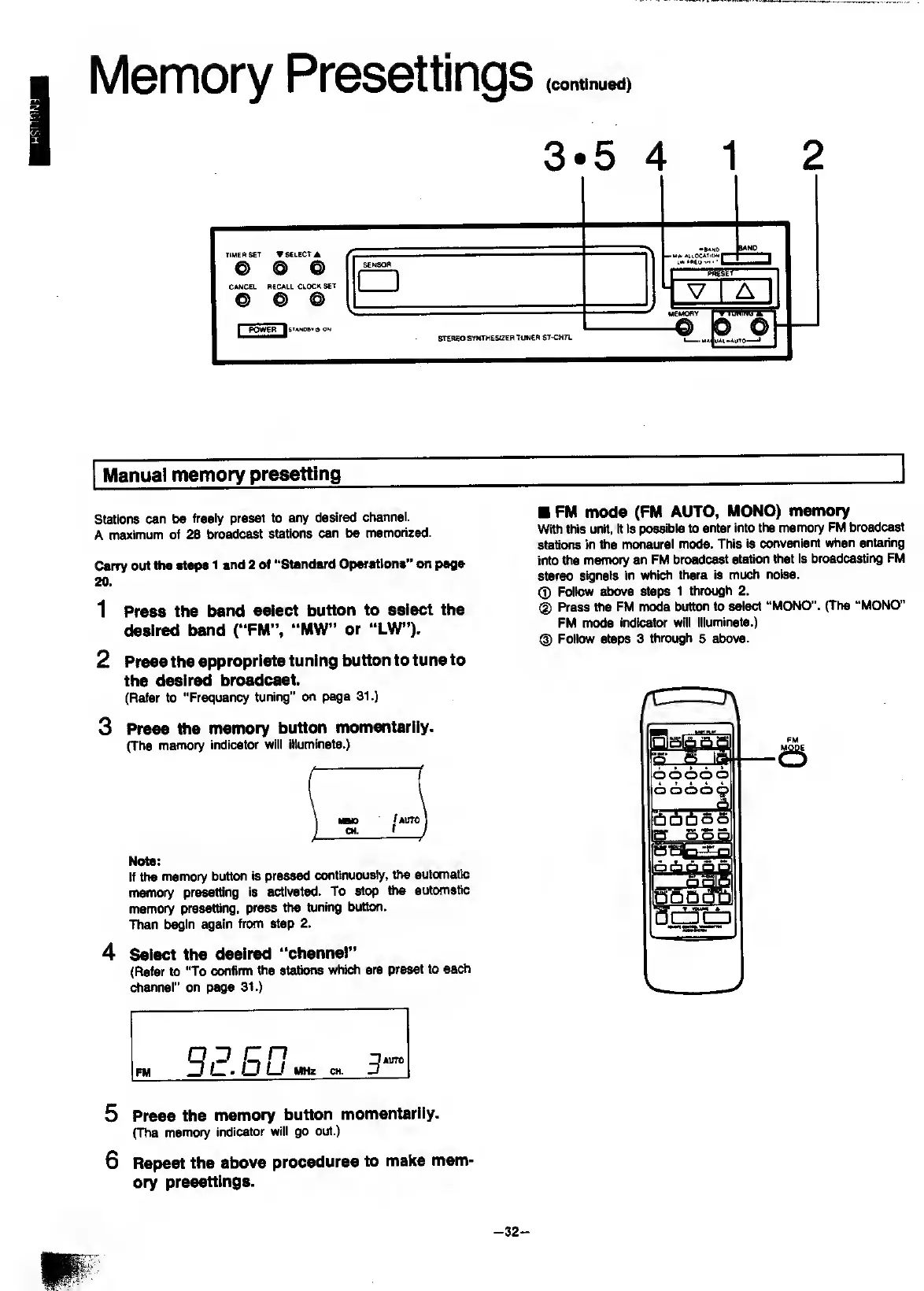
3*5
4
1
2
Manual
memory
presetting
Stations
can
be
freely
preset
to
any
desired
channel.
A
maximum
of
28
broadcast
stations
can
be
memorized.
Carry
out
the
steps
1
and
2
of
“Standard
Operations”
on
page
20
.
1
Press
the
band
select
button
to
select
the
desired
band
(“FM”.
“MW”
or
“LW”).
2
Press
the
appropriate
tuning
button
to
tune
to
the
desired
broadcast.
(Refer
to
"Frequency
tuning”
on
page
31.)
3
Press
the
memory
button
momentarily.
(The
memory
indicator
will
illuminate.)
Note:
If
the
memory
button
is
pressed
continuously,
the
automatic
memory
presetting
is
activated.
To
stop
the
auttxnatic
memory
presetting,
press
the
tuning
button.
Then
l^in
again
from
step
2.
4
S
elect
the
desired
“channel”
(Refer
to
"To
confirm
the
stations
which
are
preset
to
each
channel”
on
page
31.)
FM
mode
(FM
AUTO,
MONO)
memory
With
this
unit,
it
is
possible
to
enter
into
the
memory
FM
broadcast
stations
in
the
nwnaural
mode.
This
is
convenient
when
entering
into
the
memory
an
FM
broadcast
station
that
is
broadcasting
FM
stereo
signals
in
whi^
there
is
much
noise.
(J)
Follow
above
steps
1
thrcHjgh
2.
(D
Press
the
FM
owde
button
to
select
“MONO".
(The
“MONO”
FM
mode
indicator
will
illuminate.)
@
Follow
steps
3
through
5
above.
5
Press
the
memory
button
momentarily.
(The
memory
indicator
will
go
out.)
6
Repeat
the
above
procedures
to
make
mem'
ory
presettings.
-
32
-

Related product manuals