EasyManua.ls Logo

Panasonic SC-CH7 - Using the Sleep Timer

Panasonic SC-CH7
61 pages
Print Icon
To Next Page IconTo Next Page
To Previous Page IconTo Previous Page
Loading...
Using
the
Timer
(continued)
fC=r\
Bf
s
s
la
ooooo
oo6o<?
SoCJoS
g
ooS!
1515
ae
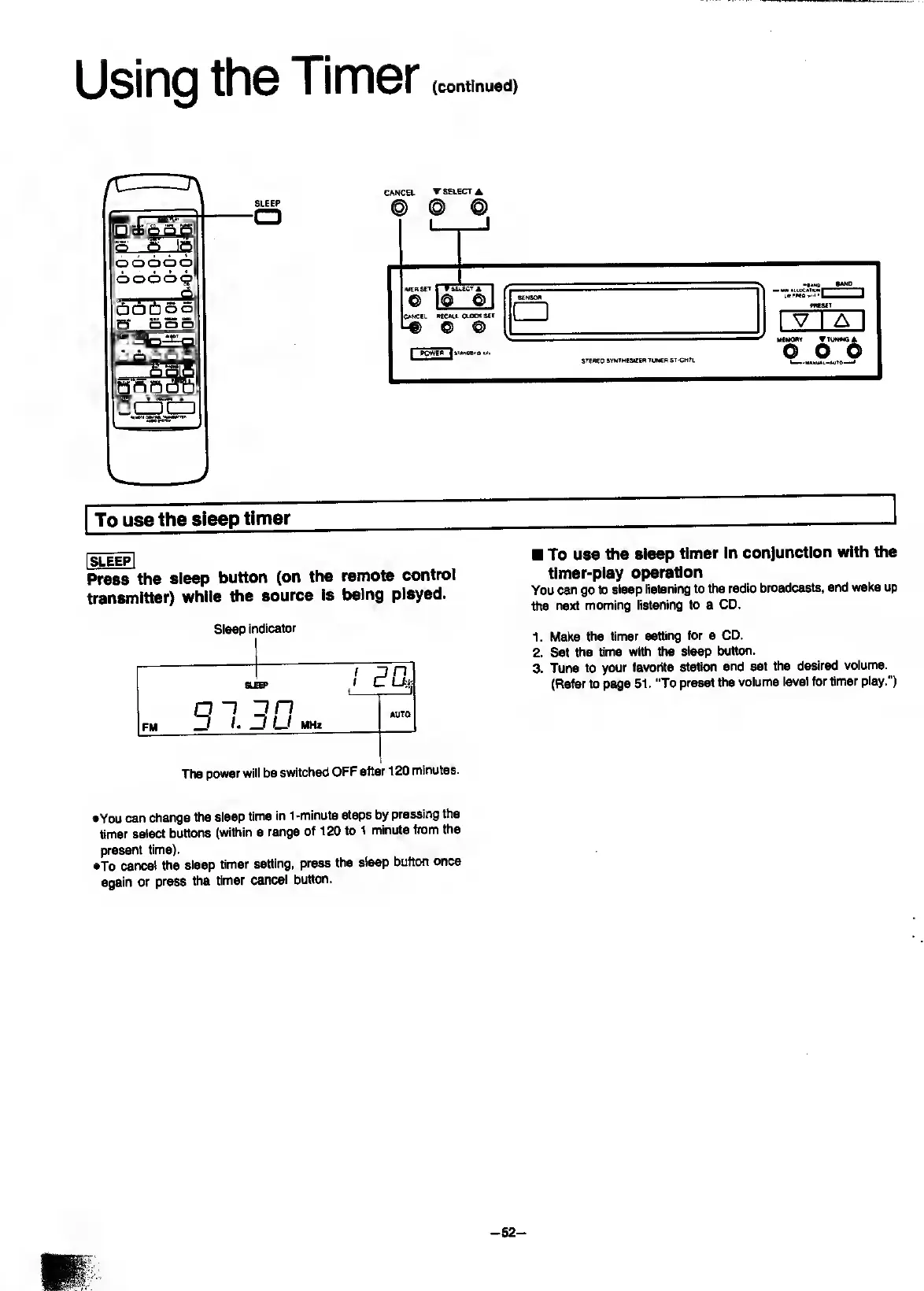
SLEEP
•a
To
use
the
sleep
timer
I
sleep]
Press
the
sleep
button
(on
the
remote
control
transmitter)
while
the
source
Is
being
played.
Sleep
indicator
8U
'
pn
EP
1
C-
on
FM
^
D
U
MHz
AUTO
The
power
will
be
switched
OFF
after
120
minutes.
To
use
the
sleep
timer
In
conjunction
with
the
timer-play
operation
You
can
go
to
sleep
listening
to
the
radio
broadcasts,
and
wake
up
the
next
morning
listening
to
a
CD.
1.
Make
the
timer
setting
for
a
CD.
2.
Set
the
time
with
the
sleep
button.
3.
Tune
to
your
favorite
station
and
set
the
desired
volume.
(Refer
to
page
51.
“To
preset
the
volume
level
for
timer
play.")
•You
can
change
the
sleep
time
in
1-minute
steps
by
pressing
the
timer
select
buttons
(within
a
range
of
120
to
1
minute
from
the
present
time).
•To
cancel
the
sleep
timer
setting,
press
the
sleep
button
once
again
or
press
the
timer
cancel
button.
-
52
-

Related product manuals