EasyManua.ls Logo

Panasonic SC-CH7 - Page 59

Panasonic SC-CH7
61 pages
Print Icon
To Next Page IconTo Next Page
To Previous Page IconTo Previous Page
Loading...
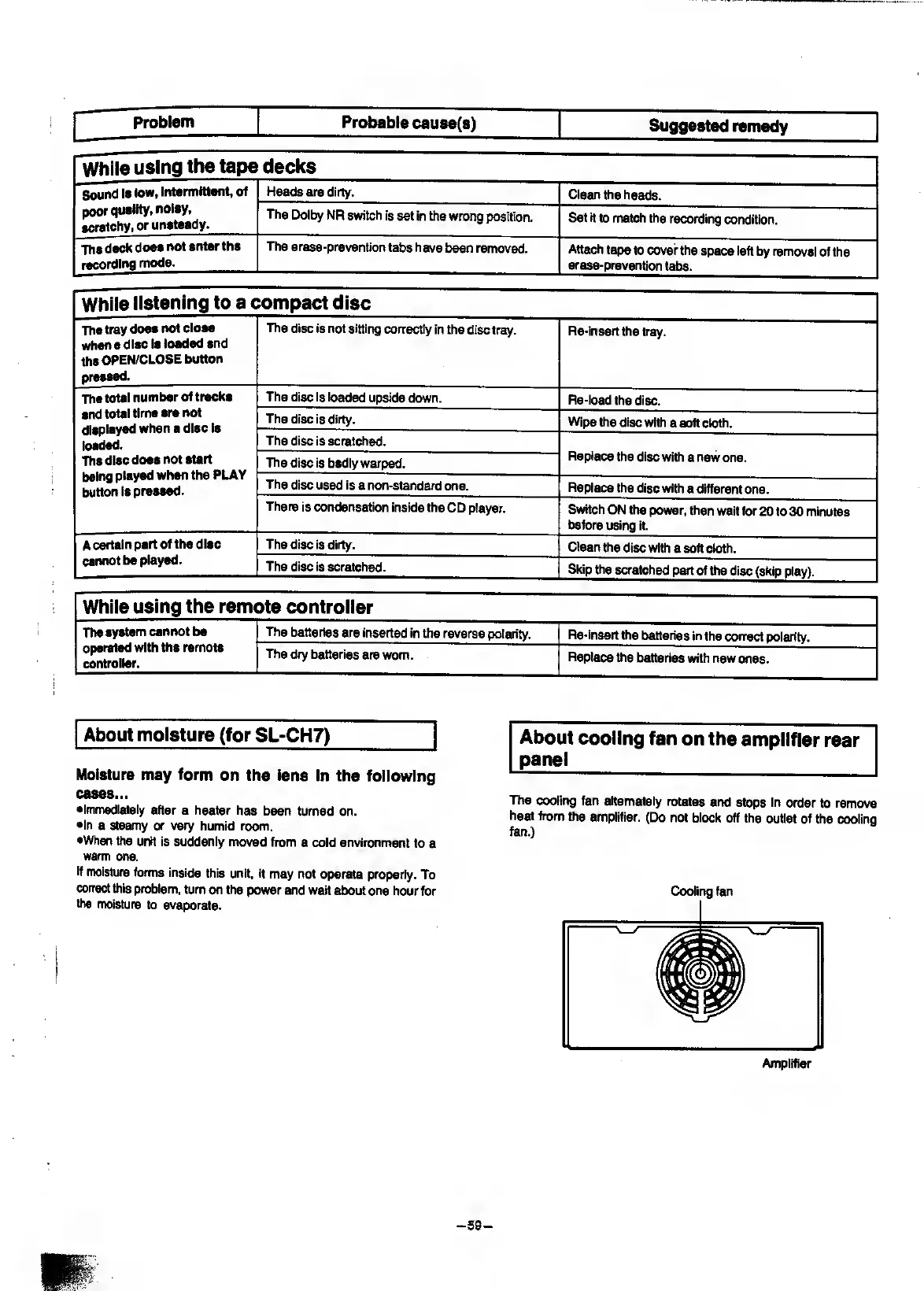
Problem
Probable
cau8e(s)
Suggested
remedy
While
using
the
tape
decks
Sound
Is
low,
intermittent,
of
Heads
are
dirty.
Clean
the
heads.
poor
quality,
noisy,
scratchy,
or
unsteady.
The
Dolby
NR
switch
is
set
in
the
wrong
position.
Set
it
to
match
the
recording
condition.
The
deck
does
not
enter
the
recording
mode.
The
erase-prevention
t^
have
been
removed.
Attach
tape
to
cover
the
space
left
by
removal
of
the
erase-prevention
tabs.
While
listening
to
a
c
compact
disc
The
tray
does
not
close
when
a
disc
Is
loaded
and
the
OPEN/CLOSE
button
praasad.
The
disc
is
not
sitting
correctly
in
the
disc
tray.
Re-insert
the
tray.
The
total
number
of
tracks
The
disc
is
loaded
upside
down.
Re-load
the
disc.
and
total
time
are
not
The
disc
is
dirty.
Wipe
the
disc
with
a
soft
cloth.
loaded.
The
disc
is
scratched.
Replace
the
disc
with
a
new
one.
The
disc
does
not
start
The
disc
is
badly
warped.
button
is
pressed.
The
disc
used
is
a
non-standard
one.
Replace
the
disc
with
a
different
one.
There
is
condensation
inside
the
CD
player.
Switch
ON
the
power,
then
wait
for
20
to
30
minutes
before
using
it.
A
certain
part
of
the
disc
The
disc
is
dirty.
Clean
the
disc
with
a
soft
cloth.
cannot
be
played.
The
disc
is
scratched.
Skip
the
scratched
part
of
die
disc
(skip
play).
While
using
the
remt
3te
controller
The
system
cannot
be
operated
with
the
remote
controller.
The
batteries
are
inserted
in
the
reverse
polarity.
Re-insert
the
batteries
in
the
correct
polarity.
The
dry
batteries
are
worn.
Replace
the
batteries
with
new
ones.
About
moisture
(for
SLIGHT)
Moisture
may
form
on
the
lens
in
the
following
cases...
•Immediately
after
a
heater
has
been
turned
on.
•In
a
steamy
or
very
humid
room.
•When
the
unit
is
suddenly
moved
from
a
cold
environment
to
a
warm
one.
If
moisture
forms
inside
this
unit,
it
may
not
operate
properly.
To
correct
this
problem,
turn
on
the
power
and
wait
about
one
hour
for
the
moisture
to
evaporate.
About
cooling
fan
on
the
amplifier
rear
panel
The
cooling
fan
alternately
rotates
and
stops
in
order
to
remove
heat
from
the
amplifier.
(Do
not
block
off
the
outlet
of
the
cooling
fan.)
Cooling
fan
Amplifier

Related product manuals