47
TH-103PF12E
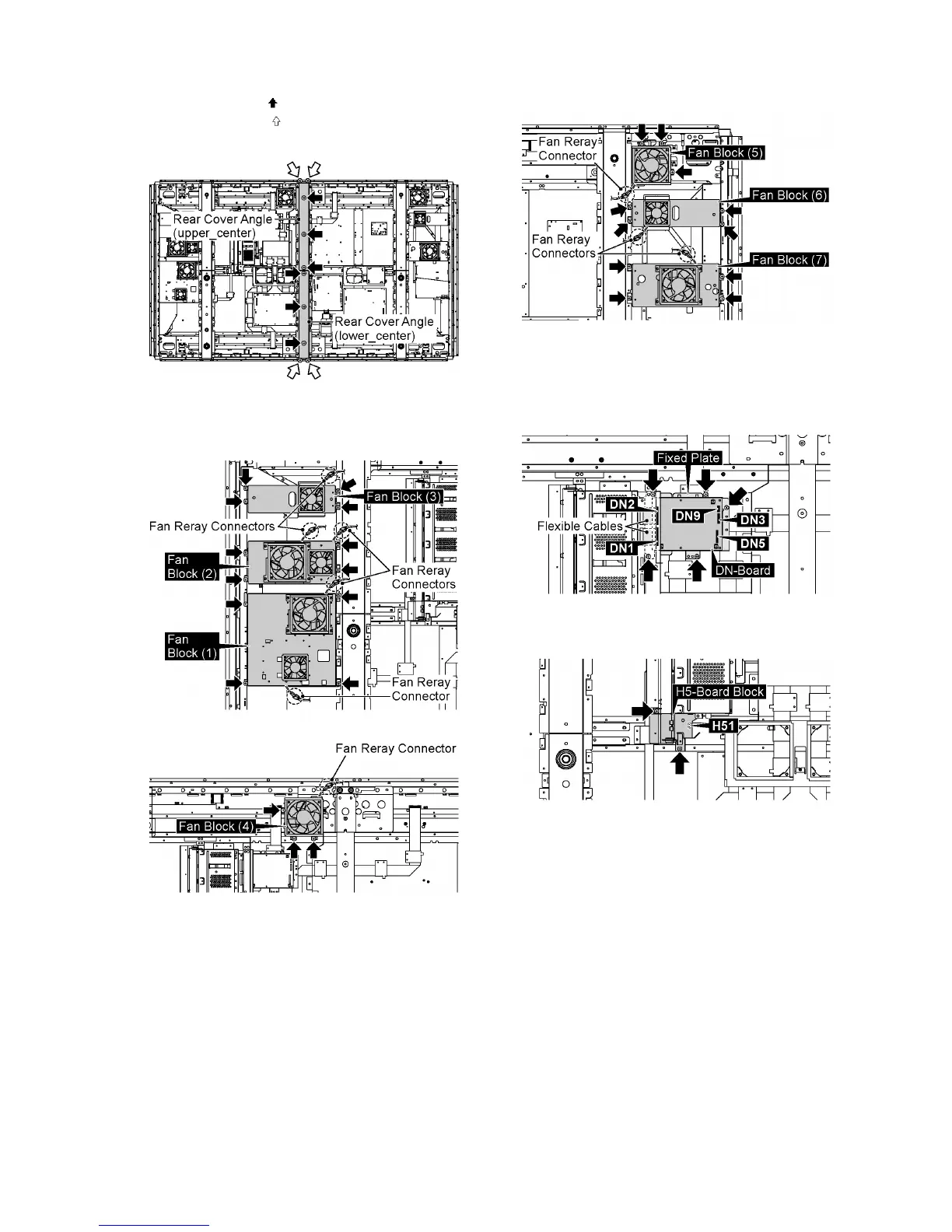
13. Remove 6 screws ( ).
14. Remove 4 screws ( ) and then remove the Rear Cover
Angles (upper_center, lower_center).
15. Disconnect the Fan Relay Connectors.
16. Remove 26 screws and then remove the Fan Blocks (1,
2, 3, 4, 5, 6, 7).
17. Disconnect the connectors (DN3, DN5, DN9).
18. Remove the flexible cables from the connectors (DN1,
DN2).
19. Remove 5 screws and then remove the DN-Board and
Fixed Plate.
20. Disconnect the connector (H51).
21. Remove 2 screws and then remove H5-Borad Block.







 To Next Page