O-47
Assignment
Alphanumeric Character Assignment
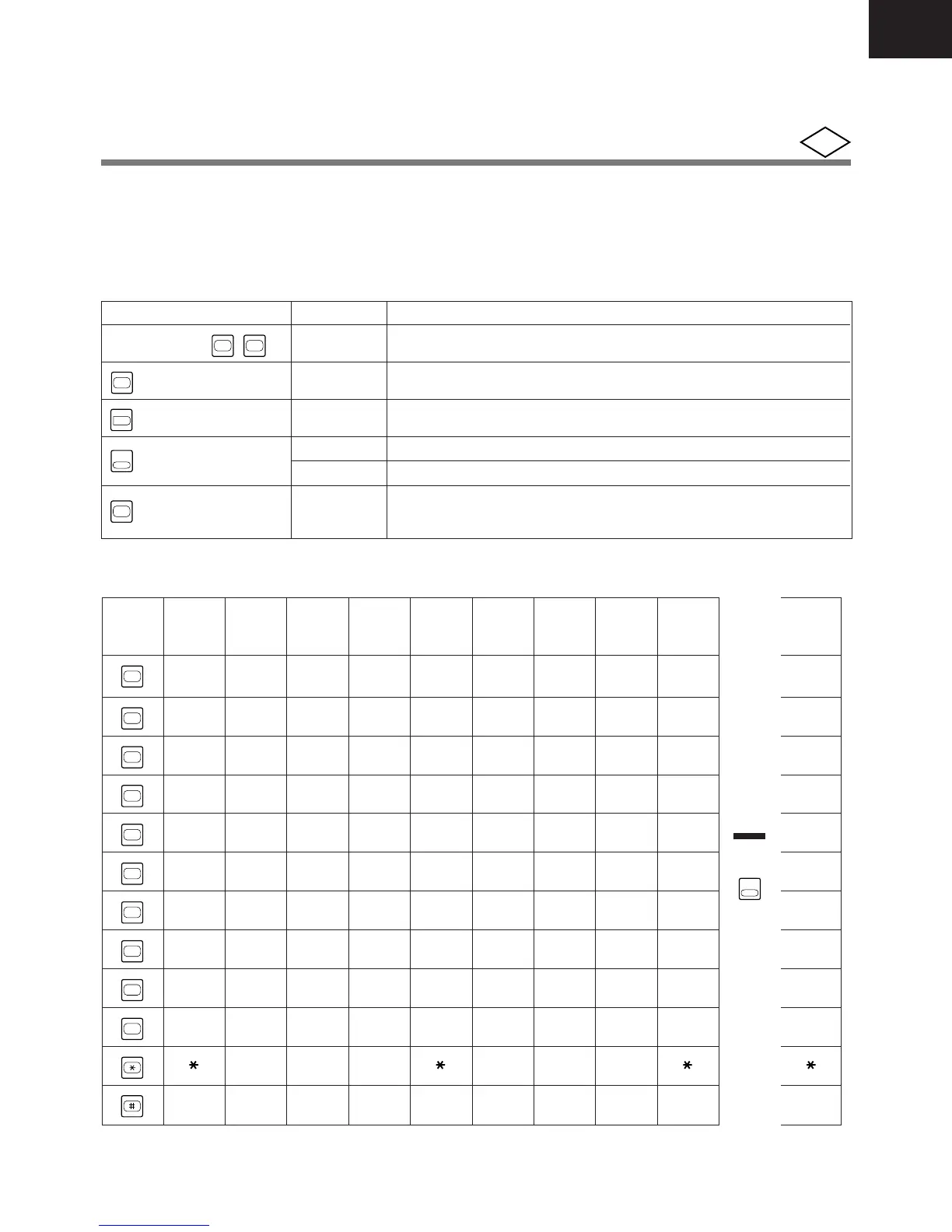
You can enter alphanumeric characters with the number keys and, in some cases, special keys. You will
need alphanumeric characters for PSD names, SSD names, extension names, and messages.
Alphabetical letters can be selected according to the number of times a number key is pressed.
Key and Feature
KEY
Number keys (
0
-
9
)
FL
@
/
@
R
Key
HOLD
Key
MEMORY
Key
Alphabet Table
Number
Press Press Press Press Press Press Press Press Press Press
Key
1 time 2 times 3 times 4 times 5 times 6 times 7 times 8 times 9 times 1 time
1
1
2
ABCabcÄÅA 2
3
DEFde fÆŒD 3
4
GH I gh i Ç G 4
5
JKL j k l J 5
6
MNOmn oÑÖM 6
7
PQRSpq r sP 7
8
TUV t uvÜ T 8
9
WXY Zwx y zW 9
0
.:.:.:.:. 0
–?¿ –?¿
#/!¡#/!¡# #
FUNCTION
Characters
Forward
Enter
Shift
Clear
Back Space
DESCRIPTION
Enter alphanumeric characters. (See below table)
Takes a character and moves a cursor to the right.
Stores characters displayed.
Switches between letter entry and number entry.
Clears previous name in the beginning.
Erases a character at the cursor and moves the cursor to the left
during editing.
PGM
* Pressing for more than 9 times will be repeated from 1 time again.
* Alphanumeric character assignment is available for alphanumeric display type telephones.
t s
Switch
CONF
CONF
Key










 To Next Page