Appendix
54
pco.edge User Manual V1.03 © PCO AG, Germany
A3 How to change optical input F-mount to C-mount
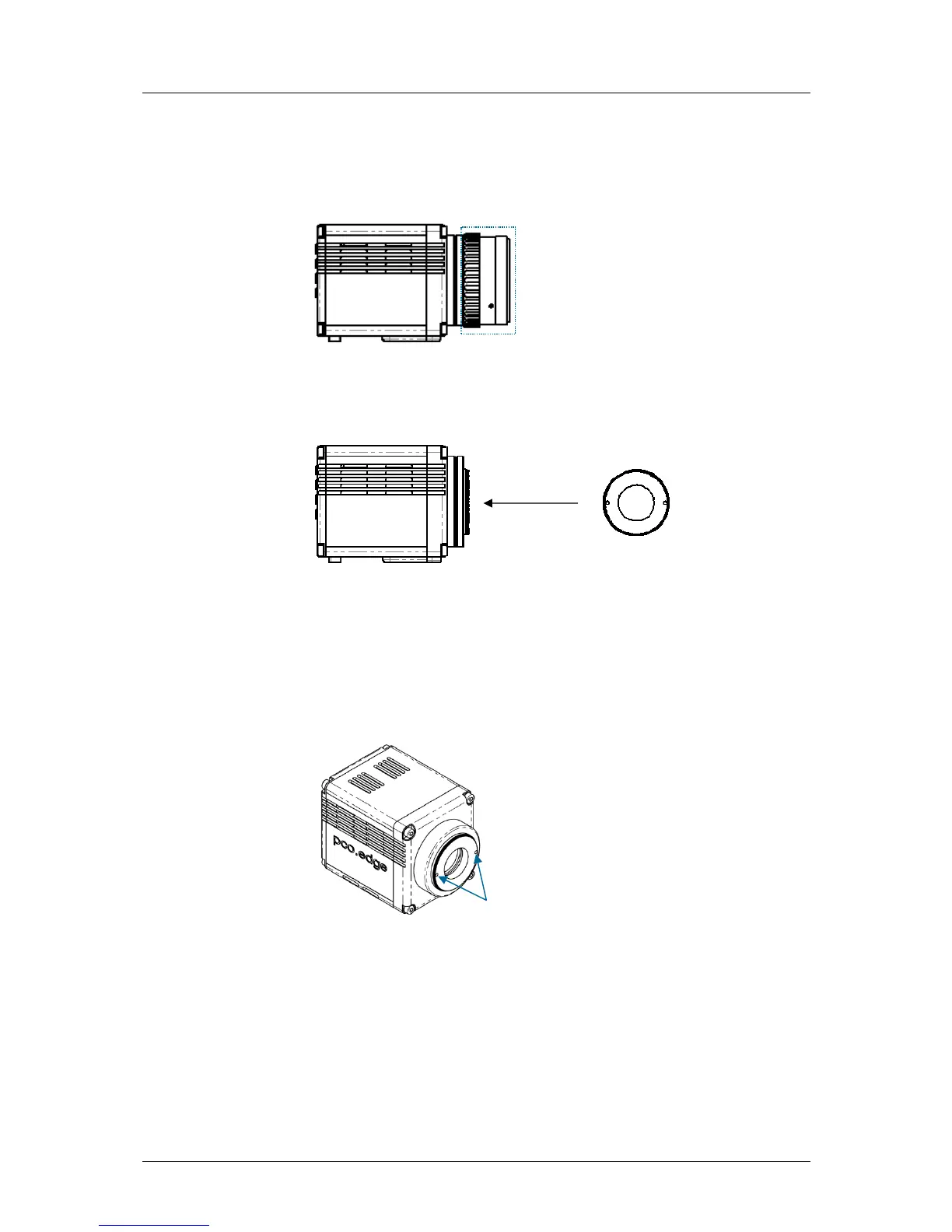
Step #1: Remove F-mount Adapter
Grasp the F-mount adapter at the blue ring (counter ring) and turn
counterclockwise.
Step #2: Insert C-mount Ring
Carefully screw the ring completely in and tighten the two Allen screws.
Adjust Back Focal Length
First step, attach a lens to your c-mount adapter. Then set the focus of your
lens to infinity. After that, look for a point in infinity* and generate a sharp
image by turning the smaller ring of the adapter. Then fix this position with
the two small indented screws.
*rule of thumb: object should be away about 2000 times the focal length in mm
Limitations of c-mount lenses
Keep in mind that c-mount lenses could cause shadings at the edges of big
sized sensors. Most c-mount lenses are able to illuminate a maximum
image circle of 16 mm diameter only.


 To Next Page