- 6 -
2 Name of each part
1
5
2
6
3
7
9
4
8
10
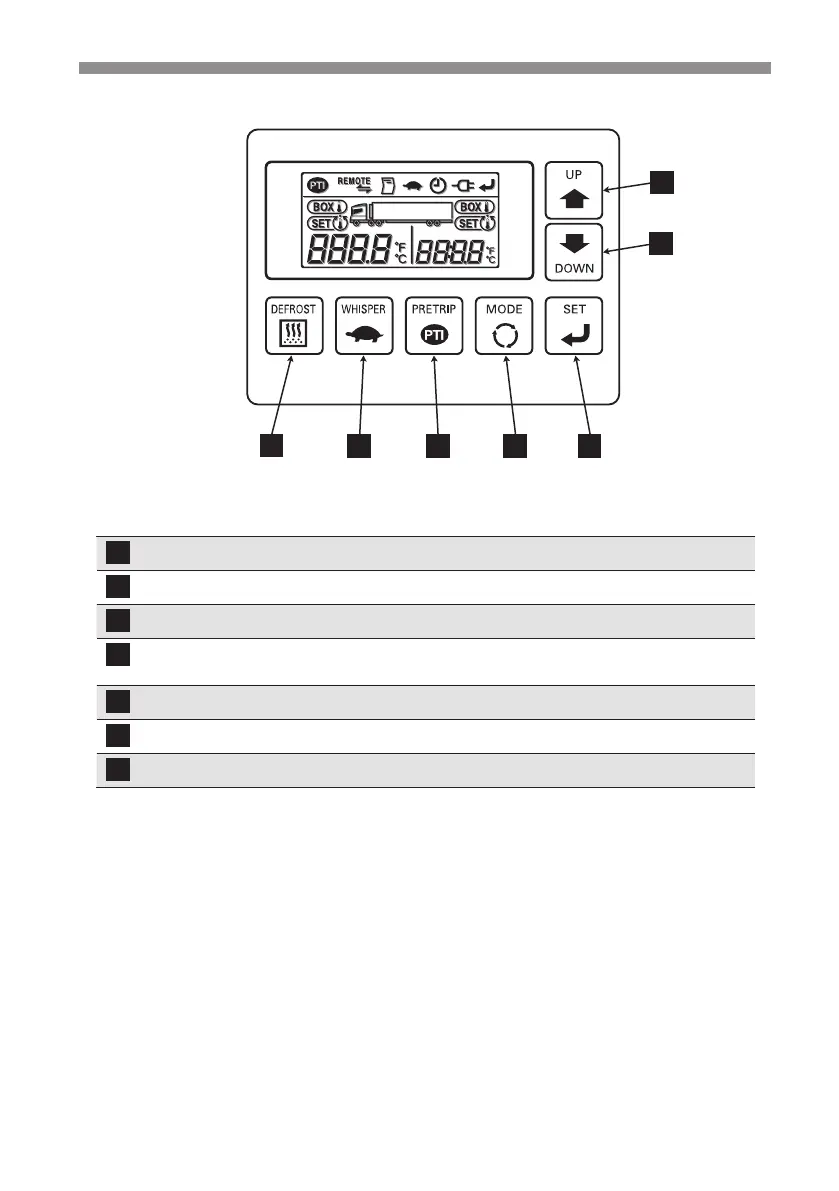
Switches
A
B
C
D
EF
G
UP Changes the setting temperature and setting screen.
DOWN Changes the setting temperature and setting screen.
SET Registers the setting.
MODE Selects the normal display screen or the setting change screen.
Starts the controller.
PRETRIP (PTI) Starts/stops the self diagnosis operation.
WHISPER Selects the normal operation or whisper operation.
DEFROST Starts the manual defrost operation.



 To Next Page