- 31 -
4 Initial setting
1
5
2
6
3
7
9
4
8
10
Resetting the cumulative time 1
1
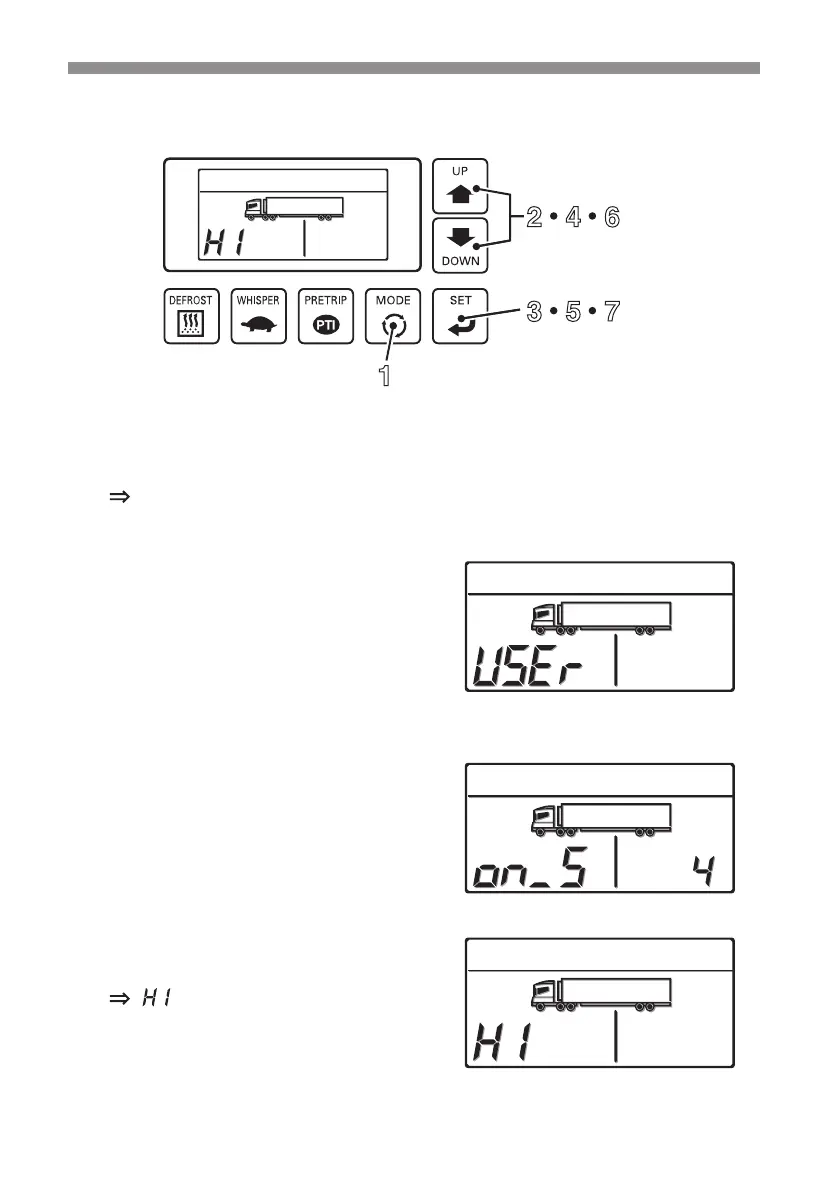
2 4 6
3 5 7
1
Press the [MODE] switch.
The display changes to the "Current error display mode".
2
Press the [UP] or [DOWN] switch
until the display changes to the "User
setting mode". (Right gure)
3
Press the [SET] switch.
4
Press the [DOWN] switch once.
" " is displayed in the left side of the
digital display area.



 To Next Page